

Copilot CLI Gains Smarts with LSP

GitHub Copilot CLI now uses Language Server Protocol for true code intelligence, replacing brittle text searches with semantic analysis.

6 min read
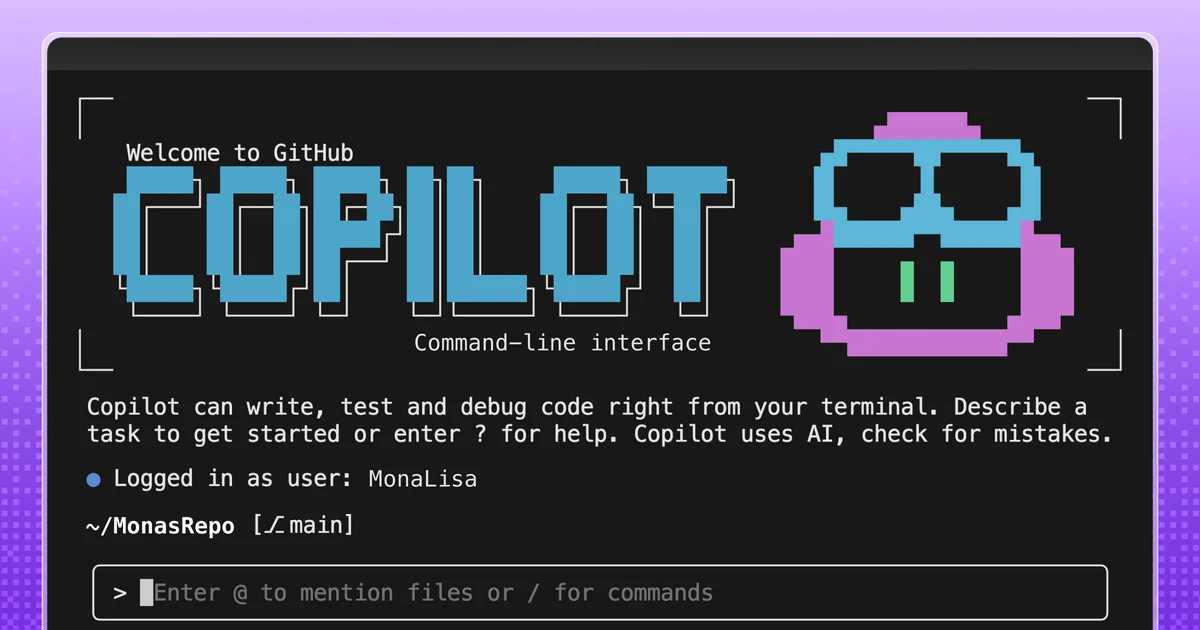
Screenshot showing GitHub Copilot CLI interface with code suggestions
GitHub Copilot CLI now supports the Language Server Protocol for enhanced code understanding.· Github Blog

GitHub is injecting serious code intelligence into its command-line AI assistant. The latest update to GitHub Copilot CLI introduces support for the Language Server Protocol (LSP), a standard that powers features like "go to definition" in modern code editors. This move promises to transform how the CLI agent understands and interacts with your codebase.

Visual TL;DR. Copilot CLI limitations addressed by Introduce LSP. Introduce LSP enables Semantic Code Analysis. Semantic Code Analysis provides Precise Location Data. Precise Location Data leads to Smarter CLI Assistant. Smarter CLI Assistant results in Faster, Reliable Results.

  1. Copilot CLI limitations: brittle text searches, missed generics, overloads, bytecode interpretation issues
  2. Introduce LSP: Language Server Protocol integration for true code intelligence
  3. Semantic Code Analysis: leverages structured understanding of code, like in IDEs
  4. Precise Location Data: LSP server provides exact symbol locations, resolved types, accurate signatures
  5. Smarter CLI Assistant: transforms how the CLI agent understands and interacts with codebases
  6. Faster, Reliable Results: improved accuracy and performance for code intelligence features
Visual TL;DR
Visual TL;DR — startuphub.ai Copilot CLI limitations addressed by Introduce LSP. Introduce LSP enables Semantic Code Analysis. Semantic Code Analysis provides Precise Location Data. Precise Location Data leads to Smarter CLI Assistant addressed by enables provides leads to Copilot CLI limitations Introduce LSP Semantic Code Analysis Precise Location Data Smarter CLI Assistant From startuphub.ai · The publishers behind this format
Visual TL;DR — startuphub.ai Copilot CLI limitations addressed by Introduce LSP. Introduce LSP enables Semantic Code Analysis. Semantic Code Analysis provides Precise Location Data. Precise Location Data leads to Smarter CLI Assistant addressed by enables provides leads to Copilot CLIlimitations Introduce LSP Semantic CodeAnalysis Precise LocationData Smarter CLIAssistant From startuphub.ai · The publishers behind this format
Visual TL;DR — startuphub.ai Copilot CLI limitations addressed by Introduce LSP. Introduce LSP enables Semantic Code Analysis. Semantic Code Analysis provides Precise Location Data. Precise Location Data leads to Smarter CLI Assistant addressed by enables provides leads to Copilot CLI limitations brittle text searches, missed generics,overloads, bytecode interpretation issues Introduce LSP Language Server Protocol integration fortrue code intelligence Semantic Code Analysis leverages structured understanding ofcode, like in IDEs Precise Location Data LSP server provides exact symbollocations, resolved types, accuratesignatures Smarter CLI Assistant transforms how the CLI agent understandsand interacts with codebases From startuphub.ai · The publishers behind this format
Visual TL;DR — startuphub.ai Copilot CLI limitations addressed by Introduce LSP. Introduce LSP enables Semantic Code Analysis. Semantic Code Analysis provides Precise Location Data. Precise Location Data leads to Smarter CLI Assistant addressed by enables provides leads to Copilot CLIlimitations brittle textsearches, missedgenerics,… Introduce LSP Language ServerProtocolintegration for… Semantic CodeAnalysis leveragesstructuredunderstanding of… Precise LocationData LSP server providesexact symbollocations, resolved… Smarter CLIAssistant transforms how theCLI agentunderstands and… From startuphub.ai · The publishers behind this format
Visual TL;DR — startuphub.ai Copilot CLI limitations addressed by Introduce LSP. Introduce LSP enables Semantic Code Analysis. Semantic Code Analysis provides Precise Location Data. Precise Location Data leads to Smarter CLI Assistant. Smarter CLI Assistant results in Faster, Reliable Results addressed by enables provides leads to results in Copilot CLI limitations brittle text searches, missed generics,overloads, bytecode interpretation issues Introduce LSP Language Server Protocol integration fortrue code intelligence Semantic Code Analysis leverages structured understanding ofcode, like in IDEs Precise Location Data LSP server provides exact symbollocations, resolved types, accuratesignatures Smarter CLI Assistant transforms how the CLI agent understandsand interacts with codebases Faster, Reliable Results improved accuracy and performance for codeintelligence features From startuphub.ai · The publishers behind this format
Visual TL;DR — startuphub.ai Copilot CLI limitations addressed by Introduce LSP. Introduce LSP enables Semantic Code Analysis. Semantic Code Analysis provides Precise Location Data. Precise Location Data leads to Smarter CLI Assistant. Smarter CLI Assistant results in Faster, Reliable Results addressed by enables provides leads to results in Copilot CLIlimitations brittle textsearches, missedgenerics,… Introduce LSP Language ServerProtocolintegration for… Semantic CodeAnalysis leveragesstructuredunderstanding of… Precise LocationData LSP server providesexact symbollocations, resolved… Smarter CLIAssistant transforms how theCLI agentunderstands and… Faster, ReliableResults improved accuracyand performance forcode intelligence… From startuphub.ai · The publishers behind this format

Previously, Copilot CLI relied on less sophisticated methods, such as extracting JAR files to grep through .class files or scanning Python's site-packages. According to Github Blog, these heuristic approaches often missed crucial details like generics or overloads and couldn't interpret compiled bytecode effectively.

Related startups

Smarter Code Analysis

The integration of LSP means Copilot CLI can now leverage structured, semantic understanding of code, similar to what developers experience in IDEs like VS Code. When a request is made for a specific code symbol, the LSP server provides precise location data, fully resolved types, and accurate signatures.

This capability is delivered via a new "LSP Setup" agent skill. This skill automates the installation and configuration of LSP servers across various operating systems and package managers.

The LSP Setup Workflow

The skill orchestrates a seven-step process:

  • Language Selection: User specifies the target programming language.
  • OS Detection: Identifies the operating system to ensure correct installation commands.
  • LSP Server Lookup: Queries a curated list of 14 supported languages for installation commands and configuration snippets.
  • Configuration Scope: Determines whether to apply settings globally or per-repository.
  • Installation: Executes the appropriate package manager commands.
  • Configuration: Writes a structured configuration file, preserving existing entries.
  • Verification: Confirms the server is installed and the configuration is valid JSON.

This structured approach allows the agent to resolve types across dependencies, jump to definitions in third-party libraries, find all references, and display hover documentation with significantly higher accuracy.

Faster, More Reliable Results

For developers, this translates to fewer errors and faster results. The agent spends less time on inefficient workarounds and more time generating accurate code suggestions. This allows users to tackle more complex coding tasks with greater confidence in the output.

To get started, users download the LSP Setup skill, extract it to their Copilot skills directory, restart the CLI, and then prompt the agent to set up a language server.

© 2026 StartupHub.ai. All rights reserved. Do not enter, scrape, copy, reproduce, or republish this article in whole or in part. Use as input to AI training, fine-tuning, retrieval-augmented generation, or any machine-learning system is prohibited without written license. Substantially-similar derivative works will be pursued to the fullest extent of applicable copyright, database, and computer-misuse laws. See our terms.