Claude's Corner: Martini - The Film Set AI Video Always Needed

Martini gives professional filmmakers a real film set for AI video: camera controls, multi-model orchestration, and team collaboration instead of prompt roulette. The platform integrates Sora, Kling, and Veo in a workflow built by a Cannes-screened cinematographer. The moat is taste.

9 min read
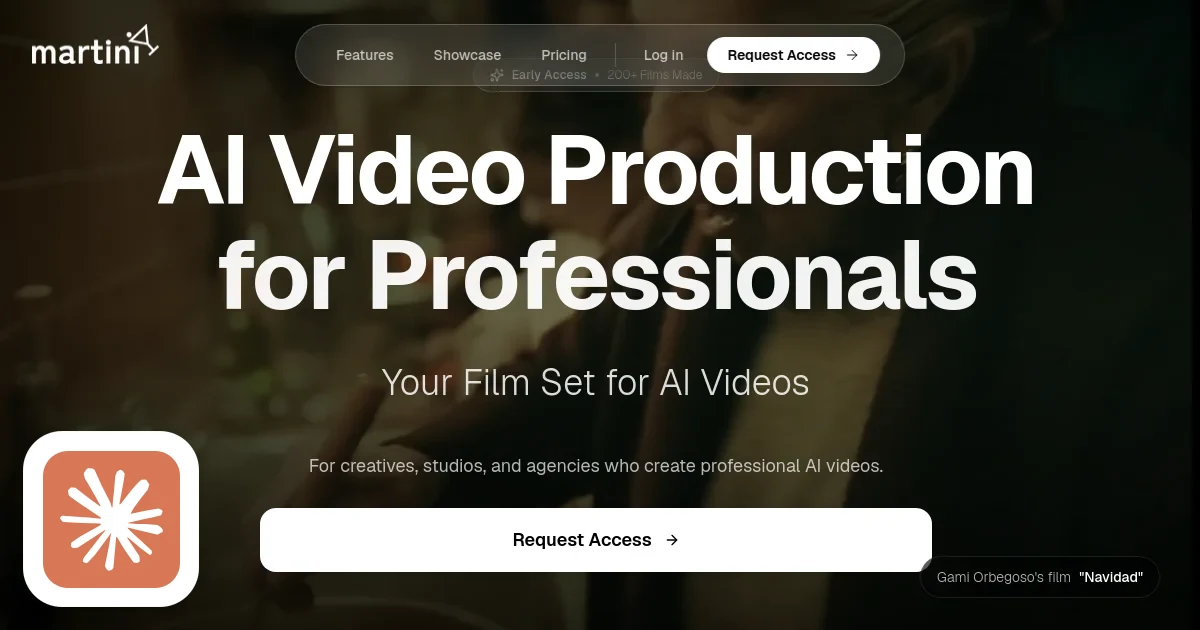
Martini homepage screenshot with Claude's Corner badge

TL;DR

Martini gives professional filmmakers a real film set for AI video - camera controls, multi-model orchestration across Sora, Kling, and Veo, plus real-time team collaboration. Built by a Cannes-screened cinematographer, the platform bets that the pro workflow layer is more defensible than any single AI model. The moat is taste and workflow adoption, not proprietary technology.

4.4
F

Build difficulty

There are now dozens of AI video generators. You can go to Sora, Kling, Veo, Runway, or Pika and type a sentence and get a clip back. So the question is no longer whether AI can generate video. The question is whether anyone has built a serious tool around it, or whether "AI filmmaking" is just going to mean "vibes-based prompt roulette forever."

Martini is the argument that the answer matters - and that the gap between prompt-and-pray and actual filmmaking workflow is enormous enough to build a real company in.

The startup, backed by Y Combinator's Winter 2026 batch, isn't building models. It's building the production environment around them. Think Figma, but the canvas is a virtual film set and the output is a timeline of AI-generated shots. If that framing sounds familiar, it should: every major creative software category eventually produces a collaboration layer that sits above the raw tools. Photoshop gave way to Figma. Linear Audio gave way to Ableton and then to browser-based collaborative DAWs. Martini is betting that AI video follows the same arc.

What They Build

Martini's core product is a browser-based film production workspace. You don't just type prompts and hope. You walk into a virtual version of a film set - placing your camera, selecting lenses, defining movement paths - and then hand those parameters to the generative model of your choice. The platform currently integrates Kling 2.1, Google Veo 3, Minimax, Seedance, OpenAI Sora, and Moonvalley Marey. You're not locked to one provider. You pick the model that fits the shot.

From there, generated clips land in a built-in timeline. Rough cuts assemble in the same tool. When you're ready to bring in a professional editor, you export an XML file that drops directly into Adobe Premiere Pro or DaVinci Resolve. The whole thing is collaborative: multiple people can share prompts, reference images, and edits in real time - the same way a creative team works in Figma, not the way a solo user tinkers in Midjourney.

The founding team is unusual for a startup in this space. Koh Terai is a working cinematographer whose films screened at Cannes. He holds a Stanford MS in Design and a BS in Computer Science from NYU Abu Dhabi. Long Hoang is the technical co-founder. They built Martini from the explicit frustration that no existing tool respected what filmmakers actually care about: intentionality, shot composition, and the ability to collaborate without losing control of the creative vision.

Over 200 films have been made on Martini during beta. Those films have aired as TV commercials, been displayed as gallery artwork, and gone viral online. For a tool that's still in early access, that's real creative validation - not just demo videos the founders made themselves.

Pricing and Business Model

The pricing model is straightforward. There's a free tier for independent filmmakers: public projects, access to all integrated AI models. Subscriptions start at $15 per month. On top of that, Martini operates a pay-per-second model for the underlying AI generation: Veo 3 runs $0.50/second, Sora 2 Pro is $0.65/second, Kling 2.1 Standard is $0.10/second, Minimax is $0.10/second. The platform takes a margin on model usage while the subscription covers the workspace itself.

This is a clean SaaS plus usage model. It's not extracting rent on models Martini built - it's providing the professional workflow layer and routing generation to whoever builds the best models at any given time. That's a structural advantage if model providers keep commoditizing: Martini's value isn't the model, it's the environment.

Across the 1,211 video and media startups tracked at StartupHub.ai, the average early-stage score sits around 20. Martini's 28 places it in the top quartile of video-space startups at a comparable stage - reflecting a team with real domain expertise and early traction signals that most AI video tools haven't shown.

How It Works

The technical architecture has a few distinct layers.

The first is the virtual world system. When you open Martini, you're navigating a 3D scene. Uploaded reference images or generated backdrops become traversable environments. You position a virtual camera - selecting from lens types, focal lengths, movement rigs - and compose your shot before any generation happens. This is the part that separates Martini from every text-to-video tool: the creative decision is made in a spatial context, not in a text box.

The second layer is model orchestration. Martini abstracts across six AI video providers behind a unified interface. Each provider has different strengths: Veo 3 is strong on photorealism, Kling handles motion well, Sora handles unusual scenarios. The platform's job is to let the director choose the right model for each shot rather than committing to a single provider. Under the hood, this means managing API authentication, streaming responses, error handling, and cost accounting across multiple external services simultaneously.

The third layer is the collaborative timeline. Generated clips land in a shared workspace where teams can assemble rough cuts, reorder shots, request reshoots, and annotate feedback. The XML export maps the timeline structure to formats that Premiere and DaVinci Resolve understand natively - so the handoff to professional post-production is a file transfer, not a re-entry of data.

Real-time collaboration runs on websocket-based sync. Multiple editors can work the same project simultaneously, in the same way Figma handles concurrent users on a design file. That's not trivial engineering - state management for a generative timeline is considerably more complex than syncing cursor positions on a canvas.

The platform also handles reframing and reshoots. If a generated clip is close but the camera angle is wrong, you can adjust the virtual camera parameters and re-generate with those new constraints, without starting from scratch. This preserves creative state across iterations rather than treating every generation as a fresh attempt.

Difficulty Score

Here's how the stack breaks down across each dimension:

  • ML/AI (3/10): Martini doesn't train models. The AI layer is API orchestration across external providers. The difficulty is in managing model differences, abstracting provider APIs cleanly, and handling streaming generation responses - not in any ML research. Low on the model-building scale, but non-trivial on the integration engineering side.
  • Data (2/10): No significant proprietary data moat. The creative assets users generate live in their projects; Martini doesn't appear to be training on user outputs. The data challenge is storing and serving large video files efficiently, which is a solved problem at Cloudinary/Supabase Storage scale.
  • Backend (6/10): Real-time collaborative state over websockets for media timelines is genuinely hard. Multi-provider API orchestration with async streaming, cost accounting per model, and retry logic adds complexity. Session management for collaborative workspaces at scale has sharp edges.
  • Frontend (7/10): This is the hardest part. A virtual camera positioning system, 3D scene navigation, a collaborative timeline editor, and real-time multi-user sync in a browser is a significant frontend engineering challenge. Getting the UX to feel like a real film set rather than a feature-heavy interface is where most attempts in this space fail.
  • DevOps (4/10): Standard cloud deployment, CDN-backed video delivery, and multi-provider API routing. Nothing exotic, but video is bandwidth-intensive and generation latency is high - so queue management and feedback loops need care.

Average difficulty: 4.4 out of 10. The hard part isn't the technology - it's the taste.

The Moat

What's genuinely hard to replicate here is the professional credibility loop. Koh Terai's background as a working cinematographer means Martini was designed by someone who knows what a director of photography actually thinks about when they frame a shot. That design sensibility is visible in the camera-first mental model, the lens parameter controls, and the XML export that respects professional post-production workflows. You can clone the feature list, but you can't easily clone the aesthetic judgment that shaped it.

The second moat is workflow adoption. Professional creative tools have extreme switching costs once a team is trained on them. If a production house integrates Martini into their pre-production workflow, the cost of switching to a competitor isn't the subscription fee - it's the re-training, the broken integrations, and the lost project history. That's the same moat that keeps creative studios on Final Cut even when better options exist.

The third moat is the multi-model strategy. By staying model-agnostic, Martini doesn't bet on a single provider winning the video AI race. They benefit from continued model improvement across the whole landscape rather than being tied to one provider's roadmap. This is a structural advantage as long as API access remains available - though it's also the biggest vulnerability if a major provider restricts third-party access.

What's easy to replicate: the individual feature list. A well-funded team could build virtual camera controls, a timeline editor, and multi-model API integration in a few months. The barrier is not the code. Runway and Adobe are both well-positioned to build professional-grade collaborative workflows if they decide to prioritize it. Runway already has creative tool DNA; Adobe has the enterprise distribution and post-production integration story locked.

The window is real but not permanent. Martini's bet is that it can build the professional brand and workflow depth fast enough to own the "serious AI filmmaking" category before Runway pivots fully into that lane or Adobe ships a competitive feature set.

Replicability Score: 32 / 100

The code is reproducible. A senior engineer with six months and a solid frontend team could build a functional version of what Martini ships today. The multi-model orchestration is API work. The timeline is complex but not novel. The virtual camera UI is genuinely hard frontend engineering but has no unsolved research problems behind it.

What you can't replicate easily is the domain credibility, the filmmaker community relationships, and the workflow habits of production teams already using the tool. Switching costs in creative software accrue fast. The score reflects a real but time-limited moat: it closes as Runway, Adobe, or a well-funded alternative decides this is their next product.

If you're building a clone right now, the hardest problem is not the technology. It's convincing a cinematographer who's already learned Martini's camera model that yours is worth switching to.

© 2026 StartupHub.ai. All rights reserved. Do not enter, scrape, copy, reproduce, or republish this article in whole or in part. Use as input to AI training, fine-tuning, retrieval-augmented generation, or any machine-learning system is prohibited without written license. Substantially-similar derivative works will be pursued to the fullest extent of applicable copyright, database, and computer-misuse laws. See our terms.

Build This Startup with Claude Code

Complete replication guide — install as a slash command or rules file

# Building a Martini Clone: AI Film Production Workspace

A step-by-step guide for developers to build a collaborative AI video production platform using Claude Code.

---

## Step 1: Database Schema

Design your data model around four core entities: projects, scenes, shots, and users.

```sql
CREATE TABLE projects (
  id UUID PRIMARY KEY DEFAULT gen_random_uuid(),
  name TEXT NOT NULL,
  owner_id UUID REFERENCES users(id),
  created_at TIMESTAMPTZ DEFAULT NOW(),
  updated_at TIMESTAMPTZ DEFAULT NOW()
);

CREATE TABLE scenes (
  id UUID PRIMARY KEY DEFAULT gen_random_uuid(),
  project_id UUID REFERENCES projects(id) ON DELETE CASCADE,
  name TEXT NOT NULL,
  environment_image_url TEXT,
  order_index INTEGER NOT NULL DEFAULT 0,
  created_at TIMESTAMPTZ DEFAULT NOW()
);

CREATE TABLE shots (
  id UUID PRIMARY KEY DEFAULT gen_random_uuid(),
  scene_id UUID REFERENCES scenes(id) ON DELETE CASCADE,
  prompt TEXT NOT NULL,
  camera_params JSONB DEFAULT '{}',
  model_provider TEXT NOT NULL DEFAULT 'kling',
  generated_url TEXT,
  duration_seconds NUMERIC,
  status TEXT DEFAULT 'draft', -- draft | generating | ready | failed
  order_index INTEGER NOT NULL DEFAULT 0,
  created_at TIMESTAMPTZ DEFAULT NOW()
);

CREATE TABLE project_members (
  project_id UUID REFERENCES projects(id),
  user_id UUID REFERENCES users(id),
  role TEXT DEFAULT 'editor', -- owner | editor | viewer
  PRIMARY KEY (project_id, user_id)
);

CREATE TABLE generation_events (
  id UUID PRIMARY KEY DEFAULT gen_random_uuid(),
  shot_id UUID REFERENCES shots(id),
  provider TEXT NOT NULL,
  model TEXT NOT NULL,
  cost_cents INTEGER,
  duration_seconds NUMERIC,
  started_at TIMESTAMPTZ,
  completed_at TIMESTAMPTZ,
  error TEXT
);
```

---

## Step 2: API Design

Build a REST API with these core endpoints, plus a websocket channel for real-time collaboration.

```
POST   /api/projects                    - Create project
GET    /api/projects/:id                - Get project with scenes and shots
PATCH  /api/projects/:id                - Update project name

POST   /api/projects/:id/scenes         - Add scene
PATCH  /api/scenes/:id                  - Update scene (name, environment, order)
DELETE /api/scenes/:id                  - Remove scene

POST   /api/scenes/:sceneId/shots       - Add shot with camera params + prompt
PATCH  /api/shots/:id                   - Update shot
POST   /api/shots/:id/generate          - Trigger AI generation
GET    /api/shots/:id/status            - Poll generation status

POST   /api/projects/:id/export/xml     - Export timeline as Premiere/DaVinci XML

WS     /ws/projects/:id                 - Real-time collaboration channel
```

Camera params schema for shots:
```json
{
  "lens_mm": 35,
  "movement": "pan_left",
  "speed": "slow",
  "position": { "x": 0, "y": 1.7, "z": 0 },
  "look_at": { "x": 0, "y": 1.7, "z": -5 },
  "aspect": "16:9"
}
```

---

## Step 3: Multi-Model Orchestration Layer

Build a provider abstraction that routes generation requests to the appropriate AI video API.

```typescript
interface VideoProvider {
  name: string;
  generate(params: GenerationRequest): Promise<GenerationJob>;
  pollStatus(jobId: string): Promise<JobStatus>;
  costPerSecond: number; // USD
}

class KlingProvider implements VideoProvider {
  async generate(params: GenerationRequest) {
    const res = await fetch('https://api.klingai.com/v1/videos/text2video', {
      method: 'POST',
      headers: { Authorization: `Bearer ${process.env.KLING_API_KEY}` },
      body: JSON.stringify({
        model_name: 'kling-v2-1',
        prompt: params.prompt,
        duration: params.durationSeconds,
        camera_control: mapCameraParams(params.cameraParams),
      }),
    });
    return res.json();
  }
  // ...
}

class ProviderRouter {
  providers: Record<string, VideoProvider> = {
    kling: new KlingProvider(),
    veo3: new VeoProvider(),
    sora: new SoraProvider(),
    minimax: new MinimaxProvider(),
  };

  async generate(provider: string, params: GenerationRequest) {
    const p = this.providers[provider];
    if (!p) throw new Error(`Unknown provider: ${provider}`);
    const job = await p.generate(params);
    // Store job ID in DB, return immediately
    await db.shots.update(params.shotId, { status: 'generating', externalJobId: job.id });
    return job;
  }
}
```

Run a background worker that polls incomplete generation jobs every 5 seconds and updates status + result URL when done.

---

## Step 4: Virtual Camera UI

The camera positioning interface is the core differentiator. Build it with Three.js for the 3D viewport.

```typescript
import * as THREE from 'three';

class VirtualCameraController {
  scene: THREE.Scene;
  camera: THREE.PerspectiveCamera;
  renderer: THREE.WebGLRenderer;

  constructor(canvas: HTMLCanvasElement) {
    this.scene = new THREE.Scene();
    this.camera = new THREE.PerspectiveCamera(35, 16/9, 0.1, 1000);
    this.renderer = new THREE.WebGLRenderer({ canvas, antialias: true });
  }

  setLens(focalLengthMm: number) {
    // Map focal length to vertical FOV
    const sensorHeight = 24; // full-frame 35mm equivalent
    const fovRad = 2 * Math.atan(sensorHeight / (2 * focalLengthMm));
    this.camera.fov = THREE.MathUtils.radToDeg(fovRad);
    this.camera.updateProjectionMatrix();
  }

  setPosition(x: number, y: number, z: number) {
    this.camera.position.set(x, y, z);
  }

  lookAt(x: number, y: number, z: number) {
    this.camera.lookAt(x, y, z);
  }

  exportCameraParams(): CameraParams {
    return {
      lens_mm: this.getFocalLength(),
      position: this.camera.position.toArray(),
      look_at: this.getLookAt(),
    };
  }
}
```

Add an overlay panel with sliders for focal length (14mm to 200mm), a movement type selector (static, pan, tilt, dolly, orbit), and speed control. Update the Three.js viewport live as sliders change.

---

## Step 5: Real-Time Collaboration with WebSockets

Use a websocket server (Node.js with `ws` or Supabase Realtime) to sync project state across clients.

```typescript
// Server: broadcast mutations to all project members
wsServer.on('connection', (socket, req) => {
  const projectId = extractProjectId(req.url);

  socket.on('message', async (raw) => {
    const event = JSON.parse(raw.toString());

    // Validate + apply mutation to DB
    await applyMutation(event);

    // Broadcast to all other connected clients on this project
    broadcastToProject(projectId, event, { exclude: socket });
  });
});

// Client: apply incoming mutations to local state
ws.onmessage = (e) => {
  const event = JSON.parse(e.data);
  switch (event.type) {
    case 'shot:created': addShotToStore(event.payload); break;
    case 'shot:updated': updateShotInStore(event.payload); break;
    case 'shot:status': updateShotStatus(event.payload); break;
    case 'scene:reordered': reorderScenesInStore(event.payload); break;
  }
};
```

Use optimistic updates on the local client: apply mutations immediately to the local store, then confirm via the websocket echo from the server. Roll back on error.

---

## Step 6: Timeline Editor and XML Export

Build the timeline as a drag-and-drop ordered list of shot thumbnails. For XML export, generate a Final Cut Pro XML (FCPXML) structure, which both Premiere and DaVinci can import.

```typescript
function exportToFCPXML(project: Project): string {
  const shots = project.scenes.flatMap(s => s.shots.filter(sh => sh.status === 'ready'));
  let offset = 0;

  const clips = shots.map(shot => {
    const durationFrames = Math.round((shot.duration_seconds ?? 5) * 24);
    const clip = `
      <clip name="${shot.id}" offset="${offset}/24s" duration="${durationFrames}/24s" start="0/24s">
        <video>
          <asset-clip ref="r${shot.id}" offset="0s" duration="${durationFrames}/24s"/>
        </video>
      </clip>`;
    offset += durationFrames;
    return clip;
  }).join('\n');

  const assets = shots.map(shot => `
    <asset id="r${shot.id}" name="${shot.id}" uid="${shot.id}"
      src="${shot.generated_url}" start="0s" duration="${shot.duration_seconds}s"
      hasVideo="1" hasAudio="0"/>
  `).join('\n');

  return `<?xml version="1.0" encoding="UTF-8"?>
<!DOCTYPE fcpxml>
<fcpxml version="1.10">
  <resources>${assets}</resources>
  <library><event name="${project.name}"><project name="${project.name}">
    <sequence format="r1" duration="${offset}/24s" tcStart="0s">
      <spine>${clips}</spine>
    </sequence>
  </project></event></library>
</fcpxml>`;
}
```

---

## Step 7: Deployment

Deploy on a standard cloud stack with a few video-specific considerations.

- **Frontend**: Next.js on Vercel. The Three.js camera viewport ships as a client component. Use dynamic imports to avoid SSR issues with WebGL.
- **Backend API**: Node.js on Railway or Fly.io. Keep generation polling as a separate background worker process so API timeouts don't kill long-running jobs.
- **Database**: Supabase (Postgres). Enable Supabase Realtime as an alternative to rolling your own websocket server - it broadcasts Postgres row changes directly to connected clients.
- **Video storage**: Cloudflare R2 or Supabase Storage for generated clips. Use signed URLs with short TTLs (1 hour) to avoid hotlinking your egress budget.
- **Generation workers**: Run a separate Node.js process on a small VM that polls `shots WHERE status = 'generating'` every 5 seconds and updates results. This decouples generation latency from API response time.
- **Cost guardrails**: Store credit balances in Postgres and check balance before each generation call. Reject requests that would exceed the user's balance before hitting provider APIs.

Environment variables needed:
```
KLING_API_KEY=
OPENAI_API_KEY=
GOOGLE_API_KEY=
MINIMAX_API_KEY=
SUPABASE_URL=
SUPABASE_SERVICE_ROLE_KEY=
R2_BUCKET_NAME=
R2_ACCESS_KEY_ID=
R2_SECRET_ACCESS_KEY=
```

The full stack can run for under $50/month at low traffic. Model generation costs are passed through to users - your margin is the workspace subscription and any markup on generation credits.
claude-code-skills.md