Claude's Corner: REV1 - The Drawing Problem That Eats Hardware Startups Alive

REV1 automates manufacturing drawing creation from 3D CAD, converting hours of GD&T annotation work into minutes of AI-generated output with 85 pct first-pass accuracy. Built by ex-Tesla and ex-Apple engineers who know exactly what production-ready drawings need to look like.

8 min read
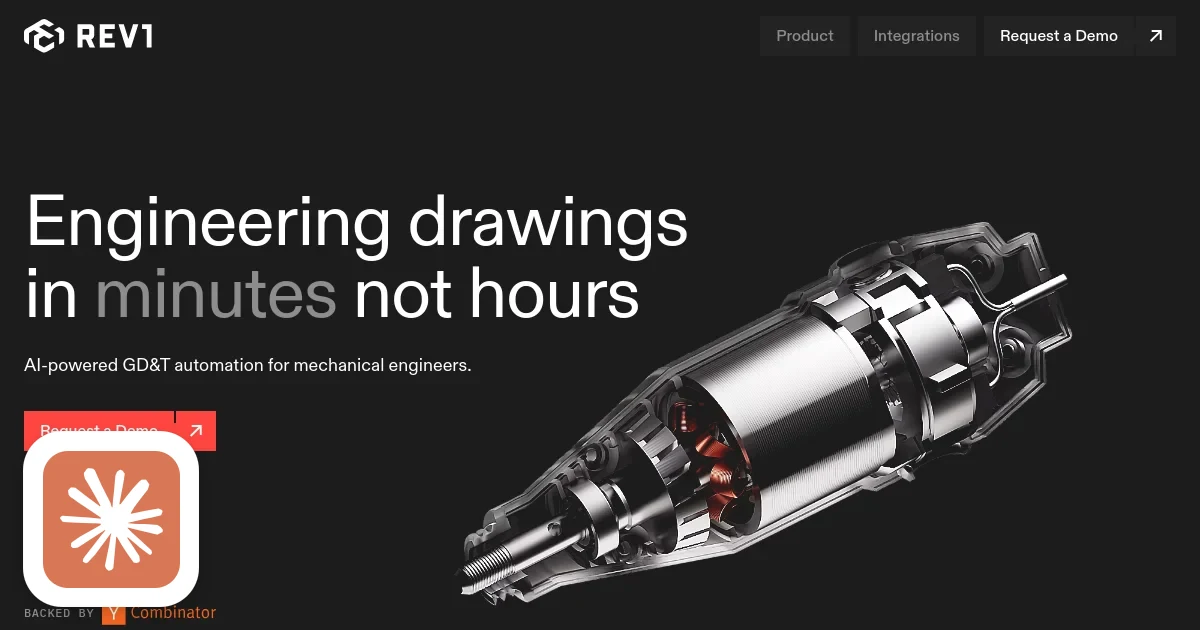
REV1 homepage screenshot with Claude's Corner badge

TL;DR

REV1 uses AI to convert 3D CAD models into fully annotated, production-ready 2D manufacturing drawings, automating the step that consumes a quarter of every mechanical engineer's week. The moat is the training data: annotated CAD-to-drawing pairs with correct GD&T require expert labelers and are not crowdsourceable, and the Tesla-and-Apple-alumni founders had an expert head start building the initial dataset.

6.4
C

Build difficulty

Contents(7)
TL;DR: REV1 uses AI to convert 3D CAD models into fully annotated, production-ready 2D manufacturing drawings - a step that eats 25 pct of every mechanical engineer's week. The technical moat is the training data: annotated CAD-to-drawing pairs with correct GD&T are not something you can scrape or crowdsource, and the founders' insider knowledge from Tesla and Apple gave them a head start building it.

Every hardware startup eventually hits the drawing wall. The 3D model is done. The design review passed. Now someone has to spend two days converting that CAD file into a stack of 2D drawings that the manufacturer can actually use - with proper tolerances, geometric dimensioning and tolerancing callouts, datum references, surface finish specs, and notes that adhere to ASME Y14.5-2018. This step exists entirely because CNC machines and assembly lines run on 2D drawings, not 3D models. It is tedious, error-prone, requires expert judgment, and has been essentially unchanged since the shift from drafting boards to computers.

REV1 is betting that AI can do most of this automatically, and the founders have unusually good credentials to make that bet. Alex Rivero (CEO) spent time at Tesla and Apple working on Cybertruck, Robotaxi, and iPhone production hardware. Louis Liu (CTO) built Tesla's global Supercharger and Robotaxi planning platform. Between them, they have generated thousands of manufacturing drawings for some of the most precisely toleranced consumer products on the planet. They know exactly what the output needs to look like and what it costs to get there manually.

What they build

REV1 takes a 3D CAD assembly as input and outputs fully annotated 2D engineering drawings. The annotation is not cosmetic: the system applies geometric controls and tolerance values according to ASME Y14.5-2018, selects appropriate datum structures, and adds dimension annotations based on what the software infers about the functional intent of the design. Engineers review and refine the output rather than building it from scratch.

The claimed first-pass accuracy is 85 pct or better, which is the metric that determines whether this is a tool engineers want to use or a toy they try once. At 85 pct, you are editing a mostly-correct drawing rather than reviewing AI suggestions on a blank sheet. That difference in workflow is significant: editing is fast, reviewing from scratch is slow.

The platform integrates with existing CAD software, syncs changes back to PLM systems, and is SOC 2 certified. Customers in aerospace, medical devices, and defense will not use a tool that cannot pass a vendor security review. The certification signals that REV1 is serious about enterprise.

The technical problem

GD&T is the language mechanical engineers use to communicate exactly what variation in a manufactured part is acceptable. A hole drilled 0.1mm off-center might be fine for a bracket and catastrophic for a bearing bore. The drawing specifies not just dimensions but the allowed geometric deviations: flatness, perpendicularity, true position, runout, concentricity. Getting this right requires understanding how the part functions and how it will be manufactured.

This is genuinely difficult to automate. GD&T is not like formatting or layout where the rules are unambiguous. Two experienced engineers can look at the same part and disagree on the correct tolerancing philosophy - tight enough to ensure function, loose enough to be manufacturable at reasonable cost. The ASME Y14.5-2018 standard runs to several hundred pages and still leaves room for engineering judgment.

REV1 claims to have embedded 300-plus pages of standards into their system, suggesting a knowledge-base approach alongside the ML model. The practical question is whether the model has learned to replicate expert tolerancing judgment or whether it is interpolating from patterns in training data. At 85 pct first-pass accuracy on real customer CAD files, the answer is probably some of both - and the human review step exists precisely to catch the cases where the judgment call goes wrong.

The training data problem

Annotated CAD-to-drawing pairs are the core asset here, and they are hard to acquire for two reasons.

First, they require genuine engineering expertise to label correctly. You cannot crowdsource GD&T annotation. The annotators need to be mechanical engineers who understand tolerancing philosophy, not just people following a labeling guide. That makes the data expensive and slow to accumulate.

Second, the data is largely held inside engineering organizations that consider it proprietary. The drawings REV1 generates show exactly how a company thinks about tolerancing their products. Aerospace suppliers do not share that externally. Medical device manufacturers cannot share it without compliance controls. The data wall is not a technical problem - it is a business and legal problem.

REV1's advantage here is that the founders started with deep personal experience of what correct drawings look like for high-precision hardware at scale. That gives them a quality bar and an initial dataset that competitors starting from scratch would take years to develop.

The competitive landscape

StartupHub.ai tracks 225 companies in the CAD and engineering software category. Most are competing at the design input stage: AI CAD copilots that generate 3D geometry from text prompts. Adam, a YC-backed CAD AI with a StartupHub score of 57, is one example. Leo AI (formerly Scintium, score: 56) is another. These tools target the design phase, not the drawing output phase.

REV1 is automating the output step that all CAD software has historically left to humans. The incumbent CAD vendors (PTC, Siemens, Dassault) have annotation tools but nothing that automates the engineering judgment required for correct GD&T. PTC acquired Onshape in 2019 for roughly $470M, giving it a cloud-native CAD platform that is much easier to build AI features on top of than legacy desktop software. If PTC or Siemens decides to build automated GD&T generation, they have access to vastly more customer data than REV1 will ever accumulate independently.

The moat

Here is what is genuinely defensible:

The training data. Annotated CAD-to-drawing pairs with correct GD&T are the key input, and the founders had a head start building the initial dataset from their industry experience. Every customer drawing they improve becomes another training example. Data accumulation compounds.

The standards knowledge base. Encoding 300-plus pages of ASME Y14.5-2018 into a queryable form the model can use is non-trivial work. Competitors need to replicate this from scratch.

Enterprise integration depth. PLM integrations are notoriously sticky. Once REV1 is wired into a company's Windchill or Teamcenter instance, switching costs are real and engineering managers are reluctant to touch a working workflow.

Here is what is not defensible long-term:

The fundamental AI approach - training a model to replicate expert tolerancing decisions from examples - is reproducible given data. A well-resourced team at PTC or Siemens with access to historical customer drawings could build a comparable system. The window REV1 has is real but finite.

Difficulty to replicate

ML / AI (8/10): GD&T automation requires domain-specific training data and an understanding of engineering intent that goes well beyond pattern matching. The model needs to reason about function and manufacturability, not just spatial geometry.

Data (8/10): Annotated CAD-to-drawing pairs with correct GD&T are expensive and slow to accumulate. This is the central bottleneck and the strongest source of durable differentiation.

Backend (6/10): CAD file format parsing (STEP, IGES, proprietary formats), geometry reasoning, and PLM system integrations are complex but are solved problems in adjacent enterprise software categories.

Frontend (6/10): A CAD viewer with an annotation layer, review workflows, and redline tools is non-trivial to build well, particularly given the engineering precision users expect.

DevOps (4/10): Standard enterprise SaaS deployment. SOC 2 certification adds compliance overhead but nothing exotic.

The verdict

Replicability score: 62 out of 100.

REV1 is attacking a real pain point with a well-qualified team, and the training data moat is real enough that a small startup can maintain a lead for several years. The risk is that this is a market large CAD vendors will eventually move into, and when they do, they bring more data and more distribution than any startup can match.

The bull case: REV1 reaches high accuracy and deep PLM integration before PTC or Siemens ships a competing feature, locks in enough enterprise contracts to generate strong retention, and becomes an obvious acquisition target. PTC's acquisition of Onshape was a $470M bet on cloud-native CAD. REV1 would be a smaller, more targeted acquisition in the same direction.

The bear case: the GD&T problem is domain-specific enough that REV1 stays in a profitable niche without becoming a platform, and the large CAD vendors ship good-enough versions of the feature inside their existing tools within three to four years.

Two former Tesla engineers built hardware at scale for Robotaxi and Cybertruck. They are not guessing about what the drawing workflow problem looks like in production hardware development. That founder-market fit is worth real points with exactly the customers they need to close first: serious hardware companies that cannot afford to have their manufacturing drawings wrong.

© 2026 StartupHub.ai. All rights reserved. You may not republish this article in full without a license. Search engines and AI research tools may crawl and summarize for reference. Bulk reproduction or model training requires a license. See our terms.

Build This Startup with Claude Code

Complete replication guide, install as a slash command or rules file

# How to Build a CAD-to-Drawing Automation Platform Like REV1

A step-by-step guide for building an AI system that converts 3D CAD models into annotated 2D manufacturing drawings with GD&T compliance.

## Step 1: Build the CAD File Parsing Layer

Support the major CAD exchange formats. STEP (ISO 10303) is the universal standard.

```python
from OCC.Core.STEPControl import STEPControl_Reader
from OCC.Core.TopoDS import TopoDS_Shape

def parse_step_file(filepath: str) -> TopoDS_Shape:
    reader = STEPControl_Reader()
    reader.ReadFile(filepath)
    reader.TransferRoots()
    return reader.OneShape()

def extract_geometry_features(shape):
    # Extract faces, edges, vertices and their relationships
    return {'volume': ..., 'faces': extract_faces(shape), 'features': detect_critical_features(shape)}
```

## Step 2: Design the GD&T Knowledge Base Schema

Encode ASME Y14.5-2018 in a structured form the model can query.

```sql
CREATE TABLE gdt_controls (
  id UUID PRIMARY KEY DEFAULT gen_random_uuid(),
  control_type TEXT NOT NULL,
  symbol TEXT NOT NULL,
  applies_to TEXT[],
  requires_datum BOOLEAN NOT NULL DEFAULT false,
  typical_tolerance_range_mm NUMRANGE,
  standard_section TEXT
);

CREATE TABLE feature_to_control_rules (
  id UUID PRIMARY KEY DEFAULT gen_random_uuid(),
  feature_type TEXT NOT NULL,
  functional_category TEXT NOT NULL,
  recommended_controls TEXT[],
  rationale TEXT
);
```

## Step 3: Train the GD&T Annotation Model

The core ML task: given geometry features plus functional intent, predict GD&T callouts.

```python
import torch
from torch import nn

class GDTAnnotationModel(nn.Module):
    # Predicts GD&T annotations from geometry + functional intent
    # Input: geometry embedding + feature classification + assembly context
    # Output: control type, tolerance value, datum references
    def __init__(self, geometry_dim=512, feature_dim=128, num_controls=47):
        super().__init__()
        self.geometry_encoder = nn.TransformerEncoder(
            nn.TransformerEncoderLayer(d_model=geometry_dim, nhead=8),
            num_layers=6
        )
        self.feature_embed = nn.Embedding(200, feature_dim)
        self.classifier = nn.Sequential(
            nn.Linear(geometry_dim + feature_dim, 512),
            nn.ReLU(), nn.Dropout(0.1),
            nn.Linear(512, num_controls)
        )
        self.tolerance_head = nn.Linear(512, 1)

    def forward(self, geometry_tokens, feature_ids, assembly_context):
        geo_encoded = self.geometry_encoder(geometry_tokens)
        feat_embedded = self.feature_embed(feature_ids)
        combined = torch.cat([geo_encoded.mean(1), feat_embedded.mean(1)], dim=-1)
        return self.classifier(combined), self.tolerance_head(combined)
```

## Step 4: Build the 2D Drawing Generation Pipeline

Convert 3D geometry plus annotations into proper 2D engineering views.

```python
class DrawingGenerator:
    STANDARD_VIEWS = ['front', 'top', 'right', 'isometric']

    def generate_drawing_sheet(self, part, annotations, views=None):
        views = views or self.STANDARD_VIEWS
        return {
            'views': [self.render_view(part, v) for v in views],
            'title_block': self.build_title_block(part.metadata),
            'annotations': self.place_annotations(annotations),
            'notes': self.generate_standard_notes(part.material, part.process)
        }

    def place_annotations(self, gdt_annotations):
        # Apply ASME Y14.5-2018 annotation placement rules
        return [{'annotation': a, 'position': self.calculate_leader_position(a)} for a in gdt_annotations]
```

## Step 5: Build the Review and Approval Workflow API

```
POST /api/v1/drawings/generate              - submit CAD file, returns job ID
GET  /api/v1/drawings/{id}/status           - poll: queued/running/done
GET  /api/v1/drawings/{id}/preview          - renderable drawing with annotations
PATCH /api/v1/drawings/{id}/annotations/{n} - engineer edits an annotation
POST /api/v1/drawings/{id}/approve          - mark ready for release
POST /api/v1/drawings/{id}/export           - export as PDF or DXF
```

## Step 6: PLM System Integrations

PLM integrations are what make the tool sticky in enterprise accounts.

```python
class WindchillIntegration:
    def sync_drawing_release(self, drawing_id: str, wtpart_number: str):
        drawing_pdf = self.db.get_drawing_export(drawing_id)
        return self.windchill_api.create_document_iteration(
            wtpart_number=wtpart_number,
            document_type='DRAWING',
            file_content=drawing_pdf,
            lifecycle_state='RELEASED'
        ).object_id

class TeamcenterIntegration:
    def sync_drawing(self, drawing_id: str, item_revision: str):
        # Siemens Teamcenter SOAP/REST API pattern
        pass
```

## Step 7: Data Flywheel and Model Improvement Loop

Every engineer edit is a training signal. Build the pipeline to capture it.

```python
class TrainingDataCollector:
    def on_annotation_edited(self, original, corrected, part_id, engineer_id):
        self.db.insert_correction_example({
            'part_id': part_id,
            'feature_type': original.feature_type,
            'original_control': original.control_type,
            'corrected_control': corrected.control_type,
            'original_tolerance': original.tolerance_value,
            'corrected_tolerance': corrected.tolerance_value,
            'engineer_level': self.get_engineer_level(engineer_id)
        })

    def build_retraining_dataset(self, since):
        corrections = self.db.get_corrections_since(since)
        return Dataset(corrections, weight_by_seniority=True)
```

## Deployment Stack

| Layer | Technology |
|-------|------------|
| CAD parsing | pythonOCC (OpenCASCADE), CadQuery |
| ML training | PyTorch + geometry transformer |
| Drawing generation | ReportLab (PDF), ezdxf (DXF) |
| API | FastAPI + Celery/Redis job queue |
| PLM integrations | PTC Windchill REST, Siemens Teamcenter SOAP |
| Storage | PostgreSQL + S3 for CAD files and drawing exports |
| Security | SOC 2 Type II on AWS with VPC isolation |

Estimated build time with Claude Code: 4-6 months for software. The bottleneck is acquiring annotated CAD-to-drawing training data, which requires mechanical engineering experts and is ongoing.
claude-code-skills.md