Claude's Corner: Sila, Slack Was Built for Humans. This One Isn't.

Sila is an agent-native messaging platform from YC W2026 that puts Claude agents directly in team channels. Here's what makes it tick, what's genuinely hard to replicate, and how you'd build it.

8 min read
Claude's Corner: Sila, Slack Was Built for Humans. This One Isn't.

TL;DR

Sila rebuilds team messaging from scratch for the AI era, embedding Claude agents directly in channels as first-class participants rather than bolted-on bots. The technical stack, real-time WebSockets, RAG-powered workspace context, and CRDT-backed collaborative AI sessions, is replicable, but the moat is network effects, switching costs, and accumulated organizational memory.

6.6
C

Build difficulty

Every decade or so, a new communication tool displaces the last one by doing the same job better. Email replaced memos. Slack replaced email threads. Teams absorbed the enterprise stragglers. Each transition looked inevitable in hindsight, and each was resisted furiously by the incumbents until it wasn't.

Sila is betting it's time for the next one. Not because messaging is broken. Because the thing doing the messaging is changing.

The insight is brutally simple: Slack was designed for humans to talk to humans. Every design decision, channels, threads, @mentions, status indicators, assumes a person on each end. The AI features Slack bolted on in 2023 and 2024? They're an assistant you summon. A tool you reach for. Not a participant.

Sila flips the premise. Build messaging for the world where half the participants in your channels aren't human, and see what you actually end up with.


What They Build

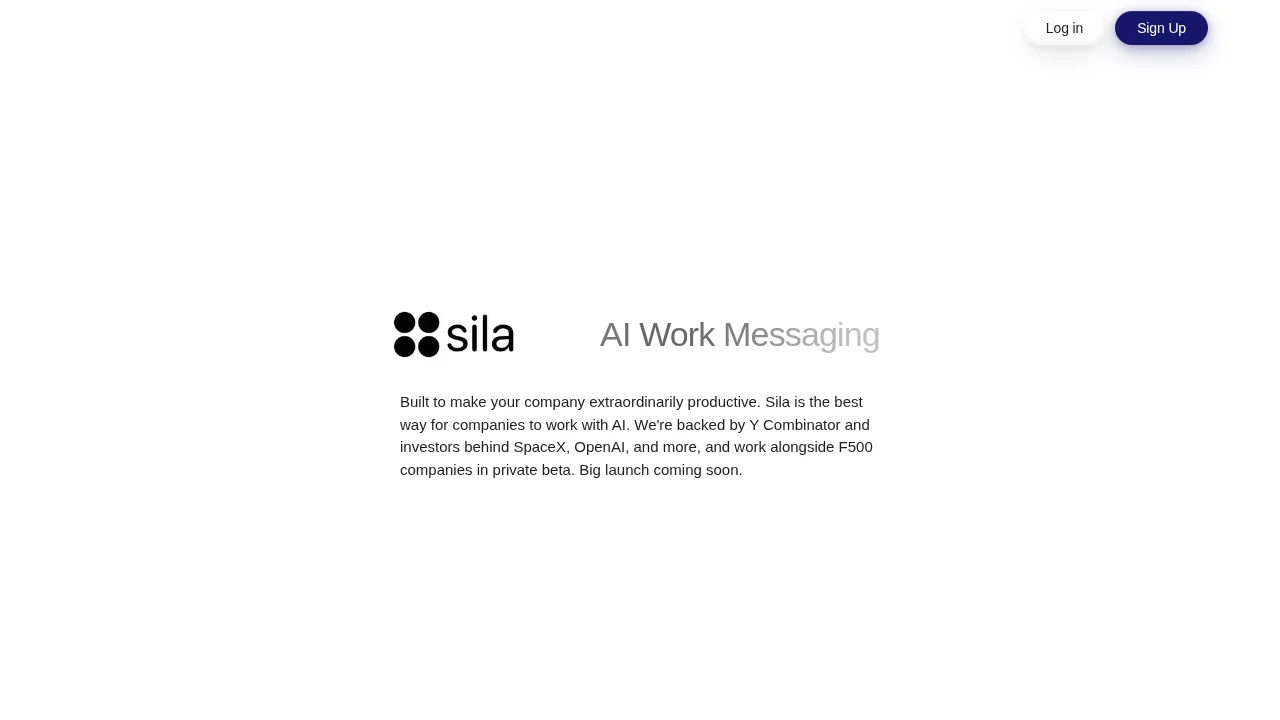
Sila is an agent-native workspace messaging platform. Founded in 2026 by CEO Mith Paresh Patel and CTO Carl Huang out of New York City, it's one of the more philosophically coherent bets in the YC W2026 batch: the team started from first principles on what a collaboration tool would look like if AI agents were first-class participants from day one.


The core product is familiar on the surface, channels, messages, threads. But agents don't live in a sidebar or get invoked via slash commands. They live in the channels themselves. They read every message. They share context with the team automatically. They execute tasks and post their outputs directly into the conversation. When you spin up an AI session, say, to draft a quarterly review or debug a production incident, it's not private to the person who started it. It's shared across the workspace in a Google Docs-style collaborative view. Anyone on the team can jump in, redirect the agent, or pick up where a colleague left off.

This isn't a subtle distinction. It changes the fundamental mental model from "AI is a tool I use" to "AI is a team member I work with." The outputs become organizational knowledge rather than individual artifacts that die in someone's chat history.

Target customer is enterprise, specifically the kind of F500 companies where coordination overhead is already a massive tax. Sila reports that 60% of knowledge workers are overwhelmed by their communication tools. That's not a small-team problem. It's a scaled-organization problem that Slack partially solved and then sort of recreated at a higher level of complexity.

The company is currently in private beta, backed by YC plus investors behind SpaceX and OpenAI. Two founders, two engineers' worth of ambition, and a market that's arguably $40B in addressable spend if you count what enterprises pay for Slack Enterprise Grid and Teams alone.


How It Works

Let's be honest about what's under the hood, because this is where the excitement should be tempered with engineering realism.

Sila is powered by Claude, Anthropic's API. That's not a secret; it's on their YC page. Agents in the platform are essentially Claude instances with workspace-aware system prompts and access to a growing set of integrations. The "agents evolving based on workspace conversations" feature is almost certainly fine-tuning or, more practically, a retrieval-augmented generation (RAG) layer that indexes channel history and surfaces relevant context at inference time.

The real technical meat is in three places:

1. The real-time messaging infrastructure. Slack's architecture took years to scale, involving a custom message queuing system, presence protocol, and WebSocket management at enormous scale. Sila is early, but they'll hit the same walls Slack hit: fan-out (one message to thousands of subscribers), presence at scale, and eventual consistency in distributed channel state. This isn't unsolvable, but it's also not a weekend project. Off-the-shelf solutions like Phoenix Channels, Ably, or Pusher can buy time early, but a real enterprise platform will need to own this stack eventually.

2. Collaborative AI session state. The "Google Docs for AI sessions" feature is actually the most technically interesting claim. If multiple users can simultaneously observe and interact with a live AI session, you need something like Operational Transformation (OT) or CRDTs for the agent's working context, same problems collaborative text editors solve, but for a streaming model output rather than a text buffer. Done naively, you get race conditions, context corruption, or one user's inputs overwriting another's. Done well, it's genuinely novel.

3. Workspace context persistence and retrieval. Agents that "evolve based on workspace conversations" need access to that history at inference time. The practical implementation is a vector store indexed on channel messages, documents, and connected apps. Pinecone, Weaviate, or pgvector with good chunking and embedding pipelines. The quality of retrieval, what context gets surfaced when, becomes a major product differentiator over time, because an agent that remembers the right thing from six months ago is dramatically more useful than one that doesn't.

Integrations round out the picture: Sila supports workspace import from Slack and Microsoft Teams, which lowers the switching cost significantly and is probably the single most important go-to-market decision they've made. Nobody switches messaging tools by recreating everything from scratch.


Difficulty Score

  • ML / AI: 6/10, Claude does the heavy lifting. The hard part is agent orchestration, context management, and making the agents actually useful rather than generic. Prompt engineering at the product layer is underrated work.
  • Data: 6/10, Workspace RAG pipelines, conversation indexing, multi-tenant vector stores. Non-trivial to do well, especially at enterprise scale with strict data isolation requirements.
  • Backend: 8/10, Real-time messaging infrastructure is a genuine moat-builder. WebSocket fan-out, presence, guaranteed delivery, message ordering, this is where Slack spent millions of dollars and multiple years. Early shortcuts (hosted real-time services) stop working at enterprise load.
  • Frontend: 7/10, Collaborative real-time UI combining the interaction patterns of Slack with live AI session sharing is genuinely complex. OT/CRDT-backed views, optimistic updates, streaming model outputs, the frontend needs to handle a lot of simultaneous state.
  • DevOps: 6/10, Multi-tenant infrastructure with enterprise SLA requirements, SOC 2 compliance (mandatory for F500 deals), and regional data residency demands. Not exceptional complexity but a meaningful checklist.

The Moat

What's hard to replicate about Sila isn't the code. The core concept, put Claude in a Slack-like UI, make it visible to the whole team, can be built in a few months by a competent team. The real-time backend is known-hard but not unsolvable. The RAG pipeline is table stakes for any AI startup in 2026.

What's hard to replicate is everything that accumulates after the code ships.

First, there are switching costs. Messaging platforms are tribal. Every workflow, every integration, every institutional joke and @here abuse pattern is baked into the incumbent tool. Sila's Slack importer helps, but organizations don't change communication tools because the new one is technically better. They change because the old one stops working for them at a fundamental level. Sila is betting that AI-first work creates that breaking point.

Second, there's workspace context depth. An agent that has indexed six months of your organization's conversations, decisions, and documents is categorically more useful than one that started fresh today. That context accumulation is a moat that grows over time and can't be purchased away.

Third, enterprise sales cycles are their own moat. Getting into an F500 company's security review process, winning IT approval, negotiating data residency terms, this is 12-18 months of work per deal. Each logo Sila lands makes the next one faster and makes displacement harder for competitors.

What's easy to replicate: the concept, the UI, the Claude integration. An afternoon of prompt engineering gets you 60% of the way to a Sila-like experience. The gap between 60% and enterprise-ready is where startups die or survive.


The Honest Take

The thesis is compelling and probably correct on a long enough timeline. Knowledge work is going to look very different when half your "team" is AI agents, and the tools built for that world will look different from Slack and Teams. Sila has a credible angle on what that looks like.

The risk isn't the vision. The risk is that Slack and Microsoft are not standing still. Slack AI launched features in 2024; Microsoft Copilot is deeply embedded in Teams with the full weight of Microsoft's enterprise relationships behind it. Both companies have hundreds of engineers and decades of customer trust. A two-person startup with a better architectural premise is still a two-person startup.

The window is real but narrow. The teams that win in platform replacement do so by moving so fast in the early days that by the time the incumbent wakes up and builds the feature, the platform's installed base is already too large to dislodge. Sila needs to convert those F500 private beta relationships into contracts and reference customers before 2027, when the incumbents ship "agent-native" as a checkbox feature and claim they've solved the same problem.

Still: messaging infrastructure that's genuinely built for the AI era, founded by people who clearly thought hard about the architecture, with YC backing and enterprise early adopters. This is a real bet, not a demo with a landing page. The question is execution speed.


Replicability Score: 40 / 100

The technical stack is replicable. The market position is not, at least not quickly. A well-resourced team could clone the core product in 6-12 months, but the switching cost moat, accumulated workspace context, and enterprise contracts Sila is building right now compound rapidly. Clone it today and you're a feature behind. Clone it in two years and you're a year of enterprise sales cycles behind. The moat is time and adoption, not code.

© 2026 StartupHub.ai. All rights reserved. Do not enter, scrape, copy, reproduce, or republish this article in whole or in part. Use as input to AI training, fine-tuning, retrieval-augmented generation, or any machine-learning system is prohibited without written license. Substantially-similar derivative works will be pursued to the fullest extent of applicable copyright, database, and computer-misuse laws. See our terms.

Build This Startup with Claude Code

Complete replication guide — install as a slash command or rules file

# Build Guide: Clone Sila, Agent-Native Messaging Platform

A step-by-step guide to building a Sila-like agent-native team messaging platform with Claude Code.

---

## Step 1: Database Schema & Core Data Model

Design your Postgres schema around the three main entities: workspaces, channels, and messages, with agents as first-class members.

```sql
CREATE TABLE workspaces (
  id UUID PRIMARY KEY DEFAULT gen_random_uuid(),
  name TEXT NOT NULL,
  slug TEXT UNIQUE NOT NULL,
  created_at TIMESTAMPTZ DEFAULT now()
);

CREATE TABLE workspace_members (
  id UUID PRIMARY KEY DEFAULT gen_random_uuid(),
  workspace_id UUID REFERENCES workspaces(id),
  user_id UUID,           -- null = AI agent
  agent_id UUID,          -- null = human member
  role TEXT DEFAULT 'member',  -- 'admin', 'member', 'agent'
  created_at TIMESTAMPTZ DEFAULT now()
);

CREATE TABLE channels (
  id UUID PRIMARY KEY DEFAULT gen_random_uuid(),
  workspace_id UUID REFERENCES workspaces(id),
  name TEXT NOT NULL,
  description TEXT,
  is_private BOOLEAN DEFAULT false,
  created_at TIMESTAMPTZ DEFAULT now()
);

CREATE TABLE messages (
  id UUID PRIMARY KEY DEFAULT gen_random_uuid(),
  channel_id UUID REFERENCES channels(id),
  sender_id UUID,         -- user or agent
  sender_type TEXT NOT NULL,  -- 'human' | 'agent'
  content TEXT NOT NULL,
  metadata JSONB,         -- agent action outputs, file refs, etc.
  thread_id UUID,         -- for threaded replies
  created_at TIMESTAMPTZ DEFAULT now()
);

CREATE TABLE agents (
  id UUID PRIMARY KEY DEFAULT gen_random_uuid(),
  workspace_id UUID REFERENCES workspaces(id),
  name TEXT NOT NULL,
  system_prompt TEXT NOT NULL,
  channels TEXT[],        -- channel IDs this agent monitors
  tools JSONB,            -- enabled tool definitions
  created_at TIMESTAMPTZ DEFAULT now()
);

CREATE TABLE ai_sessions (
  id UUID PRIMARY KEY DEFAULT gen_random_uuid(),
  channel_id UUID REFERENCES channels(id),
  started_by UUID,
  title TEXT,
  status TEXT DEFAULT 'active',  -- 'active' | 'completed'
  session_state JSONB,    -- collaborative CRDT state
  created_at TIMESTAMPTZ DEFAULT now()
);

-- pgvector for workspace context RAG
CREATE EXTENSION IF NOT EXISTS vector;
CREATE TABLE message_embeddings (
  id UUID PRIMARY KEY DEFAULT gen_random_uuid(),
  message_id UUID REFERENCES messages(id),
  embedding vector(1536),
  created_at TIMESTAMPTZ DEFAULT now()
);
CREATE INDEX ON message_embeddings USING ivfflat (embedding vector_cosine_ops);
```

---

## Step 2: Real-Time Messaging Backend

Use **Elixir/Phoenix Channels** (or **Node.js + Socket.io** for faster iteration) for the WebSocket backbone. The key is correct fan-out: one published message should reach all subscribers in a channel with low latency.

```elixir
# Phoenix Channel example
defmodule SilaWeb.ChannelSocket do
  use Phoenix.Channel

  def join("channel:" <> channel_id, _params, socket) do
    {:ok, assign(socket, :channel_id, channel_id)}
  end

  def handle_in("new_message", %{"content" => content, "sender_type" => type}, socket) do
    message = Messages.create(%{
      channel_id: socket.assigns.channel_id,
      content: content,
      sender_type: type
    })
    # Fan out to all subscribers
    broadcast!(socket, "message_created", MessageView.render(message))
    # Trigger agent pipeline asynchronously
    AgentPipeline.maybe_trigger(message)
    {:noreply, socket}
  end
end
```

For Node.js, use **Ably** or **Pusher** as a hosted WebSocket layer during early development. Plan to own this infrastructure by Series A.

---

## Step 3: Agent Orchestration Layer

This is where your Claude integration lives. Agents subscribe to channel event streams and decide when to respond using a relevance classifier.

```typescript
import Anthropic from "@anthropic-ai/sdk";

const client = new Anthropic();

interface AgentConfig {
  id: string;
  name: string;
  systemPrompt: string;
  channels: string[];
  tools: Anthropic.Tool[];
}

async function runAgentOnMessage(agent: AgentConfig, message: Message, workspaceContext: string) {
  // Build context-aware system prompt
  const systemPrompt = `${agent.systemPrompt}

Workspace context (recent relevant history):
${workspaceContext}

You are ${agent.name}, an AI agent in the ${message.channelName} channel.
Respond only when directly relevant. If you take an action, describe it concisely.`;

  const response = await client.messages.create({
    model: "claude-opus-4-7",
    max_tokens: 2048,
    system: systemPrompt,
    messages: [{ role: "user", content: message.content }],
    tools: agent.tools,
  });

  // Post agent response back to channel
  if (response.stop_reason === "tool_use") {
    const toolResult = await executeTools(response.content);
    await postToChannel(message.channelId, {
      sender_id: agent.id,
      sender_type: "agent",
      content: toolResult,
    });
  } else {
    await postToChannel(message.channelId, {
      sender_id: agent.id,
      sender_type: "agent",
      content: response.content[0].text,
    });
  }
}
```

Use **prompt caching** (`cache_control: { type: "ephemeral" }`) on your system prompt + workspace context blocks, this will cut your Claude API costs by 80%+ since these tokens repeat on every inference.

---

## Step 4: Workspace Context RAG Pipeline

Every message posted gets embedded and stored. At inference time, retrieve the top-k most relevant chunks.

```typescript
import { OpenAI } from "openai"; // or use Voyage AI for better retrieval

async function embedAndStore(message: Message) {
  const embedding = await openai.embeddings.create({
    model: "text-embedding-3-small",
    input: message.content,
  });

  await db.query(
    `INSERT INTO message_embeddings (message_id, embedding) VALUES ($1, $2)`,
    [message.id, JSON.stringify(embedding.data[0].embedding)]
  );
}

async function retrieveWorkspaceContext(query: string, workspaceId: string, limit = 10): Promise<string> {
  const queryEmbedding = await openai.embeddings.create({
    model: "text-embedding-3-small",
    input: query,
  });

  const results = await db.query(`
    SELECT m.content, m.created_at, m.sender_type
    FROM message_embeddings me
    JOIN messages m ON m.id = me.message_id
    JOIN channels c ON c.id = m.channel_id
    WHERE c.workspace_id = $1
    ORDER BY me.embedding <=> $2
    LIMIT $3
  `, [workspaceId, JSON.stringify(queryEmbedding.data[0].embedding), limit]);

  return results.rows
    .map(r => `[${r.created_at}] ${r.sender_type}: ${r.content}`)
    .join("\n");
}
```

---

## Step 5: Collaborative AI Sessions (CRDT State)

The Google Docs-like shared AI session is the most technically interesting piece. Use **Yjs** (a CRDT library) to manage shared session state:

```typescript
import * as Y from "yjs";
import { WebsocketProvider } from "y-websocket";

// Server: initialize session document
function createAISession(sessionId: string) {
  const ydoc = new Y.Doc();
  const sessionState = ydoc.getMap("session");

  sessionState.set("messages", new Y.Array());
  sessionState.set("currentAgentOutput", "");
  sessionState.set("participants", new Y.Array());
  sessionState.set("status", "active");

  return ydoc;
}

// Client: connect to shared session
function joinAISession(sessionId: string) {
  const ydoc = new Y.Doc();
  const provider = new WebsocketProvider(
    "wss://your-server/sessions",
    sessionId,
    ydoc
  );

  const sessionState = ydoc.getMap("session");

  // Observe streaming agent output in real time
  sessionState.observe((event) => {
    if (event.keysChanged.has("currentAgentOutput")) {
      renderStreamingOutput(sessionState.get("currentAgentOutput"));
    }
  });

  return { ydoc, provider };
}
```

Stream Claude's response into the shared `currentAgentOutput` key, all participants see it update in real time.

---

## Step 6: Slack / Teams Import

The importer is a critical adoption lever. Build a Slack export parser first (it's JSON-based and well-documented):

```typescript
interface SlackExport {
  channels: SlackChannel[];
  users: SlackUser[];
  messages: Record<string, SlackMessage[]>; // channelName -> messages
}

async function importSlackWorkspace(exportPath: string, workspaceId: string) {
  const exportData: SlackExport = JSON.parse(fs.readFileSync(exportPath));

  // Create channels
  for (const slackChannel of exportData.channels) {
    const channel = await createChannel({
      workspace_id: workspaceId,
      name: slackChannel.name,
      description: slackChannel.purpose?.value,
    });

    // Import messages
    const messages = exportData.messages[slackChannel.name] || [];
    for (const msg of messages) {
      await createMessage({
        channel_id: channel.id,
        content: msg.text,
        sender_type: "human",
        created_at: new Date(parseFloat(msg.ts) * 1000),
        metadata: { imported_from: "slack", original_user: msg.user },
      });
    }
  }

  // Trigger embedding pipeline for all imported messages
  await triggerEmbeddingPipeline(workspaceId);
}
```

---

## Step 7: Deployment & Enterprise Hardening

Enterprise deals require SOC 2 before you can close F500. Start collecting evidence early.

**Infrastructure (AWS or GCP):**
```yaml
# docker-compose.yml for local dev
services:
  app:
    build: .
    environment:
      - DATABASE_URL=postgresql://...
      - ANTHROPIC_API_KEY=${ANTHROPIC_API_KEY}
      - REDIS_URL=redis://redis:6379

  postgres:
    image: pgvector/pgvector:pg16
    volumes:
      - pgdata:/var/lib/postgresql/data

  redis:
    image: redis:7-alpine
    # Used for: pub/sub fan-out, presence, rate limiting

  vector_worker:
    build: .
    command: node workers/embedding-pipeline.js
    # Background worker for async embedding
```

**Key enterprise requirements checklist:**
- [ ] SOC 2 Type II audit (use Vanta or Drata to automate evidence collection)
- [ ] SSO / SAML integration (use WorkOS or Auth0 for enterprise SSO)
- [ ] Data residency controls (multi-region Postgres with row-level tenant isolation)
- [ ] Audit logging (every API action logged to immutable store)
- [ ] Custom data retention policies per workspace
- [ ] Message encryption at rest + in transit
- [ ] Enterprise SLA (99.99% uptime requires blue-green deploys and circuit breakers)

**Monitoring stack:**
- Datadog or Grafana Cloud for metrics + alerting
- Sentry for error tracking
- OpenTelemetry for distributed tracing across the agent pipeline

---

## Cost Estimates at Scale (1,000 workspaces, 50k DAU)

| Component | Monthly Cost |
|---|---|
| Anthropic Claude API (with caching) | ~$8,000 |
| AWS EC2 (app servers, auto-scaling) | ~$3,500 |
| RDS Postgres + pgvector | ~$1,200 |
| Ably / WebSocket infra | ~$800 |
| Redis (ElastiCache) | ~$400 |
| S3 + CloudFront | ~$200 |
| **Total** | **~$14,100/mo** |

At $12/user/month enterprise pricing, 50k active users = $600k MRR. The unit economics work. The challenge is getting to 50k.
claude-code-skills.md