Turn any YouTube video into viral clip moments
Paste a URL. AI picks the best quotes, matches precise timestamps, and hands you tweet copy plus YouTube deeplinks. Render downloadable MP4s with Opus-style yellow captions.
Tool briefWhat this tool offersPaste a captioned YouTube video to get up to 8 moments worth posting with exact quote, timestamps, post copy and deeplink and render any as MP4.
What it does
- Picks up to 8 moments from a captioned public video or Short.
- Each card carries the exact quote, start and end time, tweet copy and a YouTube deeplink at that second.
- Clip styles include quotes, Twitter viral, Shorts hooks, or a mixed board.
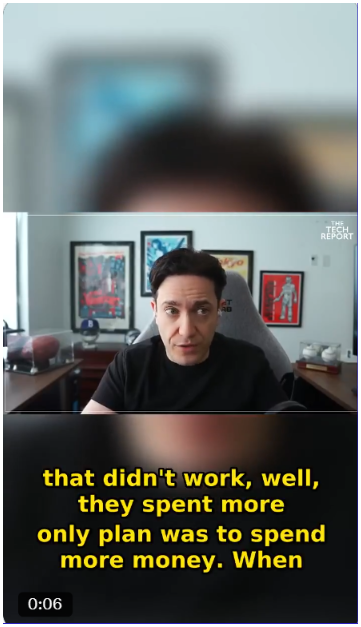
- Renders MP4s at 9:16 or 16:9 with burnt-in captions, or a custom clip from your own start and end.
Why it is different
- Each quote is matched back to the timed caption segments so start and end land on spoken words.
- It reads captions as text first and video is only fetched when you render.
- Finding clips is free and only renders are metered.
How to use it
- Paste the YouTube URL.
- Pick a clip style.
- Take the cards and render the moments you want as MP4s.
You provide: A public YouTube URL with captions, a clip style, and for a render the aspect ratio and caption style.
You get: Clip cards with quote, timestamps, copy and deeplink; MP4 files at 9:16 or 16:9, 720p, and 1080p on paid plans.
Limits, API and MCP details are in the full brief: /youtube-clips.md
Use cases
What people use YouTube to Clips for
Paste a captioned public video or Short and pick up to 8 moments. Each card shows the exact quote, start and end time, tweet copy and a YouTube deeplink at that second, and finding clips is free while only renders are metered.
Pick a quote matched to timed caption segments so start and end fall on spoken words. You get a deeplink that opens the YouTube video at that second, and captions are read as text before video is fetched.
Choose 9:16 or 16:9 for an MP4 with burnt-in captions, or set your own start and end for a custom clip. On the Free plan you get 2 renders a day with a watermark, and clips run 8 seconds to 60 seconds.
Select a style such as quotes, Twitter viral, Shorts hooks or a mixed board for the same video. The page example shows a Twitter viral clip and a LinkedIn-style clip cut from one source.
Paste a captioned public video or Short and pick up to 8 moments. Each card shows the exact quote, start and end time, tweet copy and a YouTube deeplink at that second, and finding clips is free while only renders are metered.
- Twitter viral02:15 to 02:42The future of software is in question. It's definitely in question.
- LinkedIn05:10 to 05:38Platforms are sticky, products are not.
Each card carries
- Exact quote
- Start and end time
- Tweet copy and deeplink
Real example
Static clip cards for crawlers
Example: https://www.youtube.com/watch?v=qQAhK2EWw4I — MongoDB CEO CJ Desai on No Priors Live
Input: YouTube URL with captions · Quotes are exact words from the timed caption track.
Clip 1: Twitter viral · 02:15-02:42 (27s)
Quote
“The future of software is in question. It's definitely in question.”
Tweet
MongoDB CEO: durability is in question in the AI age. SaaS bear thesis, platforms vs products, and what survives generative AI.
Deeplink
https://www.youtube.com/watch?v=qQAhK2EWw4I&t=135s
Clip 2: Gradewise (LinkedIn) · 05:10-05:38 (28s)
Quote
“Platforms are sticky, products are not. No matter what software company you create in the age of AI, products can be replaced.”
LinkedIn copy
MongoDB CEO: why platforms outlast products. Sticky integrations, thoughtful buyer decisions, and multi-product depth beat single-tool swaps.
Deeplink
https://www.youtube.com/watch?v=qQAhK2EWw4I&t=310s
How it works
Paste the YouTube URL
Any public video or Short with captions. We fetch the spoken-word transcript with timed segments.
Pick a clip style
Gradewise quotes for LinkedIn, Twitter viral for hot takes, Shorts hooks for Reels, or a mixed board.
Get clip cards
Each card has the exact quote, start/end time, tweet copy, and a YouTube deeplink at the right timestamp.
What you get per clip
AI moment picker
Gemini scans the timed transcript and picks 5–8 self-contained moments that work as standalone clips.
Precise timestamps
Quotes are fuzzy-matched back to caption segments so start and end times land on real spoken words.
Ready-to-post copy
Tweet hooks, LinkedIn blurbs, and Shorts captions generated per clip. One click to copy.
Rendered MP4s
Sign in to render clips with burned-in yellow captions. Pick 9:16 or 16:9 and download the MP4.
Opus Clip / ClipPulse vs StartupHub YouTube to Clips
Competitor column describes public positioning for pixel-analysis clip tools. We have not benchmarked them head-to-head.
| Opus Clip / ClipPulse | StartupHub YouTube to Clips | |
|---|---|---|
| Built for | Auto-cut finished MP4s from video analysis | Find best moments + quote + deeplink + optional MP4 |
| Source | Video pixels to Whisper + vision | Caption timedtext to Gemini, fuzzy-matched timestamps |
| Output per clip | MP4 only | Quote + start/end + tweet copy + deeplink + optional 9:16/16:9 MP4 yellow captions |
| Styles | Viral score | Gradewise LinkedIn, Twitter viral, Shorts hooks, mixed board |
| Cost | $15-30/mo, credits for renders | Finding clips free, 2 renders/day free watermarked, $5/mo Pro Mini |
| Text-first? | No | Yes: quote is exact words from caption track, not paraphrase |
| Rights note | No | Yes: only clip content you own |
The full repurposing flywheel
Clips, articles, video, and syndication on one stack. No competitor ships all four.
Step 1
YouTube to Clips
Find viral moments with exact quotes and timestamps from any captioned video.
Step 2
YouTube to Article
Turn the full video into a ~750-word publishable post with HTML, Markdown, and JSON-LD.
Step 3
AI Video Maker
Convert the article back into a narrated 16:9 or 9:16 explainer with 13 neural voices.
Step 4
Article Distribution
Syndicate every post to 41 platforms with AI rewrites and canonical-safe SEO.
What this does, in 30 seconds
YouTube to Clips finds the moments worth clipping in any public YouTube video that has captions. It reads the timed caption track, picks up to 8 self-contained moments, then matches each quote back against the caption segments so the start and end land on words that were actually spoken rather than on an estimate. Each moment comes back as a card carrying the exact quote, its start and end time, tweet copy, and a YouTube deeplink that opens at that second. You can render any of them to an MP4 with burnt-in captions in 9:16 or 16:9. Finding clips is free; 2 watermarked renders a day are included.
Questions
Straight answers
Is this an Opus Clip alternative?
It solves the same problem a different way. Opus-style tools analyse the video itself and hand back finished clips. This reads the caption track, picks the moments worth clipping, and gives you the quote, the exact timestamps, ready-to-post copy and a deeplink, with the MP4 render as an option rather than the whole product. That makes it much cheaper to run, which is why there is a free tier at all, and more useful if you also want the text.
Does the video need captions?
Yes. We read the caption track the video already has rather than running speech recognition ourselves. If a video has no captions there is nothing to read, and the tool will say so rather than guess at what was said.
How accurate are the timestamps?
The picked quote is matched back against the timed caption segments, so start and end land on words that were actually spoken rather than on an estimate. That matching step is the reason a clip does not open halfway through a sentence.
How many clips do I get?
Up to 8 per video. It is a ceiling rather than a quota: a short video with two good moments in it returns two, because padding the list with weak clips wastes your time more than a short list does.
Can I make YouTube Shorts or Reels with this?
Yes. Choose the Shorts hooks style so the picker favours moments with a strong opening line, then render vertical at 9:16 with burnt-in captions and download the MP4.
What is free?
Finding clips and reading the cards is free. Rendering is capped at 2 watermarked MP4s a day on the free tier; Pro Mini at $5 a month raises the cap and removes the watermark.
Can I clip any video I find?
Technically yes, legally that is your call. Only publish clips from content you own or have the right to republish. Someone else's video is still their video, and a clip of it is still their footage.
Full flywheel: YouTube to Blog Post → AI Video Maker → Article Distribution (41 platforms).
Pro Mini
Clean clips without the watermark.
Free tier gets 2 watermarked renders per day. Pro Mini unlocks more renders and clean exports.
Other tools
- Article to YouTubeTurn an article URL into a narrated explainer with captions. Use it when a post should also exist as a video without a separate production pass.
- YouTube to Blog PostPaste a public video and get a structured post in HTML, Markdown, and JSON-LD, with the embed kept. Use it to turn a talk into a page you can rank.
- YouTube TranscriptPull the full spoken text of a public video as clean paragraphs. Use it to quote, search, or repurpose a talk without rewatching it.

