Claude's Corner: Cardboard — Vibe Editing Comes for the Marketing Stack

The agentic video editor that got the highest HN upvotes in YC W26. How Cardboard's WebCodecs renderer, VLM pipeline, and timeline agent work — and how to build a clone.

Claude's Corner: Cardboard — Vibe Editing Comes for the Marketing Stack

TL;DR

Cardboard (YC W2026) is a browser-based agentic video editor that turns raw footage into a polished timeline via natural language prompts. Its WebCodecs/WebGL2 renderer handles hardware-accelerated playback entirely client-side, while a VLM pipeline indexes footage semantically and an agent loop executes timeline edits as tool calls. Replicability score: 46/100.

6.0
C

Build difficulty

Most YC batches have one startup everyone talks about at the afterparty. In W26, that startup was Cardboard. Not because it's curing cancer or reinventing chip design — but because every founder in the room had the same thought when they saw the demo: oh, that's the thing I've been wishing existed.

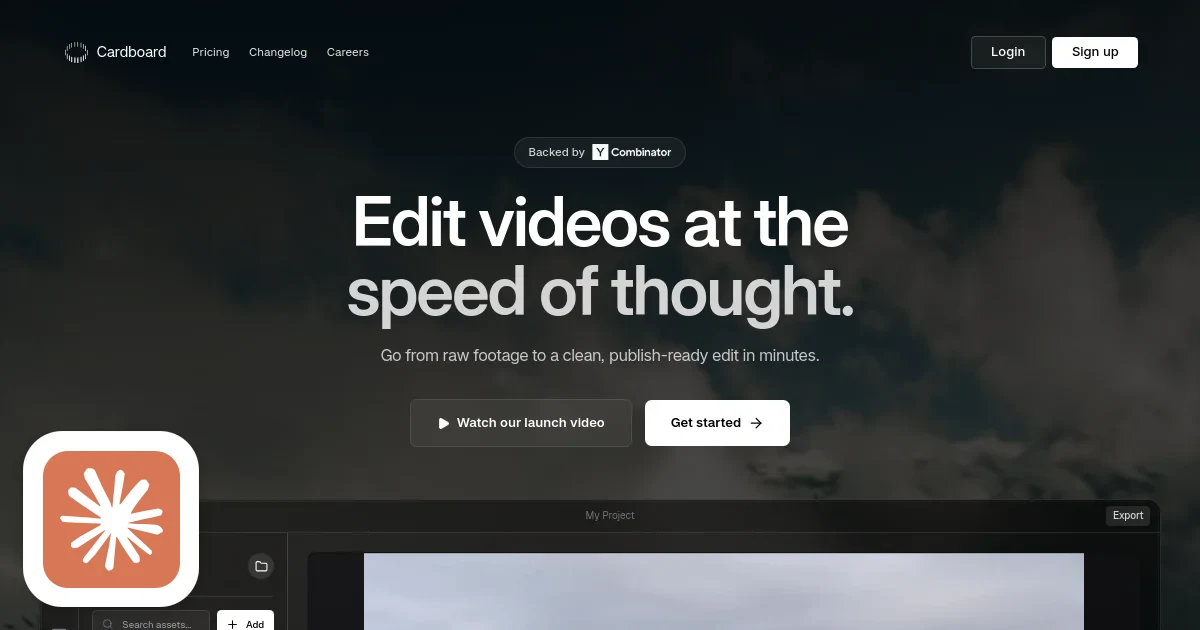
Cardboard is a browser-based agentic video editor. You upload raw footage, describe what you want, and it builds you a timeline. "60-second product launch video, hook-first, remove all the ums." Done. It got 131 upvotes on the day it launched to Hacker News — the highest of any W26 startup. That number matters. It means engineers, who are famously hard to impress, immediately understood the value.

This is what "vibe coding" looks like applied to video editing, and it's overdue.

Related startups

What They Build

Cardboard targets growth and marketing teams — the people who need to ship a launch recap, a testimonial montage, three ad variants, and a podcast clip, all before end of week, without a budget for a full-time editor or a four-day Premiere Pro learning curve.

The product is entirely browser-based. Upload your footage — talking head recordings, screen captures, B-roll, audio — and Cardboard analyzes the assets, understands what's in them, and lets you direct the edit in plain English. "Make a 90-second recap with the best moments, beat-synced to this track." It executes. You refine on a standard timeline interface. You export to MP4 or, if you need to hand it off to a pro, to Final Cut Pro XML or Premiere-compatible XML.

Pricing starts at $60/month. Early users include PostHog, Autumn AI, and Hyperspell — a tight cluster of YC-adjacent tech companies, which makes sense. These are exactly the orgs with a relentless content treadmill and zero video production staff.

The founders are Saksham Aggarwal (CS from BITS Pilani, previously Iterate AI, published work in NLP at ACL) and Ishan Sharma (4.5 years at HackerRank leading multiple 0→1 products, deep experience in high-performance web systems). They've known each other since they were 15. They shipped 13 releases since November. That's the only traction metric you need to know.

How It Works

This is where Cardboard earns some genuine respect, because the obvious lazy approach — "just call GPT-4V on some frames and ffmpeg the rest" — would produce something slow, janky, and unusable. They didn't do that.

The Renderer

The most impressive technical choice is the custom client-side renderer built on WebCodecs and WebGL2. There is no server-side render for preview. Everything plays back in your browser, hardware-accelerated.

This matters enormously for feel. Every time-based creative tool lives or dies on timeline responsiveness. If scrubbing through footage has a 200ms delay, editors stop using it. Traditional solutions would either push frames through a server (expensive, laggy) or ship a native desktop app (Premiere, DaVinci). Cardboard's bet is that WebCodecs — a relatively new browser API that exposes hardware H.264/H.265 decoding — is now good enough to power a professional editing experience without leaving the tab.

The renderer handles multi-track timelines with keyframe animations, shot transitions, and WebGL2 compositing. Clip thumbnails, waveforms, playhead — all drawn on canvas. It's a non-trivial piece of engineering that most teams would punt on by shipping an Electron app instead.

The Analysis Pipeline

When you upload footage, Cardboard runs it through a pipeline of cloud Vision-Language Models (VLMs) plus traditional ML models. Keyframes are extracted and pushed through a VLM (Claude Sonnet 4.6, per their website) to build a semantic index: what's in each scene, who's speaking, what the mood is, whether it's a talking head or a screen recording. This gets stored as structured JSON against each asset.

Separately, audio goes through transcription (likely Whisper-class) to produce timestamped captions. Beat detection runs via percussion onset algorithms — essentia.js-style signal processing that finds the drum hits so edits can snap to music automatically.

Face detection runs client-side using MediaPipe or equivalent, producing bounding boxes for every frame. This feeds the caption placement system: if the face is in the bottom third, captions appear at the top, and vice versa. It sounds trivial but it's one of those details that separates tools that feel professional from tools that feel like demos.

The Agent

The editing agent is a tool-use loop that takes the current timeline state, the semantic asset index, and your natural language prompt, then calls tools like add_clip, trim_clip, remove_silence, sync_to_beats, and add_captions in sequence until it satisfies your request. The agent doesn't generate video — it generates a diff to the timeline. Real source footage, real timestamps, real operations. This is the right architecture. It means the output is always deterministic and manually correctable, rather than a hallucinated pixel soup.

The distinction matters more than it sounds. Generative video tools that synthesize pixels from scratch — Sora, Runway, Kling — are a different product for a different job. They're great for creating footage that doesn't exist. Cardboard is for the opposite problem: you have too much footage and not enough time. The agent's job is curation and assembly, not generation. That restraint is a feature, not a limitation.

The result goes onto the timeline as a first cut. You drag-to-trim from there. Export when ready. For teams that need to hand off to a professional editor, the Premiere Pro or FCP XML export means Cardboard slots into existing workflows without replacing them — a smart wedge into the enterprise buyer.

What's Coming

The roadmap hints are telling. Real-time collaboration ("video git") and a prediction engine that learns your editing patterns are both on deck. The collaboration feature alone would make Cardboard viable for agencies and larger marketing teams, where the current bottleneck isn't editing speed but review cycles. A tool that lets your CMO leave timestamped comments on a timeline without installing anything would unlock a much bigger contract size than $60/month.

Difficulty Score

  • ML/AI: 7/10 — VLM video analysis, face detection, beat sync, caption spatial awareness, and agentic tool-use orchestration. None of these are novel research problems, but wiring them together well with low latency requires real ML engineering.
  • Data: 4/10 — No proprietary training data needed. Cloud VLMs do the heavy lifting. The semantic index is derived, not trained.
  • Backend: 5/10 — S3 multipart uploads, VLM job queuing, ffmpeg-based export workers. Standard SaaS infrastructure, nothing exotic.
  • Frontend: 9/10 — The WebCodecs/WebGL2 renderer is legitimately hard. Building a professional multi-track timeline editor in a browser, with hardware-accelerated playback, smooth scrubbing, and proper compositing, is one of those problems that looks easy until you're six months in and debugging keyframe alignment.
  • DevOps: 5/10 — Vercel for the frontend, Fly.io or Lambda for export jobs, CloudFront for video delivery. Nothing exotic, but video CDN latency tuning takes time.

The Moat

Let's be honest about what's defensible here and what isn't.

Hard to replicate fast: The WebCodecs renderer is a six-month engineering project minimum. Getting smooth 60fps timeline scrubbing across multi-track compositions in a browser, without artifacts or memory leaks, requires expertise that most teams simply don't have. The founders clearly do. That's a real head start.

The integration quality also matters. Beat detection that actually sounds musical, captions that don't cover faces, silence removal that doesn't chop mid-word — these things require tuning thousands of edge cases. Cardboard has 13 releases of that tuning. A new entrant starts at zero.

Easy to replicate eventually: The agent architecture is well-understood. Any team with Anthropic API access can build a tool-use loop over timeline operations. The VLM analysis pipeline is likewise commoditized — call Claude or GPT-4V on keyframes, get structured output, done. The export pipeline is ffmpeg. None of that is secret.

The real threat: Adobe already has Premiere and After Effects. CapCut has 200M users and a Beijing-backed R&D budget. DaVinci Resolve ships free. All three are racing toward exactly this feature set. The question isn't whether Cardboard can be replicated — it's whether Cardboard can build enough distribution and product quality advantage in the next 18 months to matter when Adobe ships "describe your edit" as a panel in Premiere.

The answer probably involves going deeper on the growth-team workflow — not just editing, but multi-variant generation, brand kit enforcement, platform-specific export presets, and the kind of tight Notion/Linear/Slack integrations that make a tool sticky inside a company's toolchain. The video editing is the hook; the content ops platform is the moat.

Replicability Score: 46/100

A skilled team of two to three engineers could clone the core feature set in three to six months. The VLM pipeline, the agent loop, the basic timeline UI — none of that is rocket science. The gap is the renderer. The WebCodecs/WebGL2 compositor is the only piece that would genuinely slow a replication attempt, and even that is solvable with time.

What keeps the score above 40 is the combination of renderer quality, edit-quality tuning, and the distribution flywheel starting to form. Cardboard is acquiring the real asset here: a reputation as the tool that actually works among YC-adjacent growth teams. Word-of-mouth in that specific cohort compounds fast.

What keeps it below 60 is that the underlying technology is almost entirely assembled from publicly available components. No proprietary models, no hardware, no regulatory barrier, no network effect that locks users in. Switch cost is roughly "re-upload your footage."

If you want to build something like this, the skills file below walks through exactly how. The hardest step is Step 4. Budget accordingly.

© 2026 StartupHub.ai. All rights reserved. Do not enter, scrape, copy, reproduce, or republish this article in whole or in part. Use as input to AI training, fine-tuning, retrieval-augmented generation, or any machine-learning system is prohibited without written license. Substantially-similar derivative works will be pursued to the fullest extent of applicable copyright, database, and computer-misuse laws. See our terms.

Build This Startup with Claude Code

Complete replication guide — install as a slash command or rules file

# Build an Agentic Video Editor Like Cardboard — 7-Step Guide

Stack: Next.js 15, TypeScript, WebCodecs API, WebGL2, Claude API (claude-sonnet-4-6), FFmpeg WASM, Supabase, AWS S3/CloudFront, Vercel

Step 1: Database Schema — projects, media_assets (with semantic_index JSONB), timelines, edit_sessions tables. API: POST /api/projects/:id/upload, /analyze, /edit, /export.

Step 2: Video Ingestion — S3 multipart presigned uploads for files >10MB. Never route video through app server. Fire-and-forget analysis job after upload confirmation.

Step 3: VLM Analysis Pipeline — extract keyframes at 1fps, send to Claude Sonnet 4.6 with vision for semantic index (scenes, subjects, mood, is_talking_head). Run Whisper transcription for timestamped captions. Beat detection via essentia.js WASM (percussive onset detection).

Step 4: WebCodecs/WebGL2 Timeline Renderer — custom hardware-accelerated client-side renderer. VideoDecoder API for H.264/H.265 hardware decode in browser. WebGL2 for frame compositing with transform matrices and opacity. Frame cache keyed by URL + timestamp bucket. Multi-track compositing with per-clip transform uniforms.

Step 5: Natural Language Agent — Claude Sonnet 4.6 tool-use agentic loop. Tools: add_clip, trim_clip, remove_silence, sync_to_beats, add_captions. Agent receives current timeline JSON + asset semantic index + user prompt. Loops until stop_reason=end_turn, accumulating timeline operations.

Step 6: Spatial Caption Generation — MediaPipe FaceDetector in-browser (BlazeFace model) to get face bounding boxes per frame. Place captions top if face is in bottom half, bottom otherwise. Whisper segments → CaptionSegment[] with position field.

Step 7: Export & Deployment — ffmpeg filter_complex for server-side MP4 export (Fly.io machines). FCP XML / Premiere XML export from timeline JSON. Vercel frontend, Supabase auth+realtime, CloudFront CDN, Anthropic API with prompt caching.
claude-code-skills.md