

Cursor Design Mode Gets Smarter

Cursor's updated Design Mode allows AI agents to understand visual prompts like element selection, drawing, and voice commands for faster UI development.

7 min read
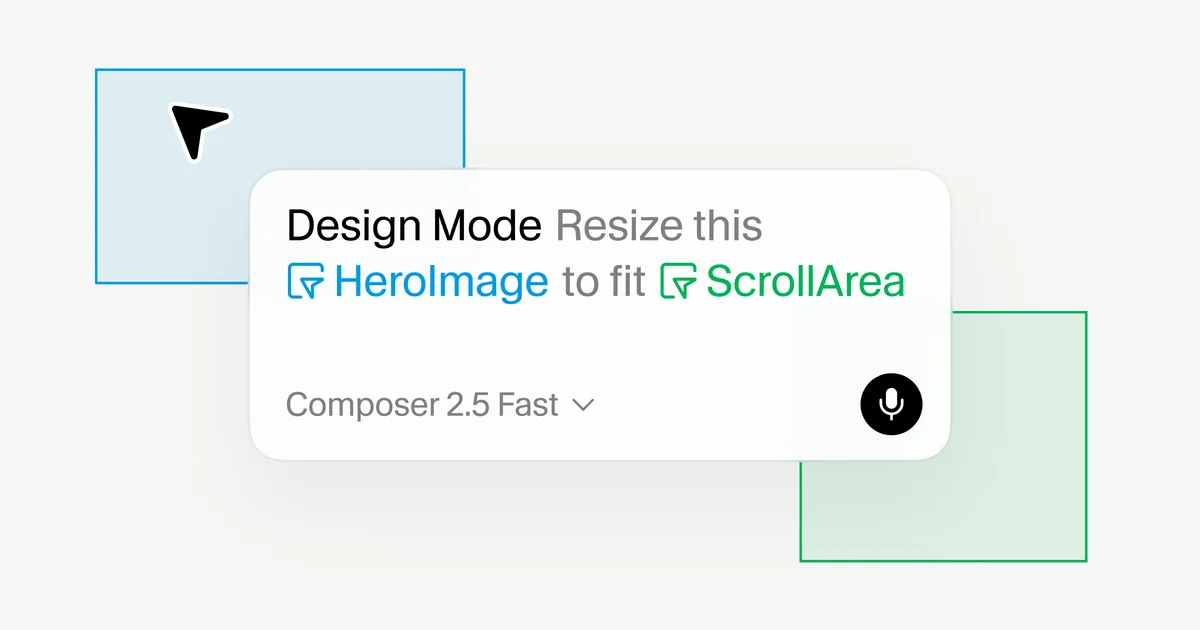
Screenshot showing Cursor's Design Mode interface with visual elements and prompts.
Cursor's Design Mode integrates visual prompts for AI-assisted UI development.· Cursor Blog

Cursor is enhancing its AI-assisted development environment with an updated Design Mode. This feature allows developers to provide visual context to AI agents, bridging the gap between what is seen and what the agent understands for code modification.

Visual TL;DR. UI Dev Challenges solves Cursor Design Mode. Cursor Design Mode enables Visual Prompting. Visual Prompting provides Richer AI Context. Richer AI Context leads to Faster UI Dev. Cursor Design Mode improves Workflow Rhythms.

  1. UI Dev Challenges: traditional UI dev relies on spatial communication through annotations
  2. Cursor Design Mode: updated mode allows AI agents to understand visual prompts
  3. Visual Prompting: select elements, draw, or use voice commands for AI
  4. Richer AI Context: provides element identity, code, layout, and visual relationships
  5. Faster UI Dev: streamlines UI development with more efficient code editing
  6. Workflow Rhythms: matching AI to developer workflow rhythms for better integration
Visual TL;DR
Visual TL;DR — startuphub.ai UI Dev Challenges solves Cursor Design Mode. Cursor Design Mode enables Visual Prompting. Visual Prompting provides Richer AI Context. Richer AI Context leads to Faster UI Dev solves enables provides leads to UI Dev Challenges Cursor Design Mode Visual Prompting Richer AI Context Faster UI Dev From startuphub.ai · The publishers behind this format
Visual TL;DR — startuphub.ai UI Dev Challenges solves Cursor Design Mode. Cursor Design Mode enables Visual Prompting. Visual Prompting provides Richer AI Context. Richer AI Context leads to Faster UI Dev solves enables provides leads to UI Dev Challenges Cursor DesignMode Visual Prompting Richer AI Context Faster UI Dev From startuphub.ai · The publishers behind this format
Visual TL;DR — startuphub.ai UI Dev Challenges solves Cursor Design Mode. Cursor Design Mode enables Visual Prompting. Visual Prompting provides Richer AI Context. Richer AI Context leads to Faster UI Dev solves enables provides leads to UI Dev Challenges traditional UI dev relies on spatialcommunication through annotations Cursor Design Mode updated mode allows AI agents tounderstand visual prompts Visual Prompting select elements, draw, or use voicecommands for AI Richer AI Context provides element identity, code, layout,and visual relationships Faster UI Dev streamlines UI development with moreefficient code editing From startuphub.ai · The publishers behind this format
Visual TL;DR — startuphub.ai UI Dev Challenges solves Cursor Design Mode. Cursor Design Mode enables Visual Prompting. Visual Prompting provides Richer AI Context. Richer AI Context leads to Faster UI Dev solves enables provides leads to UI Dev Challenges traditional UI devrelies on spatialcommunication… Cursor DesignMode updated mode allowsAI agents tounderstand visual… Visual Prompting select elements,draw, or use voicecommands for AI Richer AI Context provides elementidentity, code,layout, and visual… Faster UI Dev streamlines UIdevelopment withmore efficient code… From startuphub.ai · The publishers behind this format
Visual TL;DR — startuphub.ai UI Dev Challenges solves Cursor Design Mode. Cursor Design Mode enables Visual Prompting. Visual Prompting provides Richer AI Context. Richer AI Context leads to Faster UI Dev. Cursor Design Mode improves Workflow Rhythms solves enables provides leads to improves UI Dev Challenges traditional UI dev relies on spatialcommunication through annotations Cursor Design Mode updated mode allows AI agents tounderstand visual prompts Visual Prompting select elements, draw, or use voicecommands for AI Richer AI Context provides element identity, code, layout,and visual relationships Faster UI Dev streamlines UI development with moreefficient code editing Workflow Rhythms matching AI to developer workflow rhythmsfor better integration From startuphub.ai · The publishers behind this format
Visual TL;DR — startuphub.ai UI Dev Challenges solves Cursor Design Mode. Cursor Design Mode enables Visual Prompting. Visual Prompting provides Richer AI Context. Richer AI Context leads to Faster UI Dev. Cursor Design Mode improves Workflow Rhythms solves enables provides leads to improves UI Dev Challenges traditional UI devrelies on spatialcommunication… Cursor DesignMode updated mode allowsAI agents tounderstand visual… Visual Prompting select elements,draw, or use voicecommands for AI Richer AI Context provides elementidentity, code,layout, and visual… Faster UI Dev streamlines UIdevelopment withmore efficient code… Workflow Rhythms matching AI todeveloper workflowrhythms for better… From startuphub.ai · The publishers behind this format

Traditionally, UI development relies on spatial communication through annotations. Cursor's Design Mode aims to streamline this by enabling users to interact directly with the running product. Developers can now select elements, draw directly on the interface, or use voice commands to instruct AI agents on desired changes. This contextual input provides agents with richer information, including element identity, code, layout, and visual relationships, leading to more efficient code editing.

Related startups

Point, Draw, or Narrate

The updated Design Mode offers multiple input methods. Users can click on an element to prompt an agent for edits related to that specific component. For changes involving multiple elements, multi-select functionality allows users to reference several components simultaneously, enabling tasks like matching styles or adjusting groups.

Drawing capabilities permit users to highlight specific areas or regions on the interface for the agent's attention. This feature captures a frozen frame of the viewport, ensuring the agent receives precise visual context. The latest iteration also introduces more accurate targeting and faster performance for voice input, making visual interactions feel more integrated into the development workflow.

Under the hood, selecting an element feeds the agent two key data streams: the element's technical identity (like its XPath, component type, attributes, and Fiber tree props) and a screenshot for spatial context. This dual approach equips the agent to efficiently locate and modify the relevant code.

Matching AI to Workflow Rhythms

Iterative UI refinement often involves a chain of edits. Design Mode allows users to send off individual edits as they are identified, even while other agents are still processing previous requests. This parallel processing capability enhances multitasking and the management of multiple AI subagents.

The system's effectiveness is tied to the speed and accuracy of its AI models. Cursor highlights Composer 2.5 for its proficiency in making targeted UI changes quickly. As AI agents complete tasks, the application hot reloads, allowing developers to see changes in real-time and continue iterating until the desired interface is achieved. This approach aligns with a vision of seamless transitions between high-level design and low-level code implementation, supporting developer flow states.

Cursor believes this offers the control, agency, and precision needed for modern software development. Users can explore the updated Design Mode within the Agents Window.

© 2026 StartupHub.ai. All rights reserved. Do not enter, scrape, copy, reproduce, or republish this article in whole or in part. Use as input to AI training, fine-tuning, retrieval-augmented generation, or any machine-learning system is prohibited without written license. Substantially-similar derivative works will be pursued to the fullest extent of applicable copyright, database, and computer-misuse laws. See our terms.