Best Website Builders for WordPress in 2026: 10 Tested and Ranked

Ten WordPress website builders compared on how far the AI goes, whether they can monetize without extra plugins, and what happens to your pages when you switch the builder off. Every price was read off the vendor pricing page, including the renewal almost nobody publishes.

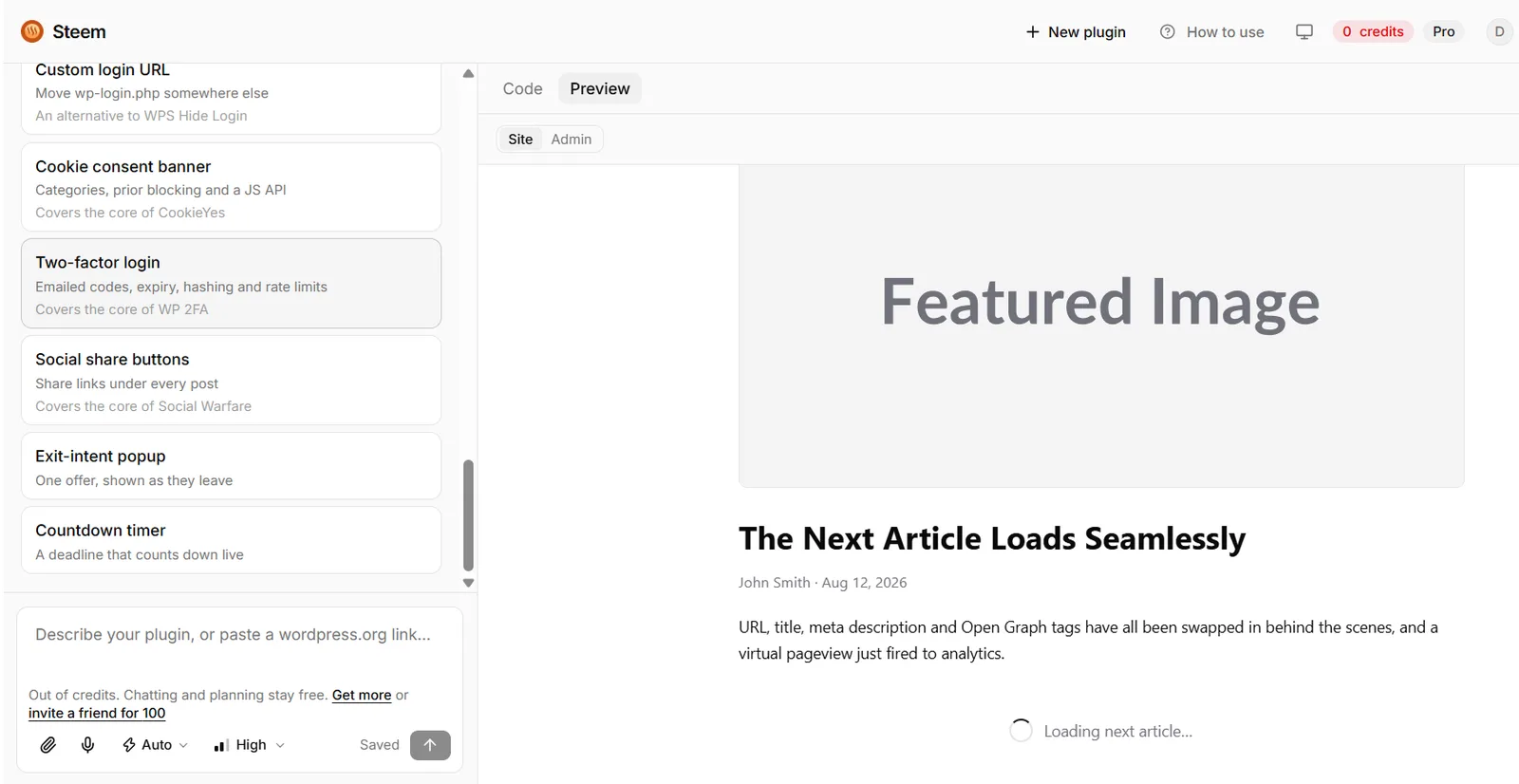
The Steem editor with a list of generated WordPress plugins on the left and a live site preview on the right
Steem generating a WordPress plugin and previewing it against a live site.
Key Takeaways
  • 1
    Page builders design how a site looks. Only one tool here builds how it works, shipping the whole product as an installable plugin.

  • 2
    The renewal is the real price: SiteGround steps up roughly six-fold at year two, 10Web and Thrive Suite both double.

  • 3
    Divi, Beaver Builder and SeedProd charge the same in year two, which makes their higher entry price cheaper over any real horizon.

  • 4
    Most builders lock your content into their own format. Check whether pages survive deactivating the plugin before you commit.

  • 5
    WPBakery is the only one-time licence left on this list, at $99, and it is also the most dated.

Most roundups of the best website builders for WordPress rank the same ten drag-and-drop plugins on how pretty the templates look. That misses what actually breaks a project. A page builder can lay out a beautiful storefront, but it cannot run inventory, take a booking, charge for a premium directory listing, or survive being switched off.

So we tested these ten on four things that decide whether a site earns: how far the AI really goes, whether the tool can monetize without a stack of extra plugins, what it costs once the introductory rate expires, and whether the site keeps working if you deactivate the builder.

That last column is the one to read first. "Own code" means your pages still render after the plugin is gone. Most page builders wrap content in their own shortcodes, so removing them leaves a page of markup fragments.

Best website builders for WordPress at a glance

BuilderBest forAIFromOwn codeTry
ab5b62fd 68f9 475f 9d60 9c5c1d5af34a squareSteemStores, directoriesYesFreeYesVisit
beebd563 f18c 4e26 b603 efac7b5828ca squareSiteGround AIBeginnersYes$2.99/moYesTry
43c22be8 c9b3 4da4 9412 78ef10e54046 squareElementorDesignersYes€60/yrNoTry
30122e3b 8395 4add ab29 aafa42adc1ad squareDiviAgenciesYes$89/yrNoVisit
SeedProdLanding pagesYes$79/yrNoVisit
Beaver BuilderDevelopersNo$89/yrPartialVisit
WPBakeryLegacy themesNo$99 onceNoVisit
Thrive ArchitectCourse creatorsNo$299/yrNoVisit
BrizySimple sitesBasicFreeNoVisit
773d02d5 0dae 4264 a16a 3c34b801be35 square10WebAI hostingYes$10/moNoTry

Prices are entry plans, verified on each vendor pricing page on 14 August 2026. Elementor bills in euros from Europe, so its cell is labelled in euros rather than silently converted.

The number the other roundups leave out: year two

Nearly every WordPress comparison quotes the promotional rate and stops there. We priced the renewal as well, because that is the number you actually live with. Two of these tools more than double in year two, and one of them multiplies by six.

SiteGround is the sharpest example: $2.99 a month for the first term, then $17.99 a month on renewal, a six-fold step up. 10Web and Thrive Suite both double. Divi, Beaver Builder and SeedProd charge the same in year two as year one, which makes their higher entry price the cheaper deal over any real time horizon. WPBakery is the outlier in the other direction: a one-time licence, so year two is free.

None of that makes the doubling tools a bad buy. SiteGround bundles hosting, so you are comparing it against a host plus a builder rather than a builder alone. It does mean the headline price is close to meaningless on its own.

1. Steem: the AI builder that ships the whole product as one plugin

The Steem editor with a list of generated WordPress plugins on the left and a live site preview on the right
Steem generating and previewing a WordPress plugin. The left rail is a list of features it has built, each one shipping as ordinary PHP.

Steem is not a page builder. You describe the product you want and it writes a complete, installable WordPress plugin: custom post types, an admin dashboard, frontend shortcodes, Stripe payments, user roles and REST endpoints. Your website becomes sections inside one plugin rather than a pile of page layouts plus twelve add-ons.

The practical difference: Elementor can design what a store looks like. Steem builds how the store works. Inventory, cart, checkout and subscriptions come out as PHP you own outright, with no runtime dependency on the tool that generated it. Deactivate Steem and the plugin keeps running, because it is just a plugin.

It is the newest thing on this list and the least proven: our Steem profile shows a young company, and the free tier is genuinely free rather than a trial. Pro is $10 a month with credits that roll over.

Building a store without WooCommerce

Build a complete WordPress plugin called "Commerce Suite". Requirements:
1. CPT Product with fields price, inventory, gallery, SKU, variants.
2. Frontend shortcode [shop] with filterable grid, single product, slide-in cart drawer.
3. Checkout page with Stripe, coupons, tax, shipping.
4. Shortcode [my_orders] for customers.
5. Admin dashboard for products, orders, low-stock alerts, revenue analytics.
Secure and scalable.

Building a directory that charges for premium listings

Build a plugin "Premium Directory Engine". Requirements:
1. CPT Listing with location, rating, hours, price range, verified badge.
2. Frontend submission form, one free listing per user.
3. Shortcode [directory] with AJAX search, category filter, radius search, map view.
4. Monetization: Stripe for featured listings, homepage placement, pay per lead.
5. Admin moderation queue and subscription management.

Build a plugin with Steem, free

2. SiteGround AI: hosting and a generated site in one step

The SiteGround homepage showing options to launch a website, transfer WordPress sites and sell online
SiteGround bundles the AI site generator into the hosting dashboard, so the build and the host are one purchase.

Best for beginners who want the host and the site solved together. Answer a few questions in the hosting dashboard and it generates a working WordPress site with copy and images. Because the output is a standard WordPress site rather than a proprietary layout format, it is one of the few on this list you can walk away from cleanly.

The catch is the renewal, covered above: the StartUp plan is $2.99 a month prepaid for twelve months and renews at $17.99. Budget for the second year at signup, not later. See our SiteGround profile and the wider WordPress hosting stack for startups for how it compares against the other hosts we track.

See SiteGround plans

3. Elementor: the design ceiling is the highest here

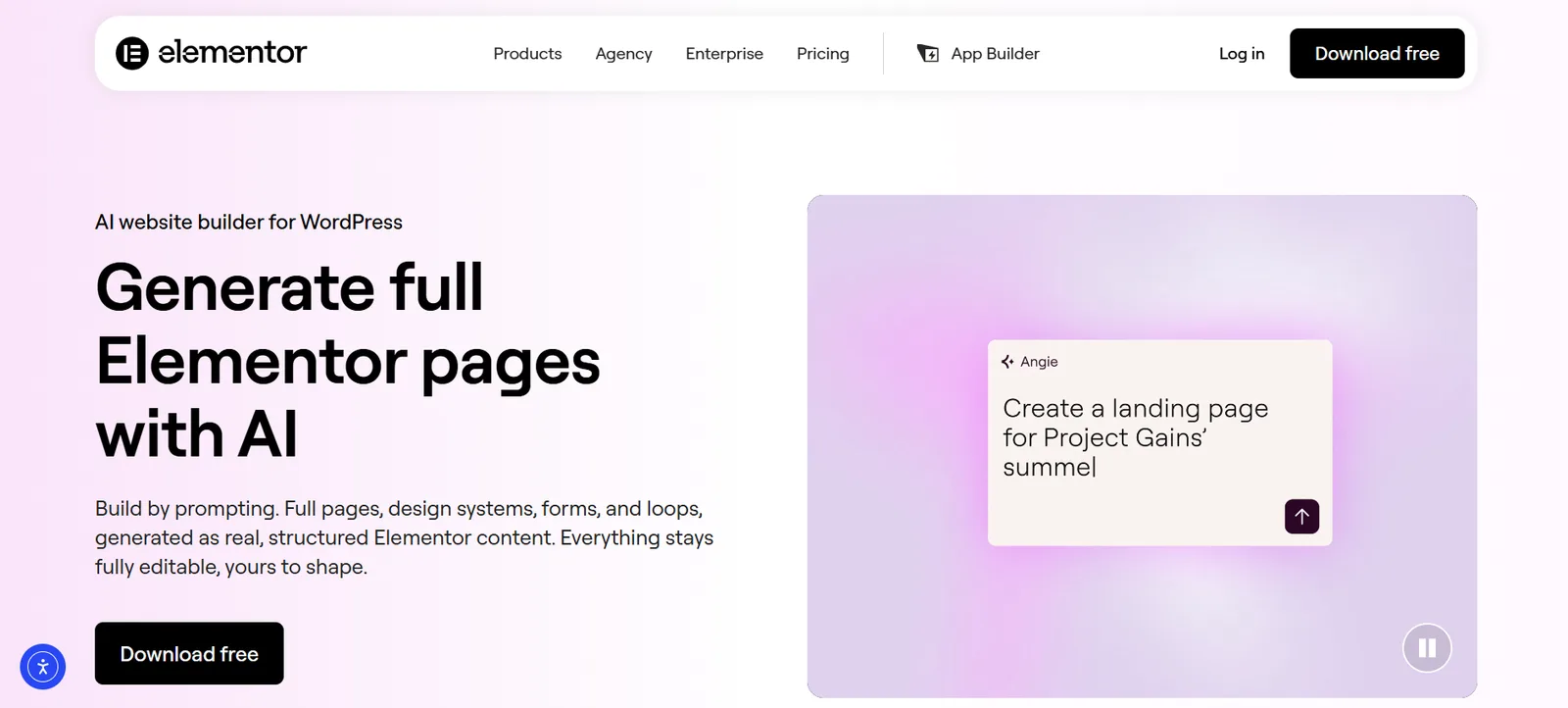
The Elementor homepage headline reading Generate full Elementor pages with AI, beside a prompt box creating a landing page
Elementor now generates whole pages from a prompt, output as editable Elementor content rather than flat HTML.

If the job is visual design, Elementor wins. It powers a very large share of the WordPress web, the template library is enormous, and its AI now generates full pages, design systems, forms and loops as structured, editable content rather than a flat export.

Two honest caveats. It is heavy, and monetization still means bolting on WooCommerce or similar. And the lock-in is real: pages built in Elementor need Elementor. Pricing from Europe starts at €60 a year for Essential on one site, rising to €204 a year for Expert across 25 sites. Our Elementor profile tracks it against the rest of the category.

See Elementor plans

4. Divi: the agency maths still works

Divi from Elegant Themes is unlimited sites for one price, which is why agencies keep it. $89 a year, or $249 once for a lifetime licence, and that price does not step up at renewal. Divi AI generates sections, copy, images and code inside the builder.

Same structural trade as Elementor: the layouts belong to Divi. For an agency running dozens of client sites that is an accepted cost. For a single site you plan to hand over, it is a liability worth pricing in.

See Divi pricing

5. SeedProd: landing pages and funnels, nothing else

SeedProd is narrow on purpose. Coming-soon pages, landing pages, squeeze pages and funnels, with templates tuned for conversion rather than showcase design. The AI assembles a page fast. Basic is $79 a year at list price and the higher tiers run to $599, with discounts running most of the year, so check the current rate before you buy.

Do not buy it as a general site builder. Buy it when you need one page to convert and you want it live this afternoon.

See SeedProd plans

6. Beaver Builder: the one developers pick

No AI, and that is not really the point. Beaver Builder has the cleanest output on this list, it is white-label friendly, and it degrades more gracefully than its competitors when removed, which is why it earns a Partial rather than a No in the table. Starter is $89 a year for one site, Plus $179 for three, Professional $299 for fifty, Unlimited $546.

If your site will be maintained by someone else in three years, this is the defensible choice.

See Beaver Builder pricing

7. WPBakery: you probably already own it

WPBakery ships bundled with a large number of ThemeForest themes, so many people are running it without having chosen it. Bought directly it is a $99 one-time regular licence on CodeCanyon, which makes it the only tool here with no recurring cost at all.

It feels dated next to Elementor and the shortcode lock-in is the worst of the group: deactivate it and your content turns into visible shortcode tags. Keep it if a theme depends on it. Do not start a new project on it.

See WPBakery

8. Thrive Architect: built for selling courses

Thrive Architect is now sold inside Thrive Suite rather than as a cheap standalone plugin, which is the single biggest pricing change on this list. The Suite is $599 a year at list, currently discounted to $299, or $149 a quarter. That buys the whole set: quizzes, lead generation, course tools and the rest.

Priced per plugin it looks expensive. Priced as the marketing stack for a course business it is reasonable, and it is the only option here that treats lead capture as a first-class feature rather than an add-on.

See Thrive Suite pricing

9. Brizy: the easiest one to learn

Brizy has the gentlest learning curve of any builder here and a genuinely usable free WordPress plugin. If someone non-technical needs to edit the site after launch, this is the least frustrating option.

Worth separating the two products: the WordPress plugin has a free tier, while Brizy Cloud is a hosted platform starting at $19 a month or $190 a year for one site. The free plugin is the one most people mean.

Try Brizy free

10. 10Web: AI hosting with a site cloner attached

10Web sits closest to SiteGround in shape: managed hosting with AI generation built in, plus a cloner that rebuilds an existing site in WordPress and auto-optimizes for PageSpeed. AI Starter is $10 a month billed annually at $120, renewing at $240, so it doubles rather than sextuples.

The optimization claims are the real draw. Our 10Web profile has the current detail, and if you are shopping the same slot see the Hostinger website builder alternatives we track.

See 10Web plans

How to choose between them

Reduced to one line each. If the site is the business and needs to charge money, take Steem, because the output is a plugin you own. If you want hosting and a site solved in one purchase, take SiteGround and diary the renewal. If the work is design, take Elementor. If you run many client sites, take Divi. If someone else will maintain it, take Beaver Builder. If you need one page to convert today, take SeedProd.

Still deciding on the platform itself rather than the builder? Our Wix alternatives comparison covers the hosted platforms that compete with WordPress outright.

Frequently asked questions

What is the best website builder for WordPress?

It depends on whether you are building pages or a product. For a site that has to take payments, manage listings or run custom logic, Steem is the pick here because it generates a complete plugin instead of a layout. For visual design work, Elementor has the highest ceiling. For beginners who also need hosting, SiteGround bundles both.

Can I build an online store on WordPress without WooCommerce?

Yes. WooCommerce is the default rather than a requirement. A generated plugin can carry its own product post type, cart, Stripe checkout and order management, which avoids the plugin sprawl a Woo build usually accumulates. WooCommerce remains the safer choice if you need its extension ecosystem.

Which WordPress builders lock you in?

Most of them. Elementor, Divi, WPBakery, SeedProd, Thrive and Brizy all wrap content in their own format, so deactivating the plugin leaves broken or shortcode-littered pages. Beaver Builder degrades more gracefully. Output that is plain PHP or standard WordPress content, as with Steem or a SiteGround-generated site, is the exception.

Are free WordPress website builders good enough?

For a brochure site, yes. Brizy and the free Elementor tier both build a presentable site at no cost. The paid tiers matter when you need theme building, dynamic content, or anything that charges a customer.

How much do WordPress website builders cost?

Entry pricing runs from free to about $299 a year, but the renewal is the number that matters. Verified on 14 August 2026: SiteGround goes from $2.99 to $17.99 a month, 10Web from $120 to $240 a year and Thrive Suite from $299 to $599, while Divi, Beaver Builder and SeedProd hold their price.

© 2026 StartupHub.ai. All rights reserved. Do not enter, scrape, copy, reproduce, or republish this article in whole or in part. Use as input to AI training, fine-tuning, retrieval-augmented generation, or any machine-learning system is prohibited without written license. Substantially-similar derivative works will be pursued to the fullest extent of applicable copyright, database, and computer-misuse laws. See our terms.