Can a sentence actually become a live internal tool you can share, or does it stay stuck on localhost? Cursor says it can now do the first.
Cursor has released Build Live Apps, a feature that lets you describe what you want and get back a hosted app with a link. You kick off a cloud agent, which is an AI coding assistant that runs remotely in Cursor's infrastructure, and tell it explicitly you want to build an app. Cursor says it will then scaffold the web app, spin up a Postgres database if the app needs one, configure login behind Cursor SSO, which is the single sign-on system that ties access to your Cursor identity, and provision hosting.
That is the change. Agents had lowered the cost of writing code, but most tools people built never left localhost.
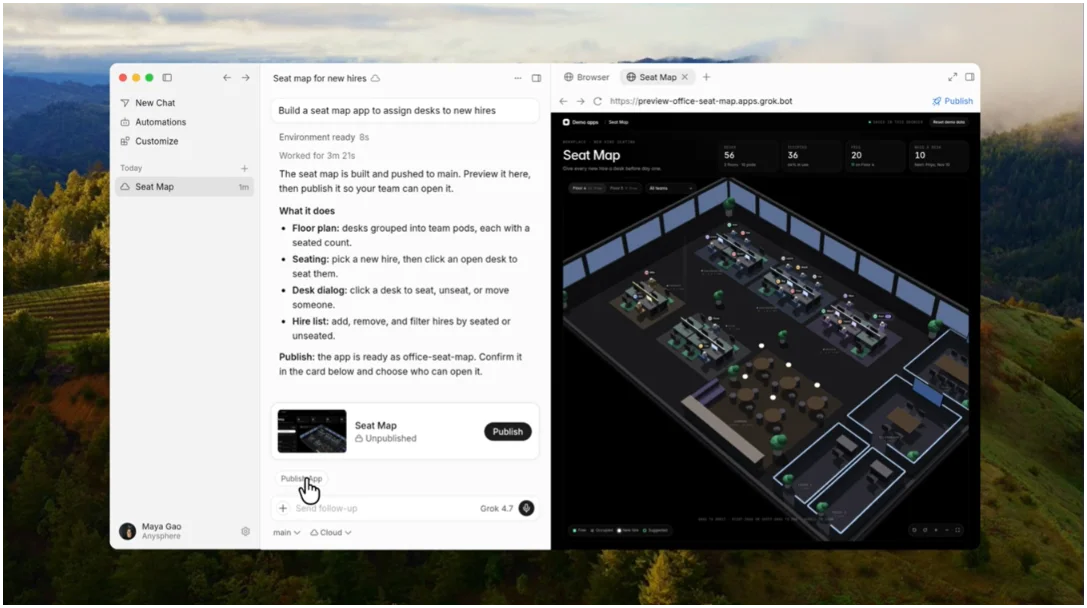
Now the workflow is prompt to preview to publish. Cursor asks for secrets if the app needs to connect to your systems, like a data warehouse, and you pick a unique domain when you are ready to publish. The company says it can deploy from new or existing repos across Cursor Origin and GitHub, with support for other git providers like GitLab coming soon. As framed by outside coverage, the pitch is a text prompt turns into a hosted web app with database, auth and hosting handled automatically, per AlphaSignal.
If anyone in the org can build, who has to change how they work? Cursor points to its own teams as the example. People in sales, operations, legal, finance and engineering are already building internal apps without waiting for a platform team to wire up auth and databases. The examples Cursor cites are concrete: ops tools for event registration, account assignments and desk seating, multimedia presentations that combine slides, videos and interactive demos, onboarding and training experiences for new hires, live dashboards for sales pipeline and opportunity tracking, and portals to manage engineering services.
That raises the follow-up question every internal tools project hits: how do you keep credentials and sloppy code from going live?
Cursor says it runs deterministic and agentic security checks on publish to catch common issues like secrets written into app files or exposed credentials. Nothing goes live until those checks pass and you explicitly hit publish, the company says. If a check fails, the agent tells you what to fix. Team admins can see every app and secret on the team, add their own rules to the security review, approve a publish the review blocked, and unpublish any app. Once checks pass, Cursor deploys to the URL you chose and you can share with specific people, groups or the whole team behind Cursor sign-in. On individual plans you can also share publicly, and you can provision a Cursor API key if you want a script or bot to call the app.
The limits are clear in the release notes. The capability is available now on all paid plans with cloud agents enabled, so it is not on free plans and it requires that remote agent setup. And if your code lives outside Cursor Origin or GitHub today, you will wait for that GitLab support.