

Best Wix Alternatives in 2026: Cheaper, Faster, and More Flexible Website Builders

The best Wix alternatives in 2026 compared: Squarespace, Webflow, Framer, Hostinger, Shopify, WordPress, and GoDaddy. Pricing, ease of use, speed, SEO, and which one fits your site.

9 min read
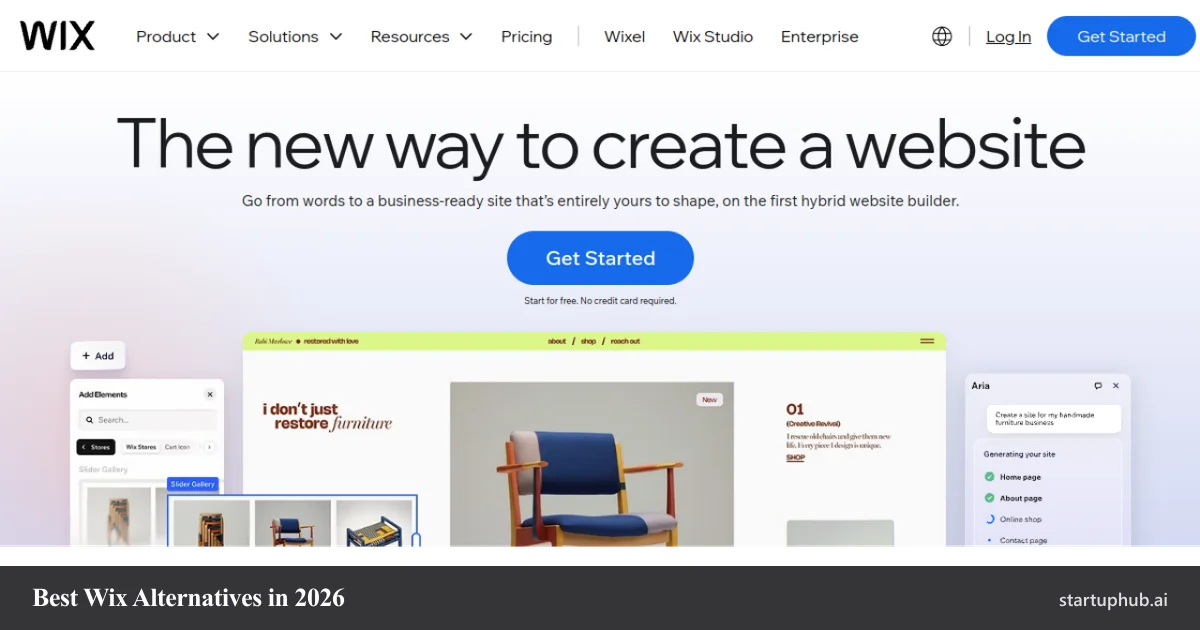
Wix homepage, with the best Wix alternative website builders compared for 2026

If you are looking for the best Wix alternatives in 2026, the short answer is that it depends on what is pushing you away from Wix. The most common shortlist is Squarespace for design and services, Webflow for full design control, Framer for fast modern sites, Hostinger for the lowest price, Shopify for serious ecommerce, WordPress for total flexibility, and GoDaddy for the quickest beginner setup. This guide compares pricing, ease of use, performance, and the 2026 feature set so you can pick the right one in a few minutes.

Why people look for a Wix alternative

Wix is a capable all-in-one builder, and for a lot of small sites it is perfectly fine. People usually start shopping for an alternative for one of these reasons.

Related startups

  • Page speed. Wix sites can get weighed down by heavy templates and apps, which slows load times and can hurt both user experience and SEO. Leaner builders and static-style platforms tend to score better on Core Web Vitals.
  • Template lock-in. Once a Wix site is published, you cannot swap to a different template without rebuilding your content. Several alternatives let you change themes freely.
  • You cannot export your site. Wix does not give you a clean export of your site to move elsewhere, so leaving means rebuilding. Platforms like WordPress hand you full ownership and portability of your content.
  • SEO depth. Wix has improved, but power users still want deeper control over technical SEO, markup, and performance than the editor exposes.
  • Cost and ecommerce scale. As a store grows, Wix can feel limiting on advanced selling, and some teams find better value or stronger commerce tools elsewhere.

None of this means Wix is bad. It means that once you know what you actually need, a more focused tool is often cheaper, faster, or more flexible.

Wix alternatives at a glance: 2026 pricing

Starting prices below are the entry paid plans as of 2026. Most builders discount heavily on annual or multi-year terms, so the monthly-billed price is usually higher. Always check the live pricing page before you buy.

BuilderStarts aroundFree planBest for
Wix$17 / moYes (with Wix ads)General all-in-one sites
Squarespace$16 / moNo (trial only)Design-led + service businesses
Hostinger$2.99 / moNoLowest price, fast hosting
Webflow$14 / moYesDesigners, agencies, custom CMS
Framer$5 / moYesFast, animated modern sites
Shopify$29 / moNo (trial only)Scaling online stores
WordPress$4 to $6 / moYes (.com tier)Maximum flexibility + ownership
GoDaddy$9.99 / moTrialFastest beginner setup

The best Wix alternatives in 2026

1. Squarespace: the closest like-for-like swap

Squarespace is the alternative most similar to Wix, and it is usually the first one people try. It pairs a clean drag-and-drop editor with a smaller set of templates that are more curated and design-forward than Wix's larger library. It also bundles genuinely useful tools, including the Acuity Scheduling system for appointments, which makes it a strong pick for service businesses.

Best for: portfolios, service businesses, restaurants, and anyone who wants a polished site without much fuss.

Pricing: starts around $16 per month on annual billing, with selling available from the entry plan.

Pros: high-quality templates, intuitive editor, strong built-in scheduling and content tools.

Cons: fewer templates than Wix, page-load speed is not its strongest area, and large-catalog ecommerce is weaker than Shopify.

2. Hostinger: the cheapest way to launch

If price is the main reason you are leaving Wix, Hostinger is hard to beat. Its website builder starts at a few dollars a month on a long term, includes AI build tools, and tends to post fast load times in testing because the hosting is lightweight.

Best for: budget-conscious small businesses, simple brochure sites, and first-time site owners.

Pricing: from about $2.99 per month on a multi-year term (monthly billing is higher).

Pros: lowest entry price, fast performance, AI tools and hosting included.

Cons: fewer plans and less design depth, and no large third-party app market.

3. Webflow: full design control without hand-coding

Webflow is the go-to when you want pixel-level control and clean, fast output. It exposes the underlying box model visually, so designers and agencies can build almost anything, back it with a real CMS, and ship code that performs well. The tradeoff is a steeper learning curve than a simple drag-and-drop tool.

Best for: designers, agencies, startups, and marketing sites that need custom layouts and a flexible CMS.

Pricing: free plan to start, with paid site plans from about $14 per month.

Pros: unmatched visual design control, clean code, strong CMS and SEO performance.

Cons: steeper learning curve if you are used to Wix-style editors, and pricing can add up across site and workspace plans.

4. Framer: the fast, modern, animation-first builder

Framer started as a design tool and grew into a full site builder, and it shows. It is built for beautiful, animated, modern pages that load fast, with AI assistance and a friendly editor. The CMS is still lighter than Webflow or WordPress, so it fits marketing sites and landing pages better than content-heavy publications.

Best for: designers, freelancers, and startups that want a striking, interactive site quickly.

Pricing: free plan to start, with paid plans from about $5 per month.

Pros: beautiful motion and interactions out of the box, fast performance, modern templates.

Cons: CMS and ecommerce are less mature than the heavyweight platforms.

5. Shopify: the answer if you are really an online store

If the reason you are outgrowing Wix is selling, Shopify is the standard. It has the best inventory and checkout tools, sells across marketplaces and social channels, and scales from a first product to a large catalog. It is the most expensive option here, and it is overkill for a simple brochure site, but for commerce it is worth it.

Best for: growing online stores and anyone whose site is mostly a storefront.

Pricing: from $29 per month (introductory promotions are common).

Pros: best-in-class commerce, multichannel selling, huge app ecosystem.

Cons: premium themes cost extra, content and design flexibility is more limited than a general builder.

6. WordPress: maximum flexibility and you own everything

WordPress (the self-hosted .org version) powers a huge share of the web for a reason: total control. You can build anything with themes and plugins, your content is fully portable, and the SEO ceiling is as high as you want. The cost is complexity. You manage hosting, updates, and security yourself, so there is a real learning curve.

Best for: blogs, publications, and any project that needs to grow without hitting a wall.

Pricing: the software is free; budget roughly $4 to $6 per month for hosting on the entry tiers.

Pros: unlimited flexibility, full ownership and portability, the deepest plugin and theme ecosystem.

Cons: steeper learning curve, and you are responsible for maintenance and security.

7. GoDaddy: the fastest way to get something live

GoDaddy leans on an AI builder that can stand up a basic site in well under a minute, with marketing tools built in. Design depth and SEO controls are basic, so it is best when speed and simplicity matter more than customization.

Best for: complete beginners and anyone on a time crunch who needs a presence today.

Pricing: paid plans from about $9.99 per month on annual billing.

Pros: extremely fast setup, integrated marketing tools.

Cons: generic templates, limited customization and SEO depth.

Honorable mentions

Durable generates a full small-business site from a few prompts in under a minute, which suits service businesses that just need a clean presence. Carrd is excellent and very cheap for single-page sites and link pages. Webnode and Weebly remain easy, budget-friendly options for simple sites, and BigCommerce is a strong Shopify alternative for larger catalogs with no transaction fees.

Best Wix alternative by use case

If you want to...PickWhy
Swap Wix for something similar but cleanerSquarespaceClosest experience, better templates
Pay as little as possibleHostingerLowest entry price, fast hosting
Control every pixelWebflowVisual design freedom + real CMS
Ship a fast, modern, animated siteFramerMotion-first, quick to build
Run a real online storeShopifyBest commerce tooling at scale
Never hit a ceiling and own your siteWordPressTotal flexibility and portability
Get online in the next five minutesGoDaddyAI builder, near-instant setup

How to choose the right one

Match the tool to your real bottleneck. If Wix simply feels clunky, Squarespace is the easy lateral move. If it is too expensive, Hostinger solves that immediately. If you keep fighting the editor for control, Webflow or Framer give you design freedom, with Framer being the faster path and Webflow the more powerful one. If you are really building a store, go straight to Shopify. And if you want to never be boxed in again and to fully own your site, WordPress is the long-term answer at the cost of a steeper learning curve.

One practical tip: before you migrate, list the three things Wix does not do well for you. Then choose the alternative that fixes those three, not the one with the longest feature list. The best builder is the one that removes your specific friction.

Frequently asked questions

What is the best overall alternative to Wix?

For most people leaving Wix, Squarespace is the best like-for-like swap because it keeps the all-in-one simplicity while offering cleaner templates and strong built-in tools. If your priority is design control, Webflow is the strongest pick, and if it is price, Hostinger wins.

Is there a cheaper alternative to Wix?

Yes. Hostinger starts at a few dollars a month on a long term, and Framer and WordPress both have capable free or very low-cost entry options. GoDaddy is also cheaper than Wix on its entry plans.

Can I move my existing Wix site to another platform?

Not with a clean one-click export. Wix does not provide a full site export, so moving usually means rebuilding the design on the new platform and copying over your content. Blog posts can often be exported and imported, but pages and layouts are rebuilt. This lock-in is one of the main reasons people choose a more portable platform like WordPress.

Which alternative is best for SEO and speed?

Webflow, Framer, and self-hosted WordPress generally give you the most control over technical SEO and tend to produce faster sites, because they output leaner code and expose more performance settings than a typical drag-and-drop editor.

What is the best Wix alternative for ecommerce?

Shopify is the strongest choice for a serious store, with BigCommerce a good option for larger catalogs. Squarespace is fine for a small number of products if you prefer an all-in-one site over a dedicated store platform.

Do these alternatives have free plans?

Webflow, Framer, and WordPress.com all offer free tiers to start, though serious sites move to a paid plan for a custom domain and to remove platform branding. Squarespace and Shopify use free trials rather than permanent free plans.

© 2026 StartupHub.ai. All rights reserved. Do not enter, scrape, copy, reproduce, or republish this article in whole or in part. Use as input to AI training, fine-tuning, retrieval-augmented generation, or any machine-learning system is prohibited without written license. Substantially-similar derivative works will be pursued to the fullest extent of applicable copyright, database, and computer-misuse laws. See our terms.