

How to Find Stealth Startups in 2026

Learn how to find stealth startups on StartupHub in 2026. Filter search, open a profile, check a known domain, set a monitor and email the company.

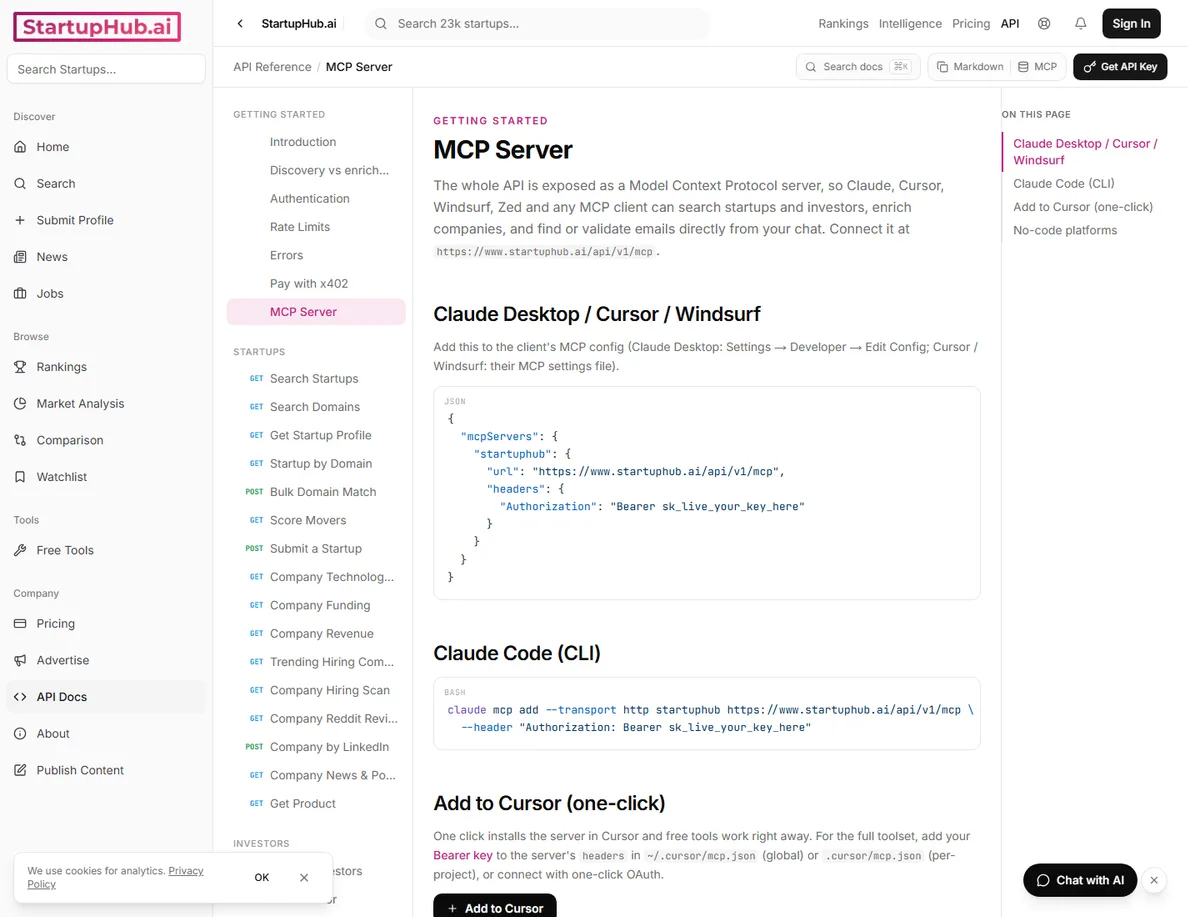
The MCP docs page, including the server URL https://www.startuphub.ai/api/v1/mcp and the same search from Claude or Cursor.
Contents(9)

On 28 September 2026, 1,355 published company profiles on StartupHub were marked Stealth Mode. If you invest at angel or early stage and want to know how to find stealth startups, start with the stealth filter on search. The rest of this guide is a working pass: filter search, read the profile, check a domain you already know, set a monitor, then email.

What Stealth Mode means here

Stealth Mode is a text flag on a profile we already have, not a promise that the company has no website and not a promise that the name is unknown everywhere else.

A flagged profile can still show a website, a founding year, a one-line description, and a logo, so open the page and read those fields.

Filter search to stealth companies

  1. Turn on the Stealth Mode control and confirm the active filter chip reads Stealth Mode: Yes.
  2. Open newest stealth companies by founding year when you want newer companies first.
  3. Open stealth profiles just added when you want profiles just added.
  4. The chip is what limits the list to companies marked Stealth Mode.

Read the profile before you write

Copperlayer is a published profile marked Stealth Mode and shows how these pages look in practice. Check the header image, one-line description, website copperlayer.ai, founding year, and operating status marked active.

The star rating is the community score and shows No ratings yet until someone votes. The contact area is where an email search can start if a domain is listed.
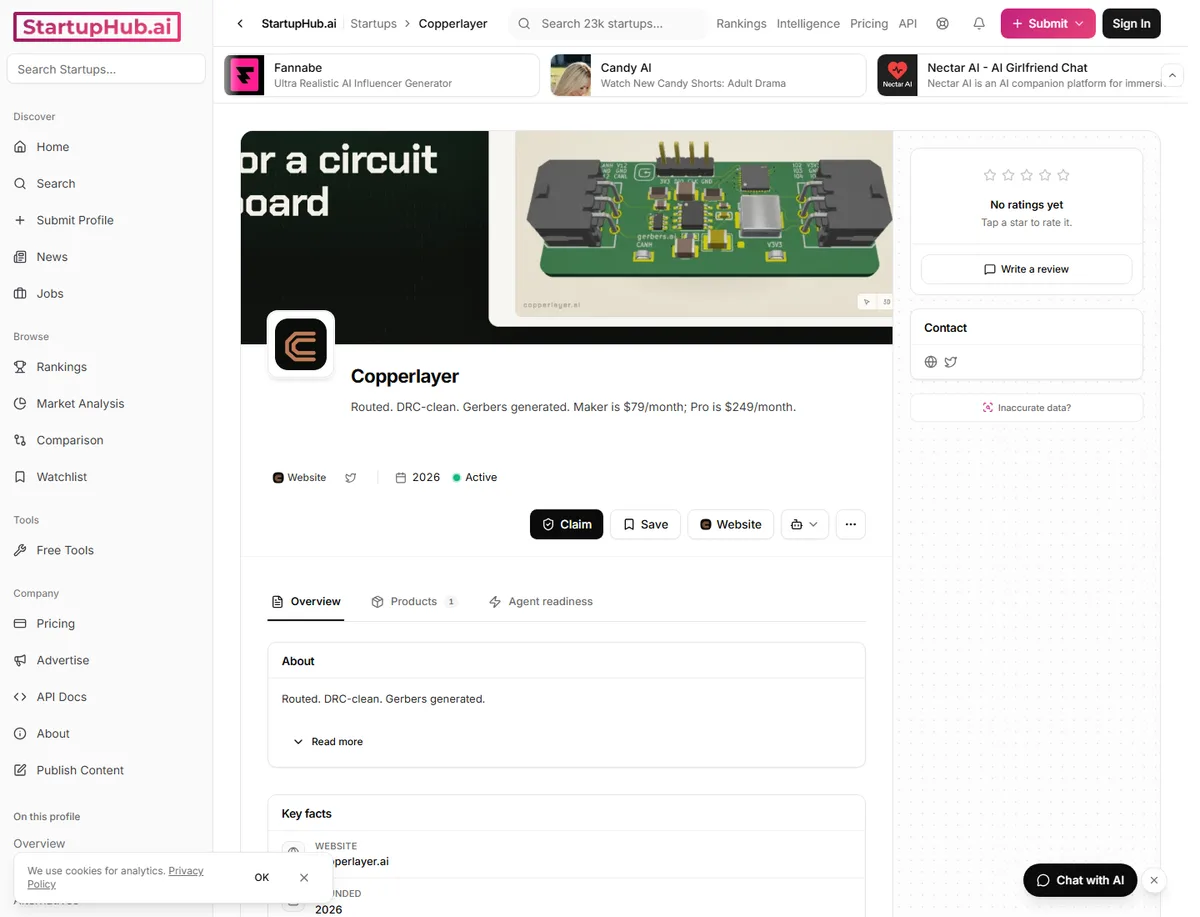
Copperlayer profile, a published Stealth Mode company, showing the header, star rating, and contact area.

A free account can open 3 distinct stealth-mode startup profiles. Pro Lite and Pro and Pro Plus can open stealth profiles without that cap. See plan limits for details. A free watchlist holds 10 profiles. Use the three opens on companies you would actually email.

Check a domain you already know

If you already know a name, use domain radar to check it. The list shows newly registered names from domain candidates. A domain row is not a company profile. A startup profile is created later only if the site is promoted. The call is GET /api/v1/domains. It is available on Pro Lite and higher and it costs 1 database credit.

Set a monitor

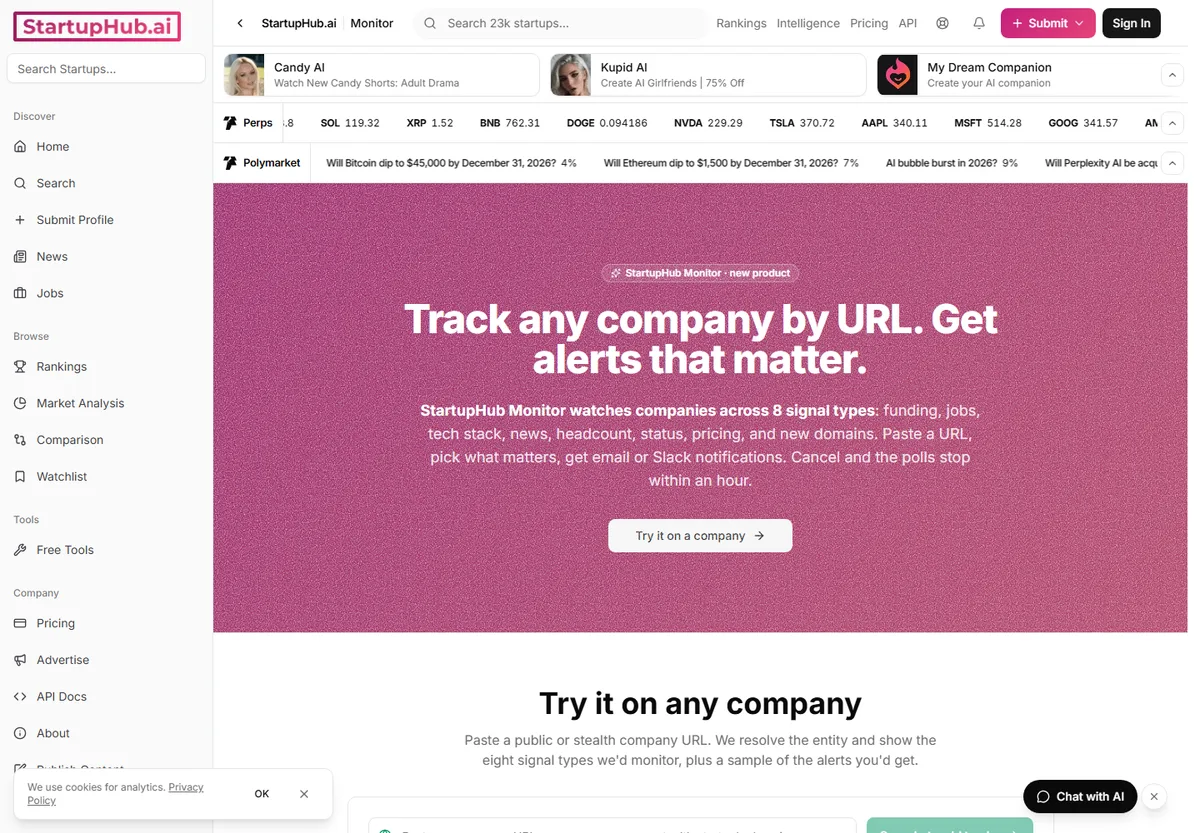
The Monitor page lists watches that cover funding, jobs, tech stack, news, headcount, status, pricing, and new domains. A free account can monitor 1 company weekly for news and funding delivered by email, while Pro Lite can monitor 50 companies daily for news, funding, jobs, tech stack, and product launches delivered by email. Pro can also watch pricing, status, headcount, and new domain registrations, can check as often as every 4 hours, can send alerts to email, Slack, or Teams, and stops the checks within an hour after canceling.

The Monitor page, where a company URL is pasted and the watch signals are chosen.

A weekly pass for an angel

  1. Start at the search for newest stealth companies and sort by founding year or by the date the profile was added.
  2. Save the candidates you want to revisit to your watchlist. Free accounts can save 10 profiles.
  3. Open profiles sparingly. A free account can open at most 3 stealth profiles and Pro Lite removes that cap.
  4. Set a monitor on any company that has a website so you get notified when signals change.
  5. Look up an email only after the profile shows a real domain because discovery requires it.

Email them

Email discovery can start from a first name, last name, and company domain, or from a LinkedIn profile URL. Discovery is useless until the profile or the domain radar row has a real domain.

A free account can discover 10 emails an hour and validate 100 an hour, while Pro Lite can discover 50 an hour. Use the email validator as the separate check.

Do the same from MCP

The MCP server runs at https://www.startuphub.ai/api/v1/mcp and lets you do the same jobs from Claude or Cursor.

Tools include find_stealth_startups which returns stealth-mode startups and can take an optional sector, search_domains which queries the domain radar, create_monitor which sets a watch, and discover_email which looks up an address.

create_monitor matches the signed-in product at /monitor. discover_email needs your account API key as a Bearer token in the Authorization header.

See the MCP server docs for connecting Claude, Cursor, and Windsurf and the API docs for general reference.

The MCP docs page, including the server URL https://www.startuphub.ai/api/v1/mcp and the same search from Claude or Cursor.

Questions

Does Stealth Mode mean there is no website?

No. A Stealth Mode profile can still have a website. Copperlayer is one example at copperlayer.ai.

How many stealth profiles can a free account open?

A free account can open 3 distinct stealth-mode startup profiles. Pro Lite and above are not capped.

Is a domain radar row a startup profile?

A domain radar row is a newly registered name. It becomes a startup profile only if the site is later promoted. The call is GET /api/v1/domains on Pro Lite and higher and it costs 1 database credit.

What does a free monitor watch?

A free monitor covers 1 company. It runs weekly for news and funding and delivers by email.

Pro Lite covers 50 companies daily and adds jobs, tech stack, and product launches.

When do you look up an email?

Look up an email after the profile or the domain row shows a real domain. Free discovery is 10 an hour. Validation is separate and is 100 an hour on the free plan.

© 2026 StartupHub.ai. All rights reserved. You may not republish this article in full without a license. Search engines and AI research tools may crawl and summarize for reference. Bulk reproduction or model training requires a license. See our terms.
Daniel Singer

Written by

Daniel Singer

Editor, StartupHub.ai

Daniel Singer is the editor of StartupHub.ai, a technology expert and thought leader on AI and its applications across sectors, from fintech and healthcare to developer tooling and consumer software. He writes and tests the tools covered here thoroughly and regularly, and built StartupHub.ai to give founders, operators and buyers a clearer read on what they are actually being sold.