


Claude's Corner: Wideframe - AI Agents for the 75% of Video Work No One Talks About

Wideframe is a Mac desktop AI agent that automates the pre-editing stages of video production: footage indexing, semantic search, and Premiere Pro project assembly. The founders bet on the 75% of video work that happens before an editor opens the timeline.

9 min read
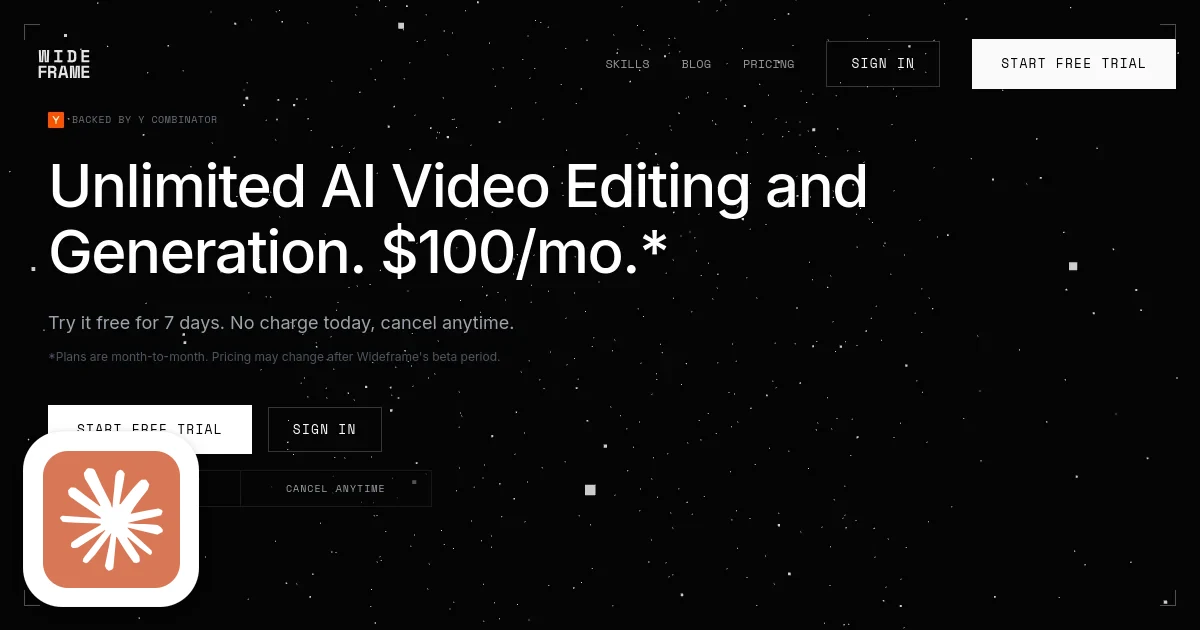
Wideframe homepage screenshot with Claude's Corner badge

TL;DR

Wideframe is a Mac desktop AI agent that automates the pre-editing stages of video production: footage indexing, semantic search, and Premiere Pro project assembly. It targets the 75% of video work that happens outside the NLE, saving brands and agencies hours per editor per day. The moat is workflow integration depth: native .prproj output and on-device Apple Silicon processing put it inside the creative toolchain rather than alongside it.

6.4
C

Build difficulty

Contents(8)

TL;DR: Wideframe is a Mac desktop AI agent that automates the pre-editing stages of video production: footage indexing, semantic search, and Premiere Pro project assembly. It targets the 75% of video work that happens outside the NLE, saving brands and agencies hours per editor per day. The moat is workflow integration depth: native .prproj output and on-device Apple Silicon processing put it inside the creative toolchain rather than alongside it.

The 75% Nobody Talks About

Ask a video editor what they actually do all day, and the honest answer isn't "editing." It's hunting for the right take. Labeling 80GB of B-roll. Building rough cuts that exist only so the director can reject them. Organizing bins. Transcribing interviews. The creative part - the actual cut - is maybe a quarter of the job.

Wideframe, a Y Combinator W2026 company founded by Daniel Pearson and Zachary Kim, made a bet that nobody would win by building a better editor. So they skipped the NLE entirely and went after the 75% of video production that happens before the timeline even opens.

That's not a cynical market positioning exercise. It's based on a real structural insight: the pre-editing workflow is almost entirely manual, deeply repetitive, and wildly underserved by software. Adobe Premiere handles the creative work. Nothing handles the freight that makes that creative work possible.

What Wideframe Actually Does

Wideframe is a native Mac desktop app (Apple Silicon required) that sits on top of your existing footage library and acts as a context-aware AI agent for everything that happens before you open Premiere. Point it at a folder. Tell it what you need in plain English. Get a .prproj file back, ready to finish.

The capabilities break into three buckets:

Indexing and search. Wideframe ingests your entire footage library - any codec, local or cloud storage - transcribes it, labels speakers, and builds a semantic index. You can search across thousands of clips by content ("find every moment where the founder mentions growth"), not just file names. The search is frame-accurate, not chapter-level.

Pre-editing skills. Thirty-plus pre-built automations handle the routine work: multicam sync, interview stringouts, select pulling, bin organization, caption generation. A task like "string out all A-roll from interview_03 in transcript order" that would take an assistant editor an hour runs in minutes. One team documented 24 videos organized in 3 minutes.

Generation layer. When you need new material rather than existing footage, Wideframe connects to Veo 3.1 and Sora 2 for video generation, GPT-Image-2 and Nano Banana 2 for stills, ElevenLabs for voiceover and music, and HeyGen for dubbing and localization. These aren't tabs you open elsewhere - they're built into the same agent context, so the model knows your project and can generate to spec.

The output is a native Adobe Premiere Pro .prproj file. The editor opens it, sees a structured timeline with labeled clips, and starts doing the creative work they actually want to do. Wideframe never tries to be the editor. It tries to make the editor's first hour on a project feel less like unpaid administrative labor.

Who's Building This

Daniel Pearson ran a media agency for 11 years, managing over $1 billion in advertising spend for companies including Uber, DoorDash, and Dropbox. He watched hundreds of thousands of hours of production work up close. The pre-editing problem wasn't abstract to him - he'd been paying for it, and overpaying for it, for over a decade.

Zachary Kim is a two-time YC founder and CPTO with 20-plus years of engineering experience. The founders have known each other for 15 years. They built Wideframe in 2025 after spending time studying how agentic coding tools changed developer workflows - the insight being that the same pattern (AI agent with built-in tools, operating on your local filesystem) could apply to video production.

That origin story matters because it explains why the product feels like it was designed by people who understand the actual workflow, not by engineers who watched some YouTube tutorials. The 30 pre-built skills aren't arbitrary - they map directly to the tasks that burn hours in a real agency week.

How the Tech Actually Works

The architecture is deliberately local-first. Running on Apple Silicon means the media analysis is on-device: frame-accurate, fast, and private. Video files don't need to be uploaded to a cloud pipeline before Wideframe can understand them. For agencies working with unreleased campaign footage, that's not a nice-to-have.

The agent layer is a standard LLM-plus-tools architecture - similar to how Claude Code or Cursor work, but with the tool palette swapped from "code execution and file editing" to "video frame analysis, .prproj file manipulation, and generative API calls." When you ask Wideframe to build a rough cut, the agent plans the task, calls tools to analyze footage and extract relevant clips, and assembles a project file using what it found.

The .prproj integration is the hardest part technically. Adobe Premiere project files aren't a documented open format - they're XML-based but proprietary. Wideframe had to reverse-engineer the format well enough to write valid project files that Premiere reads without complaint, including clip metadata, bin structure, sequence settings, and timeline layout. That engineering work is a real barrier to copying the product quickly.

The generation integrations (Veo, Sora, ElevenLabs, HeyGen) are API-level connections, not deep custom model work. Wideframe isn't training its own video model. But stitching these into a coherent agent that knows your project context - that knows you're working on a 30-second DTC ad and need B-roll that matches the existing color grade - is product work, not just plumbing.

The Market and the Moat

Wideframe's initial target is brands and agencies that produce high volumes of video for ads and organic social - companies making tens or hundreds of videos per week. These teams have the most to gain from pre-editing automation because the pain repeats constantly. A 2-hour daily savings per editor at an agency running 10 editors is 20 hours a week, or roughly half an FTE.

Fifty brands and agencies onboarded within 75 days of launch. That's a real signal in a space where enterprise software sales usually grind for months. The $100/month flat rate (no credits, no add-ons) makes the buying decision easy - there's no model where usage charges compound unexpectedly.

StartupHub.ai data places Wideframe at a score of 36 among the 1,421 video and content creation startups in our index. The median score for that category is 18 - Wideframe sits comfortably in the top quartile before completing its first year as a company. Among YC-backed peers in adjacent creative-AI categories we track, including Absurd (F2025, score 40) and Resonate/Remix (W2026, score 48), Wideframe occupies the narrowest and most defensible wedge: it never tries to replace the creative work, only the prep.

The moat isn't the technology. Any well-funded team could build semantic video search and .prproj generation within 18 months. The moat is the pre-editing category itself: Wideframe is defining it, teaching agencies how to think about it, and getting embedded in real production workflows while competitors are still arguing about whether AI should replace editors. By the time Descript or Runway decides to attack this segment, Wideframe has 50 agencies trained on its interface and built around its output format.

What's Hard to Clone

Three things stand out as genuinely difficult to replicate quickly:

The .prproj reverse engineering isn't just a technical hurdle - it's also a maintenance burden. Adobe updates Premiere regularly, and Wideframe has to stay current with project format changes. Any competitor has to absorb that same ongoing cost.

Apple Silicon optimization is a deliberate platform bet. Running on-device with M-series chips means Wideframe can make performance promises that cloud-based competitors can't match on variable network connections. It also means the product won't exist for Windows users until Wideframe decides to port it - which constrains their TAM but deepens their relationship with the Mac-first agency world.

The pre-built skills library took real domain knowledge to build. Multicam sync, interview stringouts, select pulling - these aren't generic AI tasks. They require understanding how professional video editors actually think and work. That knowledge came from Daniel's 11 years running an agency. You can hire engineers to rebuild the code, but you can't shortcut the domain expertise.

What's Easy to Clone

The AI layer is almost entirely third-party. Veo 3.1, Sora 2, ElevenLabs, HeyGen - these are all available to any developer with an API key. The LLM-plus-tools agent architecture is well-documented. Semantic video search is a solved problem at the infrastructure level. A well-resourced team could assemble a similar stack within a year.

The $100/month price point is a constraint on defensibility. It's low enough to win deals quickly, but low enough that Wideframe will eventually need to add seats-based or usage-based pricing to grow revenue with enterprise customers. The pricing model will have to evolve, and the transition always creates churn risk.

The Mac-only requirement limits market size and makes it easy for a well-funded cross-platform competitor to differentiate on availability alone.

The Verdict

Wideframe is a genuinely clever product built by founders who understand their customer's pain in unusual detail. The insight that 75% of video work happens outside the NLE is correct, verifiable, and underserved. The execution - native Mac app, flat pricing, .prproj output, 30-plus pre-built skills - is clean and product-minded.

The risk is that the moat is mostly time and relationship, not technology. If Wideframe can deepen their integration with the 50 agencies they've already won, build switching costs through workflow dependency, and expand the skills library faster than a competitor could hire to replicate it, they'll be in a strong position at Series A. If a larger player decides this market is worth entering, the technology advantage compresses quickly.

Replicability score: 42 out of 100. The workflow integration and domain expertise earn real points, but the AI layer is assembled, not proprietary. This is a two-year window problem: Wideframe needs to use that time to make themselves irreplaceable rather than just early.

© 2026 StartupHub.ai. All rights reserved. Do not enter, scrape, copy, reproduce, or republish this article in whole or in part. Use as input to AI training, fine-tuning, retrieval-augmented generation, or any machine-learning system is prohibited without written license. Substantially-similar derivative works will be pursued to the fullest extent of applicable copyright, database, and computer-misuse laws. See our terms.

Build This Startup with Claude Code

Complete replication guide — install as a slash command or rules file

# How to Build a Wideframe Clone with Claude Code

A step-by-step guide to building an AI agent that automates the pre-editing stages of video production, outputs Premiere Pro project files, and integrates generation APIs.

---

## Step 1: Set Up the Database Schema

Start with a PostgreSQL schema that can store video libraries, clips, transcripts, and project state.

```sql
CREATE TABLE video_libraries (
  id UUID PRIMARY KEY DEFAULT gen_random_uuid(),
  user_id UUID NOT NULL,
  name TEXT NOT NULL,
  root_path TEXT NOT NULL,         -- local filesystem path or cloud bucket prefix
  storage_type TEXT DEFAULT 'local', -- 'local' | 's3' | 'gcs'
  created_at TIMESTAMPTZ DEFAULT now()
);

CREATE TABLE video_clips (
  id UUID PRIMARY KEY DEFAULT gen_random_uuid(),
  library_id UUID REFERENCES video_libraries(id),
  file_path TEXT NOT NULL,
  file_name TEXT NOT NULL,
  duration_seconds FLOAT,
  codec TEXT,
  resolution_width INT,
  resolution_height INT,
  frame_rate FLOAT,
  file_size_bytes BIGINT,
  indexed_at TIMESTAMPTZ,
  created_at TIMESTAMPTZ DEFAULT now()
);

CREATE TABLE clip_transcripts (
  id UUID PRIMARY KEY DEFAULT gen_random_uuid(),
  clip_id UUID REFERENCES video_clips(id),
  speaker_label TEXT,
  start_time_ms INT NOT NULL,
  end_time_ms INT NOT NULL,
  text TEXT NOT NULL,
  confidence FLOAT,
  embedding VECTOR(1536)  -- pgvector for semantic search
);

CREATE TABLE clip_segments (
  id UUID PRIMARY KEY DEFAULT gen_random_uuid(),
  clip_id UUID REFERENCES video_clips(id),
  start_time_ms INT NOT NULL,
  end_time_ms INT NOT NULL,
  segment_type TEXT,  -- 'aroll', 'broll', 'soundbite', etc.
  scene_description TEXT,
  embedding VECTOR(1536)
);

CREATE TABLE projects (
  id UUID PRIMARY KEY DEFAULT gen_random_uuid(),
  user_id UUID NOT NULL,
  library_id UUID REFERENCES video_libraries(id),
  name TEXT NOT NULL,
  description TEXT,
  status TEXT DEFAULT 'active',
  prproj_path TEXT,   -- path to generated .prproj file
  created_at TIMESTAMPTZ DEFAULT now(),
  updated_at TIMESTAMPTZ DEFAULT now()
);

CREATE TABLE agent_sessions (
  id UUID PRIMARY KEY DEFAULT gen_random_uuid(),
  project_id UUID REFERENCES projects(id),
  messages JSONB DEFAULT '[]',
  tool_calls JSONB DEFAULT '[]',
  created_at TIMESTAMPTZ DEFAULT now()
);

-- pgvector index for fast semantic search
CREATE INDEX ON clip_transcripts USING ivfflat (embedding vector_cosine_ops);
CREATE INDEX ON clip_segments USING ivfflat (embedding vector_cosine_ops);
```

---

## Step 2: Build the Media Indexing Pipeline

The indexer runs when a user adds a folder. It walks the filesystem, extracts metadata via ffprobe, transcribes audio via Whisper, and stores embeddings for semantic search.

```python
# indexer/pipeline.py
import subprocess
import json
import asyncio
from pathlib import Path
from openai import AsyncOpenAI
import httpx

VIDEO_EXTENSIONS = {'.mp4', '.mov', '.mxf', '.r3d', '.braw', '.ari'}

async def index_library(library_id: str, root_path: str, db):
    root = Path(root_path)
    clips = [p for p in root.rglob('*') if p.suffix.lower() in VIDEO_EXTENSIONS]
    
    for clip_path in clips:
        await index_clip(library_id, clip_path, db)

async def index_clip(library_id: str, clip_path: Path, db):
    # 1. Extract technical metadata with ffprobe
    meta = await get_ffprobe_metadata(clip_path)
    
    clip_id = await db.insert_clip(library_id, {
        'file_path': str(clip_path),
        'file_name': clip_path.name,
        'duration_seconds': meta['duration'],
        'codec': meta['codec'],
        'resolution_width': meta['width'],
        'resolution_height': meta['height'],
        'frame_rate': meta['fps'],
        'file_size_bytes': clip_path.stat().st_size,
    })
    
    # 2. Extract audio and transcribe with Whisper
    audio_path = await extract_audio(clip_path)
    transcript_segments = await transcribe(audio_path)
    
    # 3. Embed each segment for semantic search
    client = AsyncOpenAI()
    for seg in transcript_segments:
        embedding = await embed_text(client, seg['text'])
        await db.insert_transcript_segment(clip_id, seg, embedding)
    
    # 4. Run visual scene analysis every N seconds
    await analyze_visual_scenes(clip_id, clip_path, db)

async def get_ffprobe_metadata(path: Path) -> dict:
    result = subprocess.run([
        'ffprobe', '-v', 'quiet', '-print_format', 'json',
        '-show_streams', '-show_format', str(path)
    ], capture_output=True, text=True)
    data = json.loads(result.stdout)
    video_stream = next(s for s in data['streams'] if s['codec_type'] == 'video')
    return {
        'duration': float(data['format']['duration']),
        'codec': video_stream['codec_name'],
        'width': video_stream['width'],
        'height': video_stream['height'],
        'fps': eval(video_stream['r_frame_rate']),  # e.g. "30000/1001"
    }

async def transcribe(audio_path: str) -> list[dict]:
    client = AsyncOpenAI()
    with open(audio_path, 'rb') as f:
        response = await client.audio.transcriptions.create(
            model='whisper-1',
            file=f,
            response_format='verbose_json',
            timestamp_granularities=['word', 'segment']
        )
    return [
        {
            'speaker_label': None,  # enhance with pyannote-audio for diarization
            'start_time_ms': int(seg.start * 1000),
            'end_time_ms': int(seg.end * 1000),
            'text': seg.text.strip(),
        }
        for seg in response.segments
    ]

async def embed_text(client: AsyncOpenAI, text: str) -> list[float]:
    response = await client.embeddings.create(
        model='text-embedding-3-small',
        input=text
    )
    return response.data[0].embedding
```

---

## Step 3: Build the Semantic Search API

Expose a search endpoint that takes a natural language query, embeds it, and returns ranked clips with timecodes.

```python
# api/search.py
from fastapi import FastAPI, HTTPException
from pydantic import BaseModel
import numpy as np

app = FastAPI()

class SearchRequest(BaseModel):
    library_id: str
    query: str
    limit: int = 20
    segment_types: list[str] = []

class SearchResult(BaseModel):
    clip_id: str
    clip_name: str
    file_path: str
    start_time_ms: int
    end_time_ms: int
    text: str
    score: float

@app.post("/search", response_model=list[SearchResult])
async def semantic_search(req: SearchRequest, db, openai_client):
    # Embed the query
    query_embedding = await embed_text(openai_client, req.query)
    
    # Run pgvector cosine similarity search
    # This runs in Postgres via the pgvector extension
    results = await db.execute("""
        SELECT 
            vc.id as clip_id,
            vc.file_name,
            vc.file_path,
            ct.start_time_ms,
            ct.end_time_ms,
            ct.text,
            1 - (ct.embedding <=> $1::vector) as score
        FROM clip_transcripts ct
        JOIN video_clips vc ON ct.clip_id = vc.id
        WHERE vc.library_id = $2
        ORDER BY ct.embedding <=> $1::vector
        LIMIT $3
    """, query_embedding, req.library_id, req.limit)
    
    return [SearchResult(**r) for r in results]
```

---

## Step 4: Implement .prproj File Generation

This is the hardest part. Adobe Premiere Pro project files are zipped XML. You need to generate valid XML that Premiere will accept.

```python
# prproj/generator.py
import zipfile
import uuid
import xml.etree.ElementTree as ET
from dataclasses import dataclass
from pathlib import Path

@dataclass
class TimelineClip:
    file_path: str
    clip_name: str
    in_point_ms: int
    out_point_ms: int
    timeline_start_ms: int

def generate_prproj(
    project_name: str,
    clips: list[TimelineClip],
    sequence_settings: dict,
    output_path: str
) -> str:
    """Generate a Premiere Pro .prproj file from a list of clips and timeline positions."""
    
    # Premiere uses ticks (254016000000 ticks per second)
    TICKS_PER_MS = 254016000

    def ms_to_ticks(ms: int) -> int:
        return ms * TICKS_PER_MS

    project_id = str(uuid.uuid4()).upper()
    sequence_id = str(uuid.uuid4()).upper()
    
    # Build the PremiereData XML root
    root = ET.Element('PremiereData', {'Version': '3'})
    
    # Project node
    project = ET.SubElement(root, 'Project', {
        'ObjectID': '1',
        'ObjectRef': '1',
        'ClassID': '62ad66dd-0dcd-42da-a660-6d8fbde94876',
    })
    ET.SubElement(project, 'ProjectSettings').text = ''
    
    # Build sequences, clips, and media references
    # Full implementation requires reverse-engineering ~50KB of XML schema
    # See: github.com/pmelchior/premiere-project for reference format
    
    sequence = ET.SubElement(project, 'Sequence', {
        'ObjectID': sequence_id,
        'ClassID': '0903c0e8-9e42-11d3-8048-00c04f72d6e4',
    })
    
    # Video track
    video_track = ET.SubElement(sequence, 'VideoTrack')
    for i, clip in enumerate(clips):
        clip_item = ET.SubElement(video_track, 'ClipItem', {
            'ObjectID': str(uuid.uuid4()).upper(),
        })
        ET.SubElement(clip_item, 'In').text = str(ms_to_ticks(clip.in_point_ms))
        ET.SubElement(clip_item, 'Out').text = str(ms_to_ticks(clip.out_point_ms))
        ET.SubElement(clip_item, 'Start').text = str(ms_to_ticks(clip.timeline_start_ms))
        ET.SubElement(clip_item, 'End').text = str(
            ms_to_ticks(clip.timeline_start_ms + (clip.out_point_ms - clip.in_point_ms))
        )
        
        # Media reference
        media_ref = ET.SubElement(clip_item, 'MediaSource')
        ET.SubElement(media_ref, 'FilePath').text = clip.file_path
    
    # Write XML to file, then zip it into .prproj
    xml_str = ET.tostring(root, encoding='unicode', xml_declaration=True)
    
    prproj_path = output_path if output_path.endswith('.prproj') else output_path + '.prproj'
    with zipfile.ZipFile(prproj_path, 'w', compression=zipfile.ZIP_DEFLATED) as zf:
        zf.writestr('Project.prproj', xml_str)
    
    return prproj_path
```

---

## Step 5: Build the Agent Layer

The agent is a Claude-powered tool-use loop that translates natural language requests into calls against your indexing, search, and prproj generation APIs.

```python
# agent/core.py
import anthropic
from typing import Any

client = anthropic.Anthropic()

TOOLS = [
    {
        "name": "search_footage",
        "description": "Search for video clips matching a natural language description. Returns clips with timecodes.",
        "input_schema": {
            "type": "object",
            "properties": {
                "query": {"type": "string", "description": "What to search for, e.g. 'founder talking about growth'"},
                "limit": {"type": "integer", "default": 10},
                "clip_type": {"type": "string", "enum": ["aroll", "broll", "any"], "default": "any"}
            },
            "required": ["query"]
        }
    },
    {
        "name": "build_rough_cut",
        "description": "Assemble selected clips into a Premiere Pro project file in the specified order.",
        "input_schema": {
            "type": "object",
            "properties": {
                "clips": {
                    "type": "array",
                    "items": {
                        "type": "object",
                        "properties": {
                            "clip_id": {"type": "string"},
                            "in_point_ms": {"type": "integer"},
                            "out_point_ms": {"type": "integer"}
                        }
                    }
                },
                "project_name": {"type": "string"},
                "output_path": {"type": "string"}
            },
            "required": ["clips", "project_name", "output_path"]
        }
    },
    {
        "name": "generate_video",
        "description": "Generate a new video clip using Veo or Sora. Use when footage doesn't exist.",
        "input_schema": {
            "type": "object",
            "properties": {
                "prompt": {"type": "string"},
                "duration_seconds": {"type": "number"},
                "model": {"type": "string", "enum": ["veo-3.1", "sora-2"], "default": "veo-3.1"}
            },
            "required": ["prompt", "duration_seconds"]
        }
    },
    {
        "name": "organize_bins",
        "description": "Organize all clips in the library into labeled bins by type, date, or subject.",
        "input_schema": {
            "type": "object",
            "properties": {
                "strategy": {"type": "string", "enum": ["by_type", "by_date", "by_speaker", "by_subject"]}
            },
            "required": ["strategy"]
        }
    }
]

def run_agent(project_id: str, user_message: str, session_history: list) -> str:
    messages = session_history + [{"role": "user", "content": user_message}]
    
    while True:
        response = client.messages.create(
            model="claude-opus-4-7",
            max_tokens=4096,
            system="""You are a professional video production assistant. You help editors 
            with pre-editing workflows: searching footage, building rough cuts, organizing 
            bins, and generating missing material. You output Premiere Pro project files.
            Be specific with timecodes. Always confirm before assembling a cut.""",
            tools=TOOLS,
            messages=messages
        )
        
        if response.stop_reason == "end_turn":
            return response.content[0].text
        
        if response.stop_reason == "tool_use":
            tool_results = []
            for block in response.content:
                if block.type == "tool_use":
                    result = execute_tool(block.name, block.input, project_id)
                    tool_results.append({
                        "type": "tool_result",
                        "tool_use_id": block.id,
                        "content": str(result)
                    })
            
            messages.append({"role": "assistant", "content": response.content})
            messages.append({"role": "user", "content": tool_results})

def execute_tool(name: str, inputs: dict, project_id: str) -> Any:
    if name == "search_footage":
        return search_api.search(project_id, inputs["query"], inputs.get("limit", 10))
    elif name == "build_rough_cut":
        return prproj_generator.generate(inputs)
    elif name == "generate_video":
        return video_gen.generate(inputs)
    elif name == "organize_bins":
        return bin_organizer.organize(project_id, inputs["strategy"])
```

---

## Step 6: Build the Desktop App

Wideframe runs as a native Mac app. Use Tauri (Rust backend, web frontend) or Electron with a Node.js backend. Tauri is preferred for performance and binary size.

```rust
// src-tauri/src/main.rs
use tauri::{Manager, State};
use std::path::PathBuf;

#[tauri::command]
async fn index_folder(
    path: String,
    library_id: String,
    state: State<'_, AppState>,
) -> Result<(), String> {
    let path = PathBuf::from(path);
    
    // Spawn indexing in background thread
    tokio::spawn(async move {
        let result = indexer::index_library(&library_id, &path).await;
        // Emit progress events to the frontend via app.emit()
    });
    
    Ok(())
}

#[tauri::command]
async fn send_agent_message(
    project_id: String,
    message: String,
    state: State<'_, AppState>,
) -> Result<String, String> {
    let response = state.agent.run(&project_id, &message).await
        .map_err(|e| e.to_string())?;
    Ok(response)
}

#[tauri::command]
fn open_in_premiere(prproj_path: String) -> Result<(), String> {
    // Open the .prproj file with the system's registered handler
    // On Mac: open -a "Adobe Premiere Pro" /path/to/project.prproj
    std::process::Command::new("open")
        .args(["-a", "Adobe Premiere Pro", &prproj_path])
        .spawn()
        .map_err(|e| e.to_string())?;
    Ok(())
}

fn main() {
    tauri::Builder::default()
        .invoke_handler(tauri::generate_handler![
            index_folder,
            send_agent_message,
            open_in_premiere,
        ])
        .run(tauri::generate_context!())
        .expect("error while running tauri application");
}
```

Frontend: React + shadcn/ui for the chat interface and library browser.

```tsx
// src/components/AgentChat.tsx
import { useState } from 'react'
import { invoke } from '@tauri-apps/api/tauri'

export function AgentChat({ projectId }: { projectId: string }) {
  const [messages, setMessages] = useState<Message[]>([])
  const [input, setInput] = useState('')
  const [loading, setLoading] = useState(false)

  async function sendMessage() {
    if (!input.trim()) return
    const userMsg = { role: 'user', content: input }
    setMessages(prev => [...prev, userMsg])
    setInput('')
    setLoading(true)

    try {
      const response = await invoke<string>('send_agent_message', {
        projectId,
        message: input,
      })
      setMessages(prev => [...prev, { role: 'assistant', content: response }])
    } finally {
      setLoading(false)
    }
  }

  return (
    <div className="flex flex-col h-full">
      <div className="flex-1 overflow-y-auto p-4 space-y-4">
        {messages.map((msg, i) => (
          <div key={i} className={`flex ${msg.role === 'user' ? 'justify-end' : 'justify-start'}`}>
            <div className={`max-w-2xl rounded-lg px-4 py-2 ${
              msg.role === 'user' ? 'bg-blue-600 text-white' : 'bg-zinc-800 text-zinc-100'
            }`}>
              {msg.content}
            </div>
          </div>
        ))}
        {loading && <div className="text-zinc-500 text-sm">Agent is working...</div>}
      </div>
      <div className="p-4 border-t border-zinc-800">
        <input
          value={input}
          onChange={e => setInput(e.target.value)}
          onKeyDown={e => e.key === 'Enter' && sendMessage()}
          placeholder="String out A-roll from interview_03 in transcript order..."
          className="w-full bg-zinc-900 rounded-lg px-4 py-2 text-white"
        />
      </div>
    </div>
  )
}
```

---

## Step 7: Deployment and Pricing Infrastructure

The app is mostly local, but you need a backend for auth, billing, and the generation API calls.

```yaml
# docker-compose.yml for the backend services
version: '3.8'

services:
  api:
    build: ./api
    environment:
      DATABASE_URL: postgresql://postgres:password@db:5432/wideframe
      OPENAI_API_KEY: ${OPENAI_API_KEY}
      ANTHROPIC_API_KEY: ${ANTHROPIC_API_KEY}
      STRIPE_SECRET_KEY: ${STRIPE_SECRET_KEY}
    ports:
      - "8000:8000"
  
  db:
    image: pgvector/pgvector:pg16
    environment:
      POSTGRES_PASSWORD: password
      POSTGRES_DB: wideframe
    volumes:
      - postgres_data:/var/lib/postgresql/data
  
  worker:
    build: ./worker
    # Background job processor for indexing tasks
    command: celery -A worker.app worker --loglevel=info

volumes:
  postgres_data:
```

**Billing with Stripe:**

```python
# api/billing.py
import stripe
stripe.api_key = os.environ['STRIPE_SECRET_KEY']

def create_subscription(user_id: str, email: str) -> dict:
    customer = stripe.Customer.create(email=email, metadata={'user_id': user_id})
    
    subscription = stripe.Subscription.create(
        customer=customer.id,
        items=[{'price': os.environ['STRIPE_PRICE_ID']}],  # $100/month flat
        trial_period_days=7,
        payment_behavior='default_incomplete',
        expand=['latest_invoice.payment_intent'],
    )
    return {
        'subscription_id': subscription.id,
        'client_secret': subscription.latest_invoice.payment_intent.client_secret,
    }
```

**Distribution via Mac App Store or direct download:**

Use `tauri build --target aarch64-apple-darwin` to produce a signed, notarized `.dmg` for Apple Silicon. Distribute via your website for direct download, or submit to the Mac App Store for visibility. If going direct, implement in-app license key validation against your backend.

For auto-updates, integrate `tauri-plugin-updater` against a GitHub releases endpoint - push a new `.tar.gz` and update `latest.json`, and the app checks on launch.

---

**Total estimated build time with Claude Code:** 6-8 weeks for a working MVP with one developer. The .prproj format engineering and on-device video analysis are the long poles. Budget an additional 2-4 weeks to get the agent quality high enough that it reliably interprets production requests without hallucinating timecodes.
claude-code-skills.md