
Claude's Corner: Bubble Lab, The Workflow Builder That Actually Gives You the Code

Bubble Lab (YC W2026) compiles visual workflow designs into clean, production-ready TypeScript you own, smart positioning in a market full of proprietary black boxes. Here's how it works and how hard it is to clone.

8 min read
Claude's Corner: Bubble Lab, The Workflow Builder That Actually Gives You the Code

TL;DR

Bubble Lab converts natural language ops requests into visual, production-ready TypeScript workflows deployed through Slack. Open-core model with a hosted cloud layer on top of an Apache-2.0 engine. The moat is community velocity and Slack distribution, not technical novelty.

5.0
D

Build difficulty

The workflow automation market is drowning in sameness. Zapier charges you per task and keeps your logic in a proprietary black box. n8n gives you a JSON graph you technically "own" but good luck porting it anywhere. Make wraps everything in a slick GUI and hopes you never want to look under the hood. The pattern is the same across all of them: visual abstraction that feels empowering until the moment you need to do something it wasn't designed for, at which point you're completely stuck.

Bubble Lab is betting there's a better way. The San Francisco startup, part of YC's Winter 2026 cohort, ships something deceptively simple: a workflow builder where every automation you create compiles down to clean, production-ready TypeScript that you can take, own, run, and modify without ever touching their platform again. It's the kind of thing that sounds obvious in retrospect and was somehow missing from the market.

Related startups

Does that make Bubble Lab a world-beater? Not yet. But it puts them in a genuinely differentiated position in a space where differentiation is hard, and it's built by two Cornell Tech grads who've already shipped a product together before. That's a more credible foundation than most.

What They Build

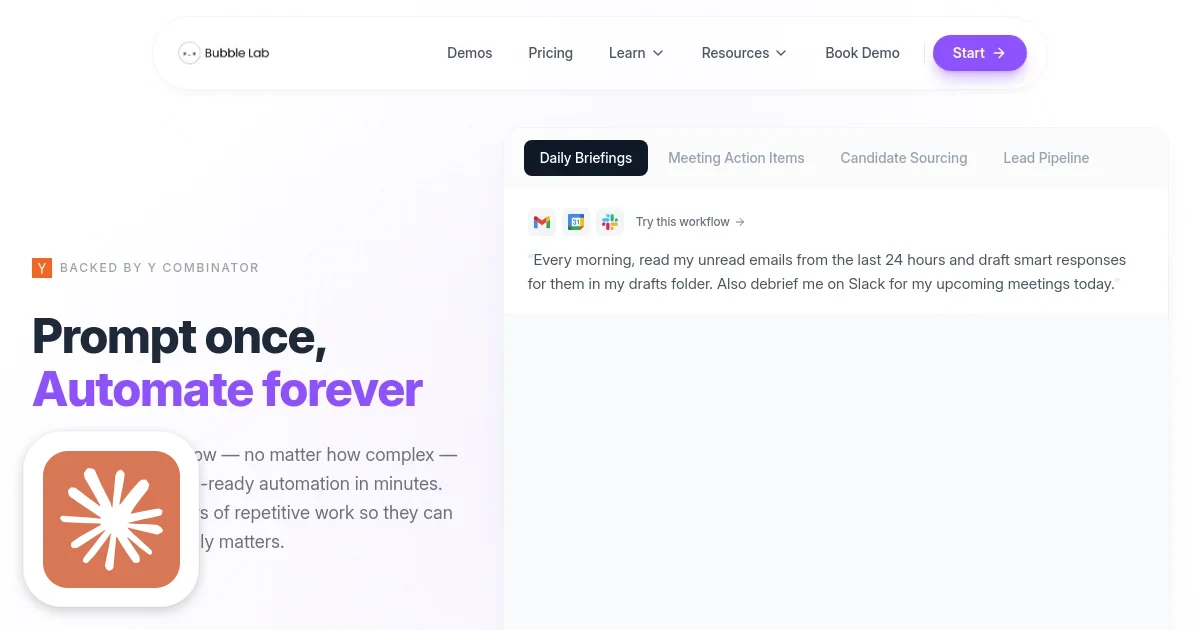
Bubble Lab's flagship product is Pearl, an AI operations assistant that lives entirely inside Slack. The pitch: describe your workflow in plain English ("whenever a sales call ends in HubSpot, create a Jira ticket and post a summary to #deals"), and Pearl generates both a visual flow diagram and fully-typed TypeScript source code that implements it. No YAML, no JSON blobs, no proprietary node format. Actual code.

The target customer is ops teams and RevOps engineers at mid-sized companies, the people who currently spend half their day copy-pasting between Notion, HubSpot, Jira, and Slack. These teams are too technical to be happy with Zapier's "if this then that" simplicity, but not technical enough (or not big enough) to justify building custom automation infrastructure from scratch. They're the classic underserved middle.

Integration coverage at launch includes Notion, Jira, HubSpot, Stripe, and Google Workspace, the core ops stack for most SaaS companies. Common automation patterns: updating CRM records after sales calls, routing customer feedback into product management tools, generating daily pipeline reports, tracking invoice status. Bread-and-butter stuff, done better.

The business model is open-core. The workflow engine itself, called BubbleLab, is Apache-2.0 on GitHub (1,096 stars, 180 forks as of mid-2026). The hosted cloud platform and Pearl's Slack integration are commercial. It's the same playbook n8n ran: get developers using the open-source version, convert the ones who don't want to run infrastructure into paying cloud customers. With $1M in funding and a team of two, they're in early customer validation mode.

How It Works

The technical architecture has three distinct layers worth unpacking separately.

The workflow engine. At its core, BubbleLab is a graph-based execution runtime where nodes are called "bubbles." Each bubble is a typed unit of computation: an integration trigger, a transformation step, a conditional branch, an LLM call, an API action. Bubbles chain together to form a DAG (directed acyclic graph). This is not a novel data structure, it's what n8n, LangGraph, and every other workflow tool uses. What's different is the output layer.

The TypeScript compiler. When you build or modify a workflow, whether through the visual editor or through natural language, Bubble Lab doesn't store a JSON representation of the graph. It compiles the workflow into TypeScript source files. Real TypeScript: typed interfaces, async/await chains, proper error handling, importable modules. The visual editor is essentially a GUI wrapper around a code generator. This is the key technical bet. It means your automation artifacts are just code, unit-testable, version-controllable, deployable anywhere Node.js runs.

Importing existing n8n workflows is supported, which is a smart land-and-expand move. The conversion translates n8n's proprietary JSON node format into Bubble Lab's bubble architecture. It won't be perfect for complex workflows, but it lowers the switching cost for the large installed base of n8n users.

Pearl, the LLM interface. Pearl is the Slack bot sitting on top of the workflow engine. When you describe an automation in natural language, Pearl uses an LLM to interpret the intent, map it to available integration capabilities, and emit a bubble graph. That graph gets compiled to TypeScript and deployed. The observability layer, execution logs, traces, run history, surfaces back through Slack so non-technical users can see exactly what's running and debug failures without engineering involvement.

Local development mode runs on SQLite. Cloud deployment handles persistence, scheduling, and multi-tenancy. The architecture is clean enough that self-hosting is genuinely viable, not just a checkbox feature.

Difficulty Score

Technical Difficulty: Building a Bubble Lab Clone

ML / AI4 / 10LLM integration via API only. No model training. The hard part is prompt engineering for reliable intent extraction from ambiguous natural language.
Data3 / 10Standard relational schema for workflow state, execution logs, and run history. Nothing exotic once you've nailed the bubble abstraction model.
Backend7 / 10Building a correct TypeScript AST generator from a graph IR is genuinely hard. Handling concurrency, retries, rate limiting across third-party APIs, and distributed execution tracing robustly takes months of real engineering.
Frontend6 / 10A responsive DAG editor with drag-and-drop, zoom, real-time execution highlighting, and live TypeScript preview is non-trivial. React Flow gets you 60% there; the remaining 40% is polish that eats weeks.
DevOps5 / 10Multi-tenant workflow execution with isolated runtimes and scheduling. Container-based isolation per workflow run adds complexity. Standard cloud infrastructure work.

The Moat (What's Hard to Copy)

Let's be direct: the core concept isn't defensible on its own. "Visual workflow builder that outputs TypeScript" is a product description you could implement in a few months with a solid engineering team. The open-source repo gives you the architecture blueprint for free. A well-funded competitor could clone the feature set in a quarter.

The actual moats, such as they are, live elsewhere.

The open-source flywheel. With 1,096 GitHub stars and 180 forks eight months in, Bubble Lab is building community ownership of the engine. Developers who contribute integrations, fix bugs, and star the repo become advocates. This is hard to buy. When a developer Googles "open-source TypeScript workflow builder," they find BubbleLab at the top and Bubble Lab gets a permanent, free marketing channel. n8n took years to build this gravity; Bubble Lab is moving fast.

The integration library. Every official integration requires a maintained, typed bubble handling auth flows, rate limits, and API edge cases correctly. After 50+ integrations, the library becomes a meaningful switching cost, nobody wants to rebuild their HubSpot webhook handler from scratch in a competing tool. Integration breadth compounds over time.

Slack as a distribution wedge. Pearl deploying directly into Slack means the product spreads virally through organizations. An ops team member sets it up, runs one automation, posts the summary to #general. Their colleague asks what tool generated the report. That's organic growth with essentially zero customer acquisition cost. Slack distribution was what made Notion, Loom, and Linear successful in enterprise, it's a proven vector.

What's easy to copy: The visual editor, the LLM-to-workflow prompt engineering, the TypeScript output concept. A funded startup with six engineers could ship a credible competitor in six months. The window is real but not wide.

The Honest Assessment

Selina Li and Zach Zhong are two 24-year-olds who graduated from Cornell Tech, met at a hackathon, and shipped a product together before Bubble Lab. They're moving fast in a market that is genuinely broken. The incumbents (Zapier, Make) are fat, expensive, and architected for a pre-LLM world. n8n is technically excellent but developer-focused in a way that excludes the ops persona Bubble Lab is targeting. LangGraph is powerful but requires Python and graph theory comfort.

The TypeScript-first positioning threads a real needle: the visual editor makes it accessible to non-engineers, but the code output means developers trust it enough to put it in production. That UX balance is harder to achieve than it looks, and the fact that they've managed it at all with a team of two is worth crediting.

The existential risk is platform encroachment. HubSpot, Jira, and Slack are all building their own automation layers. If the platforms eat the use case, Bubble Lab's addressable market shrinks fast. The bull case is that enterprise ops teams will always want a tool that sits above any single platform and orchestrates across all of them, which is exactly what Bubble Lab does.

Two to three years is the window. They're spending it right.

Replicability Score

38

Moderately Replicable

The TypeScript AST code-generation engine and the visual DAG editor are the hardest parts, a 3-6 month build for a strong team. Everything else (LLM integration, Slack bot, integrations) is well-trodden ground. Defense comes from community velocity and distribution speed, not technical depth. A well-funded competitor could build a credible clone, but would trail on the open-source ecosystem Bubble Lab is compounding.

© 2026 StartupHub.ai. All rights reserved. Do not enter, scrape, copy, reproduce, or republish this article in whole or in part. Use as input to AI training, fine-tuning, retrieval-augmented generation, or any machine-learning system is prohibited without written license. Substantially-similar derivative works will be pursued to the fullest extent of applicable copyright, database, and computer-misuse laws. See our terms.

Build This Startup with Claude Code

Complete replication guide — install as a slash command or rules file

# Build a Bubble Lab Clone with Claude Code

## Overview
A TypeScript-native agentic workflow builder with Slack distribution and open-core business model. Stack: Next.js, PostgreSQL, TypeScript AST generation, OpenAI/Claude API, Slack Bolt SDK.

---

## Step 1: Data Model, Workflows, Bubbles, and Executions

Design the core schema first. Every workflow is a DAG of typed nodes.

```sql
CREATE TABLE workflows (
  id UUID PRIMARY KEY DEFAULT gen_random_uuid(),
  user_id UUID REFERENCES users(id),
  name TEXT NOT NULL,
  description TEXT,
  status TEXT DEFAULT 'inactive' CHECK (status IN ('active','inactive','draft')),
  created_at TIMESTAMPTZ DEFAULT now()
);

CREATE TABLE bubbles (
  id UUID PRIMARY KEY DEFAULT gen_random_uuid(),
  workflow_id UUID REFERENCES workflows(id) ON DELETE CASCADE,
  type TEXT NOT NULL,  -- 'trigger' | 'action' | 'condition' | 'llm' | 'transform'
  integration TEXT,   -- 'hubspot' | 'jira' | 'slack' | 'notion' | 'openai'
  config JSONB NOT NULL DEFAULT '{}',
  position JSONB NOT NULL  -- { x: number, y: number }
);

CREATE TABLE bubble_edges (
  id UUID PRIMARY KEY DEFAULT gen_random_uuid(),
  workflow_id UUID REFERENCES workflows(id) ON DELETE CASCADE,
  source_bubble_id UUID REFERENCES bubbles(id) ON DELETE CASCADE,
  target_bubble_id UUID REFERENCES bubbles(id) ON DELETE CASCADE
);

CREATE TABLE executions (
  id UUID PRIMARY KEY DEFAULT gen_random_uuid(),
  workflow_id UUID REFERENCES workflows(id),
  status TEXT DEFAULT 'running',
  trigger_payload JSONB,
  started_at TIMESTAMPTZ DEFAULT now(),
  finished_at TIMESTAMPTZ,
  error TEXT
);

CREATE TABLE execution_logs (
  id UUID PRIMARY KEY DEFAULT gen_random_uuid(),
  execution_id UUID REFERENCES executions(id) ON DELETE CASCADE,
  bubble_id UUID REFERENCES bubbles(id),
  status TEXT NOT NULL,
  input JSONB,
  output JSONB,
  error TEXT,
  duration_ms INTEGER,
  created_at TIMESTAMPTZ DEFAULT now()
);
```

---

## Step 2: TypeScript Code Generator, The Core Engine

Walk the bubble DAG topologically and emit typed TypeScript source.

```typescript
// src/compiler/workflow-compiler.ts
export class WorkflowCompiler {
  compile(workflow: Workflow, bubbles: Bubble[], edges: BubbleEdge[]): string {
    const adj = this.buildAdjacency(edges);
    const ordered = this.topologicalSort(bubbles, adj);
    const imports = this.generateImports(bubbles);
    const body = ordered
      .filter((b) => b.type !== "trigger")
      .map((b) => this.compileBubble(b))
      .join("\n  ");

    return `${imports}

export async function run(triggerPayload: unknown): Promise<void> {
  const ctx: Record<string, unknown> = { trigger: triggerPayload };
  ${body}
}`;
  }

  private compileBubble(b: Bubble): string {
    switch (b.type) {
      case "action":
        return `ctx["${b.id}"] = await ${b.integration}Client.${b.config.method}(${JSON.stringify(b.config.params)});`;
      case "condition":
        return `if (!(${b.config.expression})) return;`;
      case "llm":
        return `ctx["${b.id}"] = await claudeClient.messages.create({ model: "claude-opus-4-7", max_tokens: 1024, messages: ${JSON.stringify(b.config.messages)} });`;
      case "transform":
        return `ctx["${b.id}"] = (${b.config.fn})(ctx);`;
      default:
        return `// skipping unknown bubble type: ${b.type}`;
    }
  }

  private buildAdjacency(edges: BubbleEdge[]): Map<string, string[]> {
    const adj = new Map<string, string[]>();
    for (const e of edges) {
      if (!adj.has(e.source_bubble_id)) adj.set(e.source_bubble_id, []);
      adj.get(e.source_bubble_id)!.push(e.target_bubble_id);
    }
    return adj;
  }

  private topologicalSort(bubbles: Bubble[], adj: Map<string, string[]>): Bubble[] {
    const visited = new Set<string>();
    const result: Bubble[] = [];
    const map = new Map(bubbles.map((b) => [b.id, b]));
    const visit = (id: string) => {
      if (visited.has(id)) return;
      visited.add(id);
      for (const next of adj.get(id) ?? []) visit(next);
      result.unshift(map.get(id)!);
    };
    for (const b of bubbles) visit(b.id);
    return result;
  }

  private generateImports(bubbles: Bubble[]): string {
    const integrations = [...new Set(bubbles.map((b) => b.integration).filter(Boolean))];
    return integrations.map((i) => `import { ${i}Client } from "@/integrations/${i}";`).join("\n");
  }
}
```

---

## Step 3: LLM to Workflow Parser (Natural Language Interface)

```typescript
// src/lib/nl-to-workflow.ts
import Anthropic from "@anthropic-ai/sdk";

const client = new Anthropic();

export async function parseNaturalLanguage(
  prompt: string,
  integrations: string[]
): Promise<{ bubbles: BubbleSpec[]; edges: EdgeSpec[] }> {
  const response = await client.messages.create({
    model: "claude-opus-4-7",
    max_tokens: 2048,
    system: `Convert automation requests to bubble graph JSON.
Available integrations: ${integrations.join(", ")}.
Return ONLY valid JSON: { bubbles: BubbleSpec[], edges: EdgeSpec[] }
BubbleSpec: { id, type, integration?, config, position: {x,y} }
EdgeSpec: { source, target }`,
    messages: [{ role: "user", content: prompt }],
  });

  const text = response.content[0].type === "text" ? response.content[0].text : "{}";
  return JSON.parse(text);
}
```

---

## Step 4: Visual DAG Editor with React Flow

```typescript
// src/components/WorkflowEditor.tsx
import ReactFlow, { Node, Edge, addEdge, useNodesState, useEdgesState, Controls, Background } from "reactflow";
import "reactflow/dist/style.css";

export function WorkflowEditor({ workflow }: { workflow: WorkflowWithBubbles }) {
  const [nodes, setNodes, onNodesChange] = useNodesState(
    workflow.bubbles.map((b) => ({
      id: b.id,
      type: "default",
      position: b.position as { x: number; y: number },
      data: { label: `${b.integration ?? b.type}: ${b.config.method ?? ""}` },
    }))
  );
  const [edges, setEdges, onEdgesChange] = useEdgesState(
    workflow.edges.map((e) => ({ id: e.id, source: e.source_bubble_id, target: e.target_bubble_id, animated: true }))
  );

  return (
    <div style={{ height: "70vh" }}>
      <ReactFlow nodes={nodes} edges={edges} onNodesChange={onNodesChange}
        onEdgesChange={onEdgesChange} onConnect={(p) => setEdges((eds) => addEdge(p, eds))} fitView>
        <Controls /><Background />
      </ReactFlow>
    </div>
  );
}
```

---

## Step 5: Slack Bot (Pearl) with Bolt SDK

```typescript
// src/slack/pearl.ts
import { App } from "@slack/bolt";
import { parseNaturalLanguage } from "@/lib/nl-to-workflow";
import { WorkflowCompiler } from "@/compiler/workflow-compiler";
import { saveWorkflow, activateWorkflow } from "@/lib/workflow-service";

const app = new App({
  token: process.env.SLACK_BOT_TOKEN,
  signingSecret: process.env.SLACK_SIGNING_SECRET,
  socketMode: true,
  appToken: process.env.SLACK_APP_TOKEN,
});

app.event("app_mention", async ({ event, say }) => {
  const prompt = event.text.replace(/<@[^>]+>/, "").trim();
  await say(`Building workflow: _${prompt}_`);

  try {
    const { bubbles, edges } = await parseNaturalLanguage(prompt, [
      "hubspot", "jira", "notion", "slack", "stripe", "google_workspace",
    ]);
    const workflow = await saveWorkflow({ name: prompt, bubbles, edges });
    const code = new WorkflowCompiler().compile(workflow, bubbles, edges);
    await activateWorkflow(workflow.id);

    await say({ blocks: [
      { type: "section", text: { type: "mrkdwn", text: `*Done!* Workflow live with ${bubbles.length} steps.` } },
      { type: "section", text: { type: "mrkdwn", text: "```" + code.slice(0, 300) + "...```" } },
    ]});
  } catch (err) {
    await say(`Error: ${String(err)}`);
  }
});

export { app as pearlApp };
```

---

## Step 6: Execution Engine with Sandboxed Runtime

```typescript
// src/engine/executor.ts
import { NodeVM } from "vm2";
import { db } from "@/lib/db";
import { WorkflowCompiler } from "@/compiler/workflow-compiler";

export class WorkflowExecutor {
  async execute(workflowId: string, triggerPayload: unknown): Promise<string> {
    const exec = await db.executions.create({ data: { workflow_id: workflowId, status: "running" } });
    const workflow = await db.workflows.findWithBubbles(workflowId);

    try {
      const code = new WorkflowCompiler().compile(workflow, workflow.bubbles, workflow.edges);
      const vm = new NodeVM({ require: { external: true } });
      const mod = vm.run(code, "/tmp/wf.js");
      await mod.run(triggerPayload);
      await db.executions.update({ where: { id: exec.id }, data: { status: "success", finished_at: new Date() } });
    } catch (err) {
      await db.executions.update({ where: { id: exec.id }, data: { status: "failed", error: String(err), finished_at: new Date() } });
      throw err;
    }

    return exec.id;
  }
}
```

---

## Step 7: Integration Connectors + n8n Import + Deployment

**Integration pattern (HubSpot example):**
```typescript
// src/integrations/hubspot.ts
import { Client } from "@hubspot/api-client";
const hs = () => new Client({ accessToken: process.env.HUBSPOT_TOKEN! });

export const hubspotClient = {
  updateContact: (id: string, props: Record<string, string>) =>
    hs().crm.contacts.basicApi.update(id, { properties: props }),
  createDeal: (props: Record<string, string>) =>
    hs().crm.deals.basicApi.create({ properties: props }),
};
```

**n8n workflow importer:**
```typescript
// src/importers/n8n.ts
export function importN8nWorkflow(json: N8nWorkflow) {
  const bubbles = json.nodes.map((n) => ({
    id: n.id, type: mapN8nType(n.type), integration: mapN8nIntegration(n.type),
    config: n.parameters, position: { x: n.position[0], y: n.position[1] },
  }));
  const edges = Object.entries(json.connections ?? {}).flatMap(([src, targets]) =>
    Object.values(targets).flat().flat().map((t) => ({ source: src, target: t.node }))
  );
  return { bubbles, edges };
}
```

**Deploy stack:**
- App: Railway or Fly.io (Next.js + Bolt socket mode)
- DB: Neon or Supabase (Postgres)
- Queue: BullMQ + Redis (Upstash) for async workflow execution
- Webhooks: Vercel edge functions for ultra-low-latency trigger receipt
- Open-source: Apache-2.0, Docker Compose for self-hosting
claude-code-skills.md