PowerPoint Gets AI Boost for Faster Presentations

Microsoft's PowerPoint now integrates ChatGPT, enabling users to create and edit presentations faster by leveraging AI for content generation and structuring.

7 min read
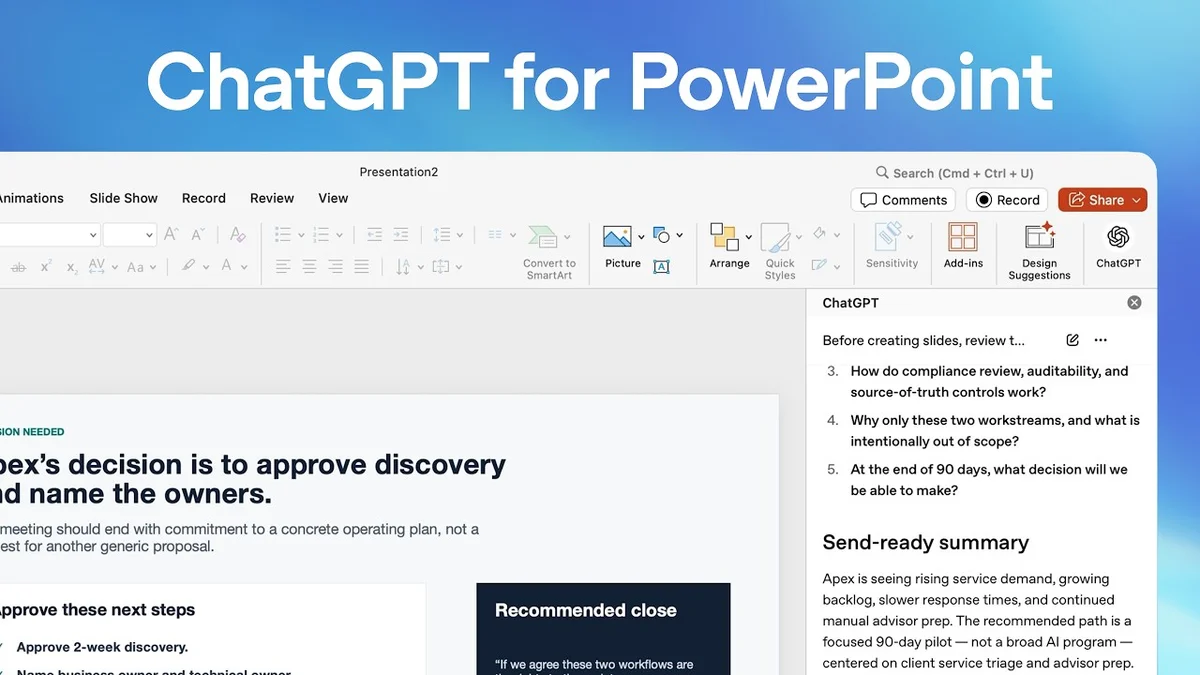
Screenshot of Microsoft PowerPoint with the ChatGPT sidebar open, showing AI-generated presentation suggestions.
OpenAI Youtube

Microsoft is enhancing PowerPoint with the integration of ChatGPT, promising a significant acceleration in presentation creation and editing. This new feature aims to transform the often time-consuming task of building decks from scattered information into a more streamlined and efficient workflow.

Visual TL;DR. Slow Presentation Creation solves PowerPoint AI Integration. PowerPoint AI Integration enables Provide Presentation Context. Provide Presentation Context powers AI Content Generation. AI Content Generation leads to Outline to Deck Fast. AI Content Generation supports Streamlined Editing. Outline to Deck Fast results in Faster Presentations. Streamlined Editing results in Faster Presentations.

Related startups

  1. Slow Presentation Creation: Building decks from scattered information is time-consuming
  2. PowerPoint AI Integration: ChatGPT integrated directly within PowerPoint interface
  3. Provide Presentation Context: Upload documents, connect apps, or use internal channels
  4. AI Content Generation: ChatGPT generates content based on provided context
  5. Outline to Deck Fast: Transform outlines into full presentations in minutes
  6. Streamlined Editing: AI assists in refining and structuring presentation content
  7. Faster Presentations: Significant acceleration in creating and editing decks
Visual TL;DR
Visual TL;DR — startuphub.ai Slow Presentation Creation solves PowerPoint AI Integration. AI Content Generation leads to Outline to Deck Fast. AI Content Generation supports Streamlined Editing. Outline to Deck Fast results in Faster Presentations. Streamlined Editing results in Faster Presentations solves leads to supports results in results in Slow Presentation Creation PowerPoint AI Integration AI Content Generation Outline to Deck Fast Streamlined Editing Faster Presentations From startuphub.ai · The publishers behind this format
Visual TL;DR — startuphub.ai Slow Presentation Creation solves PowerPoint AI Integration. AI Content Generation leads to Outline to Deck Fast. AI Content Generation supports Streamlined Editing. Outline to Deck Fast results in Faster Presentations. Streamlined Editing results in Faster Presentations solves leads to supports results in results in Slow PresentationCreation PowerPoint AIIntegration AI ContentGeneration Outline to DeckFast StreamlinedEditing FasterPresentations From startuphub.ai · The publishers behind this format
Visual TL;DR — startuphub.ai Slow Presentation Creation solves PowerPoint AI Integration. AI Content Generation leads to Outline to Deck Fast. AI Content Generation supports Streamlined Editing. Outline to Deck Fast results in Faster Presentations. Streamlined Editing results in Faster Presentations solves leads to supports results in results in Slow Presentation Creation Building decks from scattered informationis time-consuming PowerPoint AI Integration ChatGPT integrated directly withinPowerPoint interface AI Content Generation ChatGPT generates content based onprovided context Outline to Deck Fast Transform outlines into full presentationsin minutes Streamlined Editing AI assists in refining and structuringpresentation content Faster Presentations Significant acceleration in creating andediting decks From startuphub.ai · The publishers behind this format
Visual TL;DR — startuphub.ai Slow Presentation Creation solves PowerPoint AI Integration. AI Content Generation leads to Outline to Deck Fast. AI Content Generation supports Streamlined Editing. Outline to Deck Fast results in Faster Presentations. Streamlined Editing results in Faster Presentations solves leads to supports results in results in Slow PresentationCreation Building decks fromscatteredinformation is… PowerPoint AIIntegration ChatGPT integrateddirectly withinPowerPoint… AI ContentGeneration ChatGPT generatescontent based onprovided context Outline to DeckFast Transform outlinesinto fullpresentations in… StreamlinedEditing AI assists inrefining andstructuring… FasterPresentations Significantacceleration increating and… From startuphub.ai · The publishers behind this format
Visual TL;DR — startuphub.ai Slow Presentation Creation solves PowerPoint AI Integration. PowerPoint AI Integration enables Provide Presentation Context. Provide Presentation Context powers AI Content Generation. AI Content Generation leads to Outline to Deck Fast. AI Content Generation supports Streamlined Editing. Outline to Deck Fast results in Faster Presentations. Streamlined Editing results in Faster Presentations solves enables powers leads to supports results in results in Slow Presentation Creation Building decks from scattered informationis time-consuming PowerPoint AI Integration ChatGPT integrated directly withinPowerPoint interface Provide Presentation Context Upload documents, connect apps, or useinternal channels AI Content Generation ChatGPT generates content based onprovided context Outline to Deck Fast Transform outlines into full presentationsin minutes Streamlined Editing AI assists in refining and structuringpresentation content Faster Presentations Significant acceleration in creating andediting decks From startuphub.ai · The publishers behind this format
Visual TL;DR — startuphub.ai Slow Presentation Creation solves PowerPoint AI Integration. PowerPoint AI Integration enables Provide Presentation Context. Provide Presentation Context powers AI Content Generation. AI Content Generation leads to Outline to Deck Fast. AI Content Generation supports Streamlined Editing. Outline to Deck Fast results in Faster Presentations. Streamlined Editing results in Faster Presentations solves enables powers leads to supports results in results in Slow PresentationCreation Building decks fromscatteredinformation is… PowerPoint AIIntegration ChatGPT integrateddirectly withinPowerPoint… ProvidePresentation… Upload documents,connect apps, oruse internal… AI ContentGeneration ChatGPT generatescontent based onprovided context Outline to DeckFast Transform outlinesinto fullpresentations in… StreamlinedEditing AI assists inrefining andstructuring… FasterPresentations Significantacceleration increating and… From startuphub.ai · The publishers behind this format

AI-Powered Presentation Creation

The integration allows users to interact with ChatGPT directly within PowerPoint. By opening a dedicated ChatGPT window, users can provide context for their presentation. This context can come from various sources, including uploaded documents, connected apps like Google Drive or Microsoft 365, or internal communication channels. This ensures that the AI-generated content is tailored to the specific needs and existing materials of the user.

The full discussion can be found on OpenAI Youtube's YouTube channel.

Create and edit presentations faster in PowerPoint - OpenAI Youtube
Create and edit presentations faster in PowerPoint — from OpenAI Youtube

From Outline to Deck in Minutes

Once the context is provided, ChatGPT can generate a recommended storyline and a proposed slide outline. This outline breaks down the presentation into manageable slide-by-slide components, complete with suggested bullet points, key messages, and even potential proof objects. The AI can also suggest elements like tables, formatting standards, and overall flow, ensuring a coherent and polished final product.
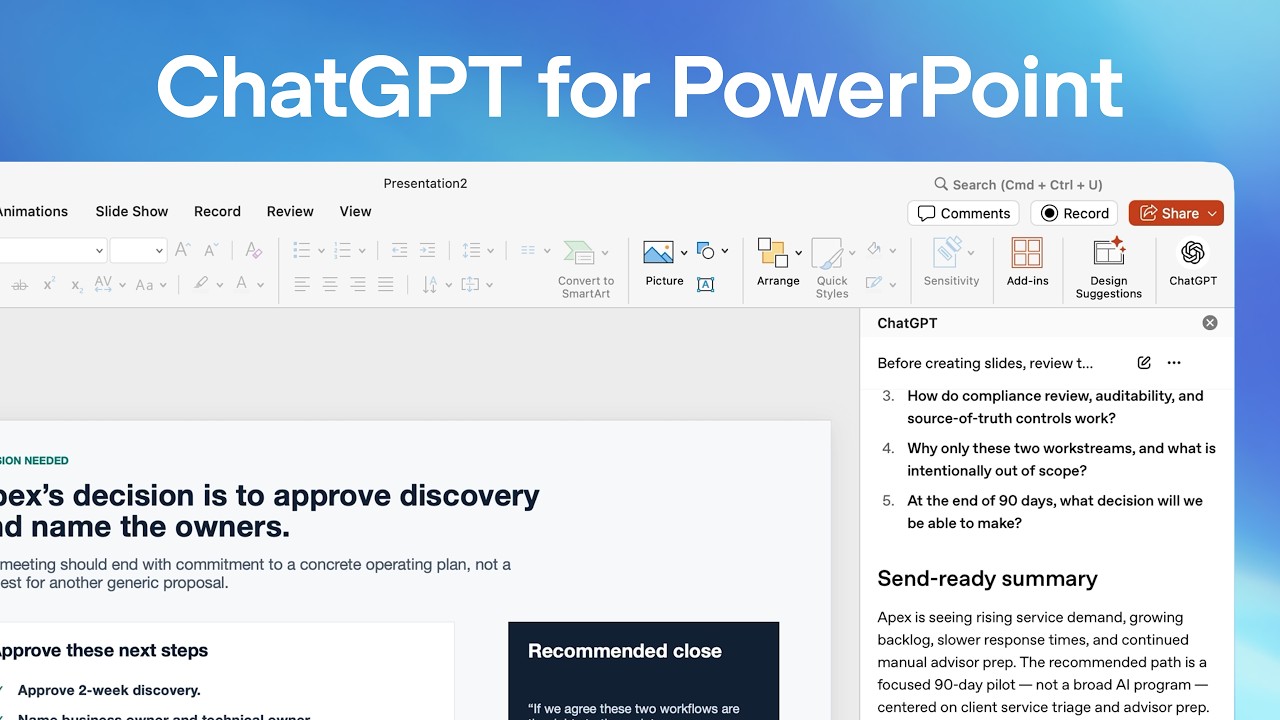
The system is designed to help users quickly move from raw information to a structured presentation. For example, the demonstration shows how ChatGPT can take meeting notes and account context to propose an executive briefing deck. It can then refine this deck, suggesting additions like speaker notes and ensuring the content meets specific readiness standards, such as C-level readiness.

Streamlining the Editing Process

Beyond initial creation, the AI assists in editing and refining existing presentations. Users can prompt ChatGPT to make specific changes, such as removing blank starter slides, adding executive notes, or adjusting the language to be more client-ready. The tool offers suggestions for improving clarity, conciseness, and impact, ultimately saving users valuable time and effort.

The goal is to shift the focus from the manual drudgery of slide building to the strategic aspects of content refinement and delivery. By handling the foundational structure and content generation, ChatGPT in PowerPoint empowers users to concentrate on the core message and the effectiveness of their communication.

© 2026 StartupHub.ai. All rights reserved. Do not enter, scrape, copy, reproduce, or republish this article in whole or in part. Use as input to AI training, fine-tuning, retrieval-augmented generation, or any machine-learning system is prohibited without written license. Substantially-similar derivative works will be pursued to the fullest extent of applicable copyright, database, and computer-misuse laws. See our terms.