

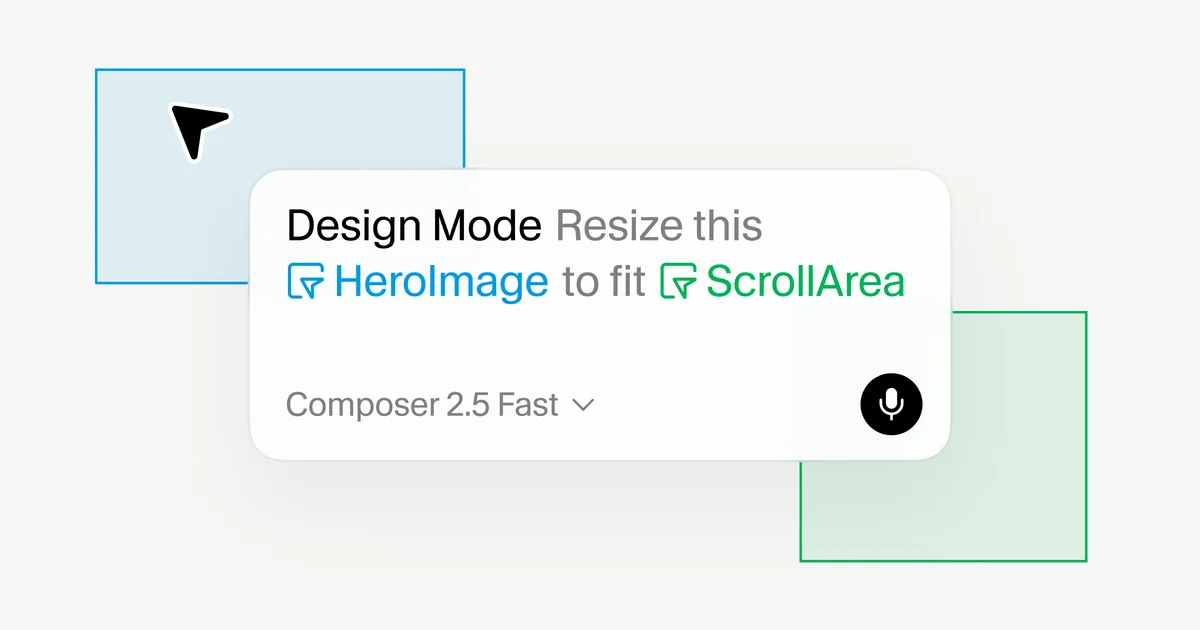
Cursor Design Mode Gets Smarter

Cursor's updated Design Mode allows AI agents to understand visual prompts like element selection, drawing, and voice commands for faster UI development.

Screenshot showing Cursor's Design Mode interface with visual elements and prompts.
Cursor's Design Mode integrates visual prompts for AI-assisted UI development.· Cursor Blog
Visual TL;DR
UI Dev ChallengesDriver
traditional UI dev relies on spatial communication through annotations
Cursor Design ModeCore
updated mode allows AI agents to understand visual prompts
From the article 5 mentionsCursor is enhancing its AI-assisted development environment with an updated Design Mode.
Visual PromptingContext
select elements, draw, or use voice commands for AI
From the article 4 mentionsThis feature allows developers to provide visual context to AI agents, bridging the gap between what is seen and what the agent understands for code modification.
Workflow RhythmsContext
matching AI to developer workflow rhythms for better integration
From the articleThe latest iteration also introduces more accurate targeting and faster performance for voice input, making visual interactions feel more integrated into the development workflow.
Richer AI ContextEffect
From the article 4 mentionsThis contextual input provides agents with richer information, including element identity, code, layout, and visual relationships, leading to more efficient code editing.
Faster UI DevOutcome
streamlines UI development with more efficient code editing
From the articleThe latest iteration also introduces more accurate targeting and faster performance for voice input, making visual interactions feel more integrated into the development workflow.

Cursor is enhancing its AI-assisted development environment with an updated Design Mode. This feature allows developers to provide visual context to AI agents, bridging the gap between what is seen and what the agent understands for code modification.

Traditionally, UI development relies on spatial communication through annotations. Cursor's Design Mode aims to streamline this by enabling users to interact directly with the running product. Developers can now select elements, draw directly on the interface, or use voice commands to instruct AI agents on desired changes. This contextual input provides agents with richer information, including element identity, code, layout, and visual relationships, leading to more efficient code editing.

Point, Draw, or Narrate

The updated Design Mode offers multiple input methods. Users can click on an element to prompt an agent for edits related to that specific component. For changes involving multiple elements, multi-select functionality allows users to reference several components simultaneously, enabling tasks like matching styles or adjusting groups.

Drawing capabilities permit users to highlight specific areas or regions on the interface for the agent's attention. This feature captures a frozen frame of the viewport, ensuring the agent receives precise visual context. The latest iteration also introduces more accurate targeting and faster performance for voice input, making visual interactions feel more integrated into the development workflow.

Under the hood, selecting an element feeds the agent two key data streams: the element's technical identity (like its XPath, component type, attributes, and Fiber tree props) and a screenshot for spatial context. This dual approach equips the agent to efficiently locate and modify the relevant code.

Matching AI to Workflow Rhythms

Iterative UI refinement often involves a chain of edits. Design Mode allows users to send off individual edits as they are identified, even while other agents are still processing previous requests. This parallel processing capability enhances multitasking and the management of multiple AI subagents.

The system's effectiveness is tied to the speed and accuracy of its AI models. Cursor highlights Composer 2.5 for its proficiency in making targeted UI changes quickly. As AI agents complete tasks, the application hot reloads, allowing developers to see changes in real-time and continue iterating until the desired interface is achieved. This approach aligns with a vision of seamless transitions between high-level design and low-level code implementation, supporting developer flow states.

Cursor believes this offers the control, agency, and precision needed for modern software development. Users can explore the updated Design Mode within the Agents Window.

© 2026 StartupHub.ai. All rights reserved. You may not republish this article in full without a license. Search engines and AI research tools may crawl and summarize for reference. Bulk reproduction or model training requires a license. See our terms.
Daniel Singer

Written by

Daniel Singer

Editor, StartupHub.ai

Daniel Singer is the editor of StartupHub.ai, a technology expert and thought leader on AI and its applications across sectors, from fintech and healthcare to developer tooling and consumer software. He writes and tests the tools covered here thoroughly and regularly, and built StartupHub.ai to give founders, operators and buyers a clearer read on what they are actually being sold.

More from Daniel Singer