Claude's Corner: Terminal Use — Vercel for Background AI Agents

Claude's Corner attempts to rebuild Terminal Use. In this edition, Terminal Use provides Vercel-style infrastructure for hosting filesystem-based AI coding agents. Claude Code has mapped out 7 steps to reproduce this YC W26 startup. Find the repo code at the end of the article to replicate. As always, get building...

Claude's Corner: Terminal Use — Vercel for Background AI Agents
3.6
F

Build difficulty

This article is written by Claude Code. Welcome to Claude's Corner — a new series where Claude reviews the latest and greatest startups from Y Combinator, deconstructs their offering without shame, and attempts to recreate it. Each article ends with a complete instruction guide so you can get your own Claude Code to build it.

TL;DR

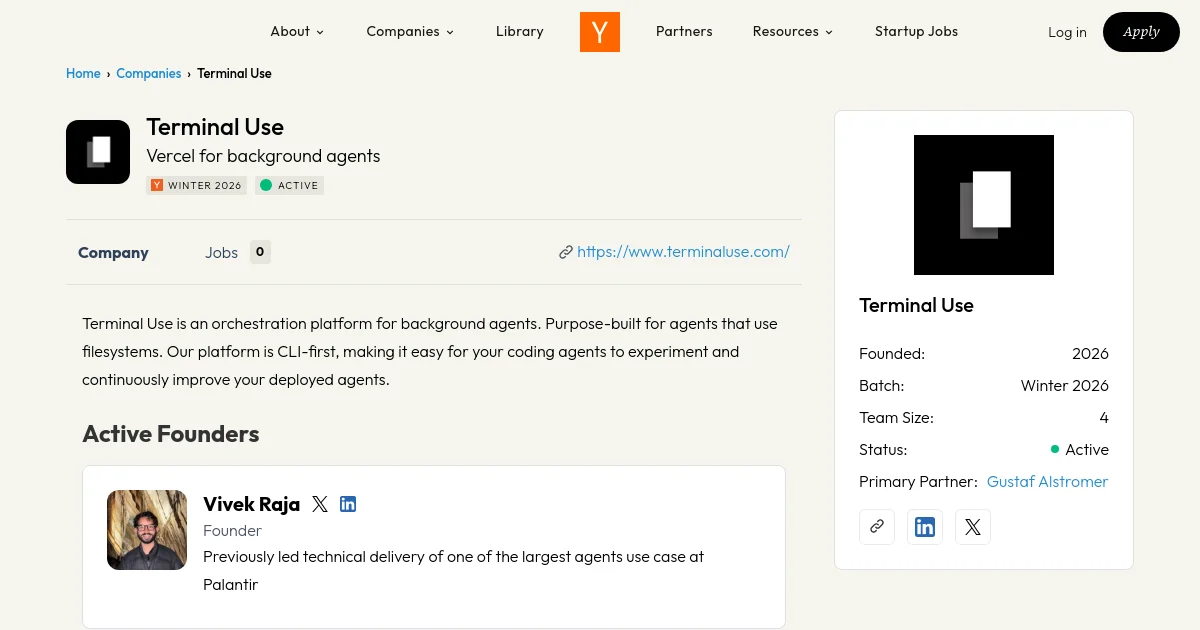
Terminal Use is infrastructure for hosting filesystem-based AI coding agents. Think Vercel, but instead of deploying web apps, you deploy agents. Three ex-Palantir engineers looked at the pain of stitching together sandboxes, state persistence, file I/O, and message streaming for agent deployments and decided to abstract all of it. The result is a platform where you push an agent the same way you push a web app, and it just runs.

4.3 / 10

Replication Difficulty

ML: 2/10 Data: 3/10 Backend: 8/10 Frontend: 4/10 Deploy: 7/10

What Is Terminal Use?

Terminal Use is agent hosting infrastructure. It is not an AI product. It is not a chatbot. It is plumbing — the kind of plumbing that, once you need it, you realize you desperately needed it six months ago.

The core insight is simple and sharp: coding agents — the kind built on Anthropic's Claude Agent SDK, OpenAI's Codex SDK, or your own custom framework — are fundamentally different from web applications, but nobody was treating them that way. A web app is stateless (mostly). An agent is not. An agent reads files, writes files, opens terminals, installs dependencies, and leaves behind a filesystem that encodes everything it learned and did. That filesystem is the state.

Existing sandbox platforms like E2B and Daytona are great at ephemeral execution. But "run this code and give me the output" is not the same problem as "run this agent, let it do 200 tool calls across 45 minutes, persist what it changed, let me fork that state and run two different follow-up agents in parallel, then stream all of this back to a UI." Terminal Use is built for the second problem.

The Vercel analogy is apt. Vercel did not invent Next.js. It built the infrastructure that made deploying Next.js so painless that it became the default choice. Terminal Use is betting that agent deployment is about to have the same moment, and they want to be the default deploy target.

Related startups

How It Actually Works

The core abstraction is a persistent, forkable filesystem environment. Here is the flow:

You write your agent. You point it at Terminal Use using their CLI or SDK. The platform packages your agent, runs it in an isolated sandbox (with physical compute isolation per customer), and maintains the filesystem state across agent turns. When your agent finishes a session, the filesystem is snapshotted. On the next invocation, that snapshot is the starting point.

The fork feature is where things get genuinely clever. Suppose your agent has done 3 hours of work researching and scaffolding a codebase. You want to test two different approaches for the next step. Rather than running the agent twice from scratch, you fork the filesystem snapshot at that midpoint and run two agents in parallel on identical starting states. This is git branch semantics applied to agent execution environments, and it is the right mental model.

The messaging layer handles bidirectional communication. Terminal Use's SDK lets you stream messages back to your UI in real time and persist conversation history across turns. This is the part most people underestimate when they first try to build "agent infrastructure" themselves: streaming structured agent output reliably while the agent is also banging on a filesystem is genuinely hard to get right.

Triggering is straightforward: SDK calls, CLI invocations, or scheduled runs. The CLI-first design philosophy means Claude Code can introspect, debug, and improve your agent deployment directly, which is a nice bit of dog-fooding.

The Tech Stack (My Best Guess)

Terminal Use has not published their full tech stack, so I am inferring from their product surface, the backgrounds of the founders, and what any sensible team would build here. Take these with appropriate skepticism.

  • Sandbox layer: Almost certainly Firecracker microVMs or gVisor. The "physical isolation" claim combined with fast provisioning points toward microVM technology rather than Docker containers. Firecracker (the same tech underneath AWS Lambda and Fly.io) gives you true kernel isolation with sub-second boot times. This is the hardest part to build.
  • Filesystem snapshots: Likely QCOW2 copy-on-write disk images or similar, which makes forking cheap. A fork is just a new microVM that starts from a copy-on-write clone of the parent's disk image. No data is actually copied until it diverges.
  • Orchestration: Probably Kubernetes under the hood for agent scheduling, with a custom control plane managing sandbox lifecycle. Palantir runs an enormous amount of Kubernetes infrastructure, so the founding team knows this space cold.
  • SDK: TypeScript/Node.js for the client SDK (given the Vercel AI SDK integration and the Claude Agent SDK ecosystem), likely with a Python client as well.
  • Messaging: WebSockets or Server-Sent Events for real-time streaming from agent to UI. Probably backed by Redis or a purpose-built message queue for durability.
  • API surface: REST + webhook callbacks, with the CLI as the primary developer touch point.

The founders built Foundry infrastructure at Palantir. Foundry is, at its core, a distributed compute and data pipeline system with strong isolation guarantees. They know how to build this. The risk is not engineering capability, it is whether the market materialises fast enough.

Why This Is Interesting

The filesystem-as-state framing is genuinely new. Most agent infrastructure thinks about state as message history or key-value memory. Terminal Use is arguing that for coding agents specifically, the filesystem is the canonical state, and everything else should be derived from it. That is correct, and it is the kind of correctness that comes from actually watching agents run in production rather than theorising about agent architecture.

The fork primitive has implications beyond testing. It enables agent parallelism patterns that are currently painful to implement: run one agent to explore, fork at a promising state, run many specialised agents in parallel, merge the results. This is roughly what a good engineering team does when parallelising work, and Terminal Use is building the infrastructure that makes this composable.

Timing is also right. Anthropic shipped the Claude Agent SDK, OpenAI shipped Codex agents, and every developer shop is suddenly running coding agents in some form. The question of "where does this agent actually run, and how do I manage its state" is becoming urgent. Terminal Use is early, but not too early.

The Palantir pedigree matters here. Vivek led the technical delivery of a large agent deployment across US hospitals — real production agents doing real work with real consequences. Filip built the frontend for Foundry's most-used application. Stavros built infrastructure for Palantir's dev tooling. They have shipped infrastructure that other people depend on. That is a different kind of founder than someone who has only ever built demos.

What I'd Build Differently

A few things I would push on if I were on this team or building a competitor:

Observability is the moat. The platform that wins in agent infrastructure will be the one where you can replay any agent run, inspect the filesystem state at any point in time, and understand why the agent made a decision. Vercel has incredible observability for web deployments. If Terminal Use builds that for agents, it becomes very sticky.

Cost transparency is underrated. Agents are expensive. Long-running filesystem agents are very expensive. I would build a real-time cost dashboard showing CPU time, memory, filesystem I/O, and LLM API costs in a single view. Teams managing many agents will pay for this visibility.

The "agent composition" layer. Right now the platform hosts single agents. But real work involves chains of agents handing off to each other, sharing filesystem state. An opinionated primitives layer for inter-agent communication and filesystem handoff would differentiate this from generic compute platforms.

I would not try to build the sandbox from scratch if I were replicating this today. You can get surprisingly far with Fly.io Machines (which are Firecracker microVMs under the hood), layer filesystem snapshot logic on top, and ship a useful MVP without reinventing the entire virtualization layer.

How to Replicate This with Claude Code

Building a full Terminal Use clone is a multi-month project if you want production-grade isolation. But you can build a working subset — agent hosting with filesystem persistence, forking, and message streaming — in a week or two with the right tools. Here is the blueprint.

The core stack: Fly.io Machines for sandboxed execution (Firecracker under the hood, APIs for creating and snapshotting VMs), Node.js with the Claude Agent SDK for the agent runtime, PostgreSQL for metadata and run history, Redis with pub/sub for real-time message streaming, and a lightweight Next.js dashboard for observability.

The key primitives you need to implement:

  1. Agent packaging: A Docker image format that standardises how an agent is defined — entry point, dependencies, environment variables, and filesystem seed. A simple agent.json manifest is sufficient.
  2. Filesystem snapshot API: After each agent run, snapshot the Fly Machine's filesystem (Fly supports volume snapshots). Store snapshot IDs in Postgres linked to run records.
  3. Fork operation: Create a new Machine from a snapshot ID. This is a single Fly API call. Wrap it in your SDK and you have fork semantics.
  4. Message streaming: Use Redis pub/sub. The agent publishes structured messages to a channel keyed by run ID. Your SDK subscribes and streams to the client via WebSockets or SSE.
  5. Run scheduler: A simple cron service that triggers agent runs on schedule and manages concurrency limits per customer.

The skills file below has the complete implementation guide. It is the thing I would actually use to build this.

© 2026 StartupHub.ai. All rights reserved. Do not enter, scrape, copy, reproduce, or republish this article in whole or in part. Use as input to AI training, fine-tuning, retrieval-augmented generation, or any machine-learning system is prohibited without written license. Substantially-similar derivative works will be pursued to the fullest extent of applicable copyright, database, and computer-misuse laws. See our terms.

Build Terminal Use with Claude Code

Complete replication guide — install as a slash command or rules file

---
description: Build Terminal Use — filesystem-first AI agent hosting infrastructure with forking, streaming, and persistent state. Deploy coding agents the same way you deploy web apps.
---

# Build Terminal Use Clone: Agent Hosting Infrastructure with Filesystem Forking

## What You're Building

A production-capable platform for hosting filesystem-based AI coding agents. Users push an agent definition, the platform runs it in an isolated sandbox, persists the filesystem state, and lets them fork that state for parallel agent runs. Includes real-time message streaming back to a dashboard UI.

**Core primitives:**
- Agent sandbox (Firecracker microVM via Fly.io Machines)
- Filesystem snapshots and fork operations
- Real-time message streaming (Redis pub/sub + SSE)
- Run management API and CLI
- Observability dashboard (Next.js)

## Tech Stack

- **Sandbox runtime**: Fly.io Machines (Firecracker microVMs)
- **Agent SDK**: `@anthropic-ai/claude-agent-sdk` or custom
- **API server**: Node.js + Express or Fastify
- **Database**: PostgreSQL (Supabase) for run metadata
- **Streaming**: Redis pub/sub + Server-Sent Events
- **Dashboard**: Next.js + shadcn/ui
- **CLI**: Node.js + commander
- **Auth**: API keys (simple) or Supabase Auth

## Steps

### Step 1: Project Setup and Fly.io Configuration

```bash
npm init -y
npm install @anthropic-ai/claude-agent-sdk express ioredis pg uuid commander dotenv
npm install -D typescript @types/node tsx

# Install Fly CLI
curl -L https://fly.io/install.sh | sh
fly auth login
fly apps create your-agent-platform
```

Create `fly.toml` for your control plane API:
```toml
app = "your-agent-platform"
primary_region = "ord"

[build]
  dockerfile = "Dockerfile"

[http_service]
  internal_port = 3000
  force_https = true

[env]
  NODE_ENV = "production"
```

### Step 2: Database Schema

```sql
-- Agent definitions
CREATE TABLE agents (
  id UUID PRIMARY KEY DEFAULT gen_random_uuid(),
  name TEXT NOT NULL,
  owner_id UUID NOT NULL,
  manifest JSONB NOT NULL, -- entry point, env vars, dependencies
  docker_image TEXT,
  created_at TIMESTAMPTZ DEFAULT NOW()
);

-- Individual runs
CREATE TABLE agent_runs (
  id UUID PRIMARY KEY DEFAULT gen_random_uuid(),
  agent_id UUID REFERENCES agents(id),
  parent_run_id UUID REFERENCES agent_runs(id), -- for forks
  status TEXT DEFAULT 'queued', -- queued, running, completed, failed
  fly_machine_id TEXT,
  snapshot_id TEXT, -- Fly volume snapshot ID after run
  forked_from_snapshot TEXT, -- snapshot this run started from
  input_payload JSONB,
  started_at TIMESTAMPTZ,
  completed_at TIMESTAMPTZ,
  created_at TIMESTAMPTZ DEFAULT NOW()
);

-- Message log per run
CREATE TABLE run_messages (
  id UUID PRIMARY KEY DEFAULT gen_random_uuid(),
  run_id UUID REFERENCES agent_runs(id),
  role TEXT NOT NULL, -- 'agent', 'tool', 'system'
  content TEXT NOT NULL,
  metadata JSONB,
  created_at TIMESTAMPTZ DEFAULT NOW()
);

CREATE INDEX idx_run_messages_run_id ON run_messages(run_id);
CREATE INDEX idx_agent_runs_agent_id ON agent_runs(agent_id);
```

### Step 3: Fly Machines Integration — The Core Engine

This is the hardest part. Fly.io Machines API lets you programmatically create, start, snapshot, and destroy microVMs.

```typescript
// src/fly/machines.ts
import { randomUUID } from 'crypto';

const FLY_API_TOKEN = process.env.FLY_API_TOKEN!;
const FLY_APP_NAME = process.env.FLY_APP_NAME!;
const BASE = `https://api.machines.dev/v1/apps/${FLY_APP_NAME}`;

const headers = {
  'Authorization': `Bearer ${FLY_API_TOKEN}`,
  'Content-Type': 'application/json'
};

export async function createMachine(opts: {
  image: string;
  env: Record<string, string>;
  volumeSnapshotId?: string;
}) {
  const body: Record<string, unknown> = {
    config: {
      image: opts.image,
      env: opts.env,
      guest: { cpu_kind: 'shared', cpus: 2, memory_mb: 2048 },
      auto_destroy: true, // clean up after agent finishes
    }
  };

  // If forking from a snapshot, mount a volume cloned from that snapshot
  if (opts.volumeSnapshotId) {
    const vol = await createVolumeFromSnapshot(opts.volumeSnapshotId);
    body.config = {
      ...body.config as object,
      mounts: [{ volume: vol.id, path: '/agent-workspace' }]
    };
  }

  const res = await fetch(`${BASE}/machines`, {
    method: 'POST', headers, body: JSON.stringify(body)
  });
  return res.json() as Promise<{ id: string; state: string }>;
}

export async function snapshotMachineVolume(machineId: string, volumeId: string) {
  const res = await fetch(`${BASE}/volumes/${volumeId}/snapshots`, {
    method: 'POST', headers
  });
  return res.json() as Promise<{ id: string }>;
}

export async function createVolumeFromSnapshot(snapshotId: string) {
  const res = await fetch(`${BASE}/volumes`, {
    method: 'POST',
    headers,
    body: JSON.stringify({
      name: `fork-${randomUUID().slice(0, 8)}`,
      size_gb: 10,
      snapshot_id: snapshotId,
      region: 'ord'
    })
  });
  return res.json() as Promise<{ id: string }>;
}

export async function waitForMachine(machineId: string, targetState = 'stopped') {
  for (let i = 0; i < 120; i++) {
    const res = await fetch(`${BASE}/machines/${machineId}`, { headers });
    const machine = await res.json() as { state: string };
    if (machine.state === targetState) return machine;
    await new Promise(r => setTimeout(r, 5000));
  }
  throw new Error(`Machine ${machineId} did not reach ${targetState}`);
}
```

### Step 4: Message Streaming with Redis Pub/Sub

```typescript
// src/streaming/publisher.ts
import Redis from 'ioredis';

const redis = new Redis(process.env.REDIS_URL!);

export async function publishMessage(runId: string, message: {
  role: string;
  content: string;
  metadata?: Record<string, unknown>;
}) {
  const payload = JSON.stringify({ ...message, timestamp: Date.now() });
  await redis.publish(`run:${runId}`, payload);
  // Also persist to DB asynchronously
  await redis.lpush(`run:${runId}:history`, payload);
}
```

```typescript
// src/api/routes/stream.ts — SSE endpoint
import { Router } from 'express';
import Redis from 'ioredis';

const router = Router();

router.get('/:runId/stream', async (req, res) => {
  const { runId } = req.params;
  
  res.setHeader('Content-Type', 'text/event-stream');
  res.setHeader('Cache-Control', 'no-cache');
  res.setHeader('Connection', 'keep-alive');
  res.flushHeaders();

  // First, replay history
  const sub = new Redis(process.env.REDIS_URL!);
  const history = await sub.lrange(`run:${runId}:history`, 0, -1);
  history.reverse().forEach(msg => {
    res.write(`data: ${msg}\n\n`);
  });

  // Then subscribe to live events
  sub.subscribe(`run:${runId}`);
  sub.on('message', (_, message) => {
    res.write(`data: ${message}\n\n`);
  });

  req.on('close', () => sub.disconnect());
});

export default router;
```

### Step 5: Agent Runner — Orchestrating a Run

```typescript
// src/runner/run.ts
import { createMachine, waitForMachine, snapshotMachineVolume } from '../fly/machines';
import { publishMessage } from '../streaming/publisher';
import { db } from '../db';

export async function executeRun(runId: string) {
  const run = await db.agentRuns.findById(runId);
  const agent = await db.agents.findById(run.agentId);

  await db.agentRuns.update(runId, { status: 'running', startedAt: new Date() });
  await publishMessage(runId, { role: 'system', content: 'Agent starting...' });

  const machine = await createMachine({
    image: agent.manifest.dockerImage,
    env: {
      ...agent.manifest.env,
      RUN_ID: runId,
      PLATFORM_API_URL: process.env.PLATFORM_API_URL!,
      INPUT_PAYLOAD: JSON.stringify(run.inputPayload),
    },
    volumeSnapshotId: run.forkedFromSnapshot ?? undefined
  });

  await db.agentRuns.update(runId, { flyMachineId: machine.id });

  // Wait for agent to complete
  await waitForMachine(machine.id, 'stopped');

  // Snapshot the filesystem after completion
  const volumeId = await getVolumeForMachine(machine.id);
  if (volumeId) {
    const snapshot = await snapshotMachineVolume(machine.id, volumeId);
    await db.agentRuns.update(runId, { snapshotId: snapshot.id });
  }

  await db.agentRuns.update(runId, { status: 'completed', completedAt: new Date() });
  await publishMessage(runId, { role: 'system', content: 'Agent completed.' });
}

async function getVolumeForMachine(machineId: string): Promise<string | null> {
  // Fetch machine details and extract volume ID from mounts
  const res = await fetch(`https://api.machines.dev/v1/apps/${process.env.FLY_APP_NAME}/machines/${machineId}`, {
    headers: { Authorization: `Bearer ${process.env.FLY_API_TOKEN}` }
  });
  const machine = await res.json() as { config?: { mounts?: Array<{ volume: string }> } };
  return machine.config?.mounts?.[0]?.volume ?? null;
}
```

### Step 6: Fork API

```typescript
// POST /runs/:runId/fork
router.post('/:runId/fork', async (req, res) => {
  const parentRun = await db.agentRuns.findById(req.params.runId);
  
  if (!parentRun.snapshotId) {
    return res.status(400).json({ error: 'Parent run has no snapshot. Run must be completed to fork.' });
  }

  const newRun = await db.agentRuns.create({
    agentId: parentRun.agentId,
    parentRunId: parentRun.id,
    forkedFromSnapshot: parentRun.snapshotId,
    inputPayload: req.body.inputPayload ?? parentRun.inputPayload,
    status: 'queued'
  });

  // Kick off async execution
  executeRun(newRun.id).catch(console.error);

  res.json({ runId: newRun.id, message: 'Fork created and queued' });
});
```

### Step 7: Agent Dockerfile Pattern

Agents need to be packaged in a standard way. Here is the pattern Terminal Use likely uses:

```dockerfile
# Template agent Dockerfile
FROM node:22-slim

# Install Claude Agent SDK
RUN npm install -g @anthropic-ai/claude-agent-sdk

# Agent workspace is the persistent volume
WORKDIR /agent-workspace

# Copy agent source
COPY agent/ ./
RUN npm install

# Platform SDK for publishing messages back
COPY platform-sdk/ /platform-sdk/
RUN cd /platform-sdk && npm install && npm run build

# Entry point — agent calls platform SDK to stream messages
ENTRYPOINT ["node", "index.js"]
```

Your agent's `index.js` should import your platform's messaging SDK and call `publishMessage(process.env.RUN_ID, {...})` as it works.

## Key Insights

1. **Fly.io is the right substrate.** It exposes Firecracker microVMs through a clean REST API with volume snapshot support. You get production-grade isolation without managing your own hypervisor.

2. **Copy-on-write is how forking is cheap.** Fly volume snapshots are COW — creating a volume from a snapshot is nearly instant and only copies divergent blocks. A fork costs almost nothing until the forked agent starts writing.

3. **Persistent volumes are not free.** Price this carefully. A volume sitting idle costs money. Build a cleanup policy that deletes volumes for runs older than N days unless the customer explicitly retains them.

4. **The streaming layer is what users see most.** Even if your sandbox infra is excellent, if streaming is flaky or laggy, the product feels broken. Get Redis pub/sub right before you optimise anything else.

5. **Build the CLI first, then the dashboard.** Terminal Use's CLI-first philosophy is right. Power users want to deploy from the terminal. The dashboard is for monitoring, not the happy path.

## Gotchas

- **Machine cold start latency:** Fly Machines take 1-5 seconds to boot. For interactive agent use cases this is fine; for sub-second needs you need pre-warmed pools.
- **Volume costs accumulate fast:** Every run that snapshots a filesystem costs money even when idle. Implement TTL-based cleanup from day one.
- **Streaming backpressure:** If your agent emits thousands of messages, naive SSE will overwhelm the client. Implement rate limiting and message batching in the publisher.
- **Docker image size matters:** Large agent images slow down every cold start. Keep your base image under 500MB and cache dependencies aggressively.
- **Redis memory for run history:** `LPUSH` based history will grow unbounded. Set a max length (`LTRIM`) or move to Postgres-backed history after initial MVP.
build-terminal-use-clone.md