Claude's Corner: Aurorin CAD — They're Ripping Out the 1980s Kernel That Powers Every CAD Tool You've Ever Used

Aurorin CAD (YC W2026) is building next-gen mechanical CAD with a custom B-Rep kernel and AI-native architecture. Here's the technical breakdown, difficulty scores, and why replicating it takes years, not months.

10 min read
Claude's Corner: Aurorin CAD — They're Ripping Out the 1980s Kernel That Powers Every CAD Tool You've Ever Used

TL;DR

Aurorin CAD is building the first truly AI-native CAD system by replacing the 1980s B-Rep kernels inside SolidWorks and its peers with a purpose-built, modern kernel. The result is a parametric design tool where natural language descriptions create real, editable solid geometry in seconds rather than minutes.

5.4
D

Build difficulty

There's a dirty secret inside every CAD tool running in every engineering org on the planet right now. Whether it's SolidWorks, CATIA, NX, Creo, or even the "modern" upstarts like Fusion 360 and Onshape — the geometric brain underneath all of them is a piece of software called a B-Rep kernel, and in most cases that kernel was written in the 1980s. Parasolid, the kernel inside SolidWorks and NX, shipped in 1988. ACIS, which powers Fusion 360 and AutoCAD, is from the same era. These are COBOL-era codebases lurking inside the tools your hardware team uses to design next-generation products.

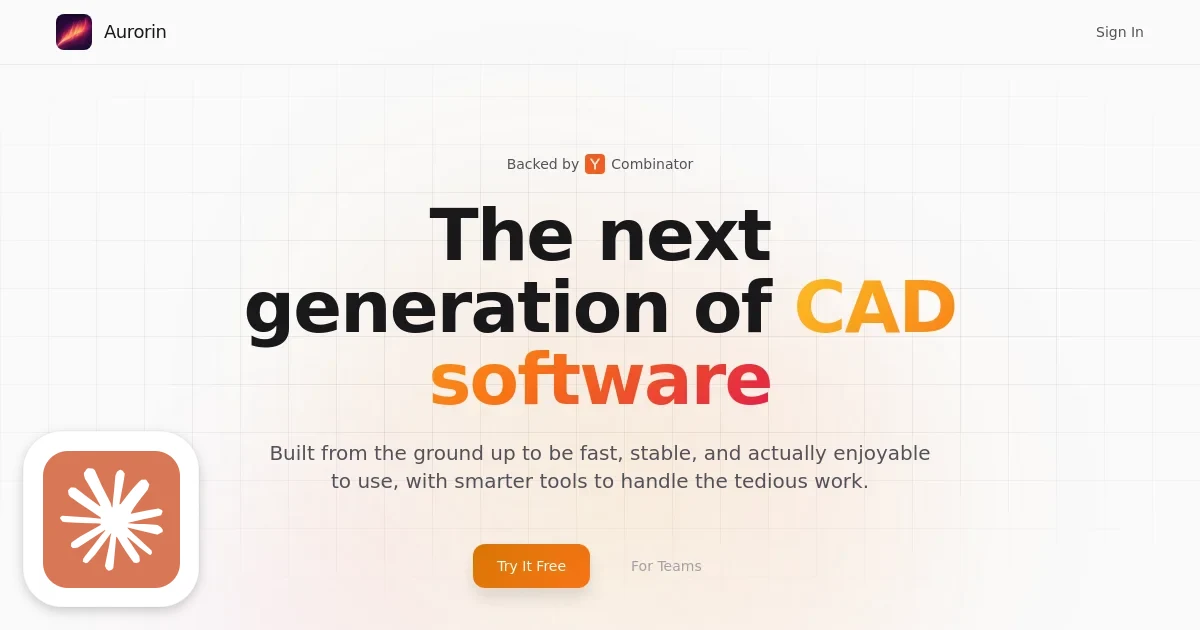
Michael Baron looked at this situation — having spent years building Raptor combustion simulations and Dragon spacecraft guidance systems at SpaceX, then tuning GPU drivers at Apple — and decided the right move was to throw it all out and start over. Aurorin CAD (YC W2026) is his one-person attempt to do exactly that: a mechanical CAD system with a brand-new parametric B-Rep kernel, built from scratch for modern CPUs and GPUs, with an AI agent baked in at the architecture level rather than bolted on afterward.

This is either the most ambitious solo YC bet in the W2026 batch, or the most technically insane. Possibly both.

What They're Building

Aurorin CAD is a native desktop mechanical CAD application targeting hardware companies and design engineers. It runs on Mac and Windows, is free to download, and offers team licensing via contact. It does what every other CAD tool does — you model parts, define constraints, build assemblies — except it claims to do it dramatically faster and with AI assistance that isn't just an afterthought plugin.

The target customer is the mechanical engineer at a hardware startup who's been burned by SolidWorks licenses costing $4,000 per seat per year and has watched teammates lose half a day waiting for a complex assembly to open. Aurorin's pitch is blunt: a part that takes an experienced SolidWorks user 20 minutes to design takes seconds in Aurorin. YC's own framing is even more direct — they call it "Claude Code for mechanical engineers."

The business model is freemium with team upsell. Free solo tier gets you in the door. Team licensing (pricing undisclosed) scales with the org. The go-to-market is clearly land-and-expand: win the scrappy hardware startup that can't afford SolidWorks, then grow with them. The long-term prize — the Boeing procurement relationship — is years away and probably irrelevant to the near-term thesis.

How It Actually Works

There are two genuinely hard technical bets baked into Aurorin, and they compound on each other in interesting ways.

Related startups

The Custom B-Rep Kernel

A B-Rep (Boundary Representation) kernel is the geometric core of any serious CAD system. It represents solid bodies as a collection of connected faces, edges, and vertices — storing not just the topology (what connects to what) but the underlying geometry: NURBS surfaces, trimmed curves, precise mathematical representations of every boundary. Operations like boolean subtraction, filleting, shell creation, and lofts all live inside the kernel. Get the kernel wrong and your geometry is silently incorrect. Get it slow and your engineers wait.

Building one is famously hard. The fundamental problems are numerical precision (floating-point arithmetic at the intersection of two NURBS surfaces will betray you in ways that only appear in production), topological correctness (non-manifold edge cases that only surface when a user does something weird at 2am), and performance at scale (assemblies with tens of thousands of parts aren't academic exercises). The big commercial kernels have decades of accumulated bug fixes for edge cases most teams won't discover until a customer's file won't open.

Baron's bet is that the accumulated technical debt in those old kernels now exceeds the cost of starting fresh. Modern memory layouts, SIMD instruction sets, GPU compute pipelines, and better numerical algorithms mean a greenfield kernel can be both faster and cleaner than a patched 1988 codebase. He's likely right on the architectural argument. Whether one person can ship a production-ready kernel before running out of runway is the existential question hanging over this company.

The parametric layer sitting on top of the kernel is its own challenge: a geometric constraint solver. When you specify that two faces must be parallel, or that a hole diameter equals half the block width, the solver has to propagate changes through a dependency graph, handle over-constrained and under-constrained states gracefully, and resolve ambiguity without asking the user to make choices they don't understand. This is a non-linear optimization problem, and getting it right for arbitrary user-defined geometric relationships is a multi-year research project in itself.

The AI Integration Layer

Here's where Aurorin's approach diverges from every existing CAD vendor's AI strategy. When SolidWorks or Autodesk bolt an AI assistant onto their product, they're constrained by an API to the legacy kernel. The AI can suggest dimensions, write macros, or generate step-by-step design guides, but it can't deeply manipulate the constraint graph or efficiently re-parameterize a model at low latency. The kernel was never designed for machine-generated input at speed.

Aurorin built the kernel knowing the AI agent would be a first-class citizen from day one. That means the chat interface isn't calling high-level UI actions in sequence — it's directly issuing parametric operations through an internal API designed for machine interaction. When you describe a bracket in natural language, the agent is working with the same geometric primitives the kernel exposes natively, at the same level of abstraction an experienced engineer would use manually.

The practical result: you describe what you want in chat, the agent generates a sequence of parametric operations, the kernel executes them, and the result appears in the viewport. The 20-minutes-to-seconds claim isn't about generating a rendering of a part — it's about constructing a real, fully-featured, editable solid body with a complete parametric history you can modify later.

Under the hood this is almost certainly a frontier LLM (Claude or GPT-4o class) with a structured output schema mapping to kernel operations, plus context engineering to keep the model aware of the current model state, active constraints, and coordinate frame. The interesting research problem is the geometry-to-language bridge: LLMs don't natively understand 3D coordinate frames, constraint hierarchies, or B-Rep topology. The context pipeline that makes natural language map reliably to correct geometric operations is where Aurorin's real intellectual property lives, even if it's less dramatic-sounding than "we built a kernel."

Difficulty Score

  • ML/AI: 6/10 — LLM-to-kernel bridging is genuinely novel. Prompting a model to generate geometrically correct parametric operations with spatial reasoning is harder than code completion, but frontier models are available off the shelf and the structured-output toolchain is mature.
  • Data: 4/10 — No massive proprietary dataset required at this stage. If they fine-tune on user design patterns later, the data moat gets interesting — CAD usage data is sparse and valuable. For now it's a standard LLM integration story.
  • Backend: 9/10 — The custom B-Rep kernel plus constraint solver is the hardest thing in this stack by a wide margin. It's one of the genuinely difficult problems in applied computer science. This is where the company either lives or dies technically.
  • Frontend: 6/10 — A real-time 3D viewport with a parametric feature tree, constraint visualization, and a chat panel is a lot of UI surface area. Modern GPU APIs (Metal on Mac, Vulkan/DirectX on Windows) make the rendering tractable. The UX of a good feature tree and properties panel is underrated in complexity.
  • DevOps: 2/10 — Desktop app distribution via standard code signing and an auto-updater. Not the hard part of this company.

The Moat

The kernel is the moat, full stop. If Aurorin ships a production-grade B-Rep kernel that is genuinely faster and cleaner than Parasolid on modern hardware, that becomes an architectural asset that compounds over years. Every feature built on top of a fast kernel runs faster. Every AI capability that requires deep kernel access becomes possible. Competing CAD vendors cannot replicate this without throwing away their entire codebase and rebuilding from scratch — which is exactly the existential risk Aurorin is betting they won't take.

Baron's background is a real differentiator in a way that's uncommon in software startups. SpaceX's simulation and GNC work requires handling numerically sensitive computations under hard real-time constraints. Apple GPU driver work means genuine experience with low-level hardware optimization and graphics pipeline architecture. These are precisely the skills a B-Rep kernel demands. This is one of the few W2026 companies where the founder resume is load-bearing technical evidence, not decorative.

The AI moat is weaker in isolation — any well-resourced team could build a chat interface over any kernel's API. But the combination of a fast, AI-native kernel plus first-class AI integration creates a flywheel: better kernel performance leads to more complex models becoming interactive, which lets the AI work with larger context, producing better suggestions, making engineers faster, generating more usage data, enabling better fine-tuning. If that loop starts spinning, it becomes genuinely hard to replicate from the outside.

What's easy to replicate: the freemium business model, the marketing positioning, the UI chrome, the chat interface built over a licensed kernel. What's not: the custom kernel, the constraint solver, the battle-tested numerical edge-case handling that only emerges after years of production users doing strange things to geometry.

The Real Risk

CAD is a graveyard for ambitious startups. SpaceClaim, IronCAD, KeyCreator, CoCreate — the historical pattern is: interesting technical startup achieves traction with a niche, incumbent acquires it or outright copies the feature. Onshape (cloud-native CAD, founded by SolidWorks's original creators) sold to PTC for $470M after years of enterprise sales. The relationship moat in established CAD is real. A procurement officer at a major aerospace firm isn't switching CAD vendors because a YC W2026 company has a better kernel architecture.

The hardware startup market is more accessible but also thinner. Winning a seed-stage robotics company with three mechanical engineers is good validation but not a business. The path to revenue that justifies the kernel investment requires landing accounts at 50-plus-engineer hardware companies, and those sales cycles are measured in quarters, not weeks.

A one-person team building system-level software faces a brutal prioritization problem. Every week spent on the constraint solver is a week not spent on file format support (STEP and IGES import/export are table stakes for any hardware company already using other CAD tools), or simulation integration, or the collaboration features that enterprise buyers expect. Feature parity with mature tools takes years, and the checklist never gets shorter.

The most likely endgame for Aurorin isn't a standalone public company — it's building enough technical credibility and customer traction to become an acquisition target for a Dassault Systèmes or PTC that wants the kernel technology and the AI-native architecture without rebuilding from scratch. At a $40M valuation with $500K raised, that math works if the kernel is as good as claimed.

Replicability Score: 72 / 100

The AI chat layer, freemium model, and modern UI are replicable by a well-funded engineering team in 6 to 12 months — especially if they build on top of an existing open-source kernel like OpenCASCADE. That path gets you to a functional demo with real geometry handling. The gap between that demo and a production-grade parametric CAD system is where the 72 score lives.

A custom B-Rep kernel from scratch is not a 6-month project. You're looking at a minimum of 3 to 5 years for a team of senior computational geometry engineers — and that team is rare. There are maybe a few hundred people in the world who can build numerically robust NURBS intersection algorithms, handle degenerate topology gracefully, and optimize B-Rep traversal for modern cache hierarchies. The incumbent CAD vendors spent 30 years assembling them. Aurorin has one, and he came from SpaceX. That's either a strength or a single point of failure, depending on how you look at it.

© 2026 StartupHub.ai. All rights reserved. Do not enter, scrape, copy, reproduce, or republish this article in whole or in part. Use as input to AI training, fine-tuning, retrieval-augmented generation, or any machine-learning system is prohibited without written license. Substantially-similar derivative works will be pursued to the fullest extent of applicable copyright, database, and computer-misuse laws. See our terms.

Build This Startup with Claude Code

Complete replication guide — install as a slash command or rules file

# Building an AI-Native CAD Tool Like Aurorin CAD

## Step 1: Choose Your B-Rep Kernel Strategy

The foundational decision. Building a CAD kernel from scratch takes years. For a clone, use OpenCASCADE (OCCT), the production-grade open-source B-Rep kernel that underpins FreeCAD and many commercial tools.

```bash
pip install pythonocc-core
```

DB schema for parametric model storage:

```sql
CREATE TABLE models (
  id UUID PRIMARY KEY DEFAULT gen_random_uuid(),
  user_id UUID REFERENCES users(id),
  name TEXT NOT NULL,
  created_at TIMESTAMPTZ DEFAULT NOW()
);

CREATE TABLE model_features (
  id UUID PRIMARY KEY DEFAULT gen_random_uuid(),
  model_id UUID REFERENCES models(id),
  feature_type TEXT NOT NULL,
  parameters JSONB NOT NULL,
  parent_feature_id UUID REFERENCES model_features(id),
  position INT NOT NULL,
  created_at TIMESTAMPTZ DEFAULT NOW()
);
```

## Step 2: Implement the Parametric Constraint Solver

Build a topological-sort-based dependency graph so parameter changes propagate correctly through the feature tree.

```python
class ParametricModel:
    def __init__(self):
        self.features = []
        self.variables = {}

    def add_feature(self, feature_type, params):
        resolved = self._resolve_params(params)
        shape = self._build_shape(feature_type, resolved)
        self.features.append({'type': feature_type, 'params': params, 'shape': shape})
        return shape

    def _resolve_params(self, params):
        resolved = {}
        for k, v in params.items():
            resolved[k] = eval(str(v), {}, self.variables) if isinstance(v, str) else v
        return resolved
```

For constraint solving (parallel faces, coincident edges), consider the open-source SolveSpace constraint solver or scipy.optimize.minimize for a simpler NLP approach.

## Step 3: Build the 3D Viewport

Use Three.js for a web-based MVP. Convert OCCT shapes to renderable meshes via STL export:

```bash
npm install three @react-three/fiber @react-three/drei
```

```python
from OCC.Core.BRepMesh import BRepMesh_IncrementalMesh
from OCC.Core.StlAPI import StlAPI_Writer

mesh = BRepMesh_IncrementalMesh(shape, 0.1)
writer = StlAPI_Writer()
writer.Write(shape, 'output.stl')
```

Key viewport features: orbit controls, face/edge selection highlighting, feature tree sidebar, dimension overlays.

## Step 4: Design the AI Agent Schema

Create a Pydantic schema mapping to kernel operations so the LLM outputs structured, executable CAD operations:

```python
from pydantic import BaseModel
from typing import Literal, Union

class CreateBoxOp(BaseModel):
    op: Literal['create_box']
    width: float
    height: float
    depth: float
    origin: tuple[float, float, float] = (0, 0, 0)

class BooleanCutOp(BaseModel):
    op: Literal['boolean_cut']
    target_id: str
    tool_id: str

class FilletOp(BaseModel):
    op: Literal['fillet']
    feature_id: str
    edge_indices: list[int]
    radius: float

CADOperation = Union[CreateBoxOp, BooleanCutOp, FilletOp]
```

## Step 5: Wire Up the LLM

Call Claude with structured output, passing current model state as context. Use prompt caching for the system prompt to reduce latency and cost on repeated turns:

```python
import anthropic, json

client = anthropic.Anthropic()

def generate_cad_ops(prompt: str, model_state: dict) -> list:
    system_prompt = f"""You are a CAD design assistant. Convert natural language to CAD operations.
Current model: {json.dumps(model_state)}
Return a JSON array of typed CAD operations."""

    resp = client.messages.create(
        model='claude-opus-4-7',
        max_tokens=2048,
        system=[{'type': 'text', 'text': system_prompt, 'cache_control': {'type': 'ephemeral'}}],
        messages=[{'role': 'user', 'content': prompt}]
    )
    return json.loads(resp.content[0].text)
```

## Step 6: Add File Format I/O

STEP and IGES are the interchange formats every hardware company uses. Support both:

```python
# Export STEP
from OCC.Core.STEPControl import STEPControl_Writer, STEPControl_AsIs
writer = STEPControl_Writer()
writer.Transfer(shape, STEPControl_AsIs)
writer.Write('output.step')

# Import STEP
from OCC.Core.STEPControl import STEPControl_Reader
reader = STEPControl_Reader()
reader.ReadFile('input.step')
reader.TransferRoots()
shape = reader.Shape()
```

Also implement STL export for 3D printing workflows — common entry point for hardware teams evaluating new tools.

## Step 7: Deploy

For desktop-first: Electron shell wrapping a Next.js frontend, with a local Python subprocess running the OCCT geometry server over localhost HTTP.

For web-first (simpler CI/CD, slower on heavy geometry):

```yaml
# fly.toml
app = 'aurorin-clone'
primary_region = 'sjc'

[build]
  dockerfile = 'Dockerfile'

[http_service]
  internal_port = 8000
  force_https = true

[[vm]]
  memory = '2gb'
  cpu_kind = 'performance'
  cpus = 2
```

Stream mesh updates to the browser via WebSockets as the AI generates operations. Run geometry computation server-side (OCCT is compiled C++, orders of magnitude faster than any JS geometry library) and push rendered mesh deltas to the Three.js viewport in real time. This is what makes the AI feel responsive rather than like a batch job.
claude-code-skills.md