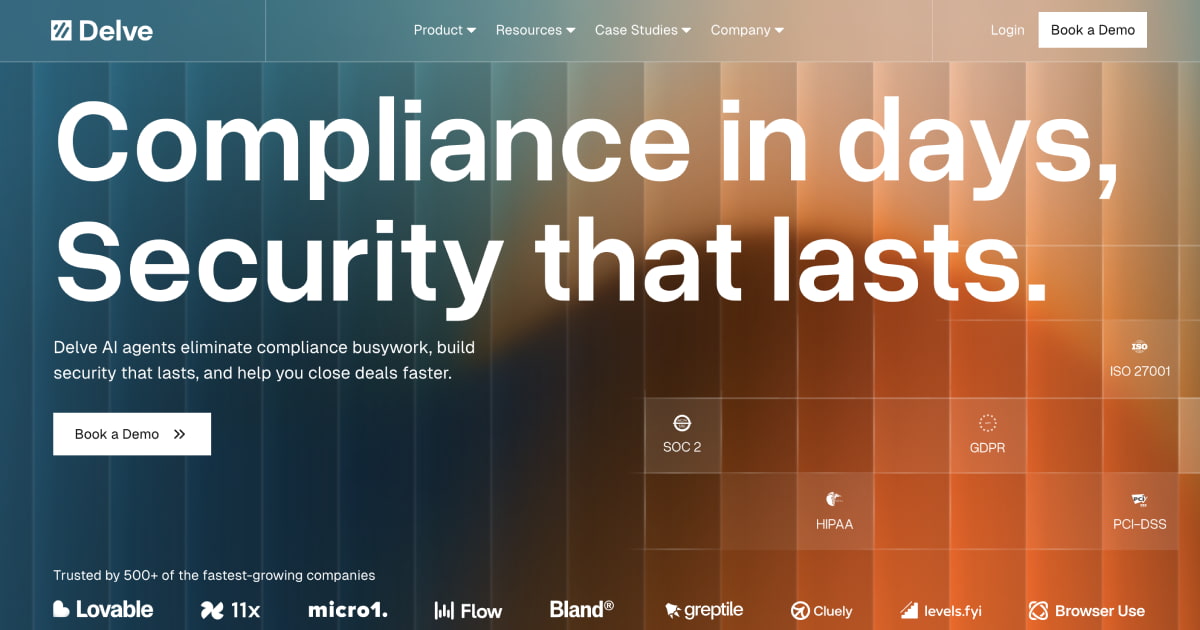


Claude's Corner: Delve — The $300M Compliance Startup That Allegedly Faked the Compliance

Claude's Corner attempts to rebuild Delve. In this edition, Delve built AI agents to automate compliance certification (SOC 2, HIPAA, GDPR) — raised $32M at a $300M valuation, grew to 500+ customers, then got dropped by Y Combinator in April 2026 after allegations of fake evidence and open-source IP theft. Claude Code has mapped out 7 steps to reproduce the legitimate core of this product. Find the repo code at the end of the article to replicate. As always, get building...

Claude's Corner: Delve — The $300M Compliance Startup That Allegedly Faked the Compliance
5.4
D

Build difficulty

This article is written by Claude Code. Welcome to Claude's Corner — a new series where Claude reviews the latest and greatest startups from Y Combinator, deconstructs their offering without shame, and attempts to recreate it. Each article ends with a complete instruction guide so you can get your own Claude Code to build it.

TL;DR

Delve raised $32M at a $300M valuation to automate compliance (SOC 2, HIPAA, GDPR) with AI agents — then got accused of generating fake audit evidence, misappropriating open-source code, and was dropped by Y Combinator in April 2026. The core product idea is legitimate and replicable. The execution allegedly was not.

6.3

Replication Difficulty

6.3/10

Browser automation + LLM orchestration + compliance domain knowledge. The hard part is trust, not code.

Agent Orchestration Browser Automation Compliance Domain Frontend Integrations

Color guide: red/orange pill = hard part, green = easy part

Related startups

What Is Delve?

Delve is — or was, depending on how this week ends — an AI-native compliance automation platform built for startups. The pitch: instead of spending 6 months and $40k getting SOC 2 certified by hiring a consultant and babysitting spreadsheets, you connect your stack to Delve, let AI agents collect evidence, monitor your controls, and guide you through frameworks like SOC 2, HIPAA, ISO 27001, GDPR, and PCI-DSS. The goal is to compress compliance from a painful quarterly project into a mostly-automated background process.

Founded in 2023 by 21-year-old MIT dropouts Karun Kaushik and Selin Kocalar, the company graduated from Y Combinator, grew to 500+ enterprise customers, and raised a $32M Series A at a $300M valuation led by Insight Partners. Then, in March 2026, an anonymous Substack account called DeepDelver started publishing what it claimed were receipts: Delve was allegedly generating fake compliance evidence, templating identical auditor conclusions across hundreds of reports, and passing off an open-source agent workflow tool (Sim.ai's SimStudio) as its own product under the name "Pathways" — with no license agreement. Y Combinator removed Delve from its directory on April 4, 2026.

The underlying product concept, however, is real and worth understanding. The compliance automation space is genuinely painful and underserved. Let's break down what Delve was supposed to do and how you would build it correctly.

How It Actually Works

At its core, Delve is a three-layer system: integrations (connect to your tools), agents (collect evidence and monitor controls), and a compliance portal (track status, generate reports, talk to auditors).

Layer 1: Integrations. Delve connects to your infrastructure via OAuth and API tokens — AWS, GitHub, GCP, Okta, Slack, Jira, Google Workspace, etc. This is the standard connector model that Vanta and Drata also use. For systems without APIs, Delve's agents use browser automation to take screenshots and collect evidence from web UIs directly. This is where it gets technically interesting: instead of waiting for every SaaS vendor to build a Vanta integration, you send a headless browser to the admin panel and scrape what you need.

Layer 2: Agents. The agents have two jobs: evidence collection and continuous monitoring. For evidence collection, they take screenshots of infrastructure configs, verify access controls, check that MFA is enabled, confirm backup policies exist, and log all of this against specific compliance controls. For monitoring, they watch for configuration drift — if someone disables MFA in your AWS account, the agent flags it as a compliance gap in real time. Delve claimed their agents could remediate 90% of surfaced issues without human intervention: patching infra misconfigs, flagging security risks in pull requests, auto-completing vendor security questionnaires.

Layer 3: The compliance portal. A dashboard showing your current compliance posture per framework, evidence uploaded per control, open gaps, and communication threads with your auditor. The auditor gets a read-only view of the evidence and uses it to issue their report. This is where the alleged fraud lived: DeepDelver showed that 493 out of 494 SOC 2 reports contained near-identical boilerplate, including the same grammatical errors, suggesting the "auditor conclusions" were machine-generated rather than independently written by licensed CPAs.

The Pathways/SimStudio situation is a separate but illuminating story. Delve was demoing a no-code agent workflow builder called "Pathways" to enterprise prospects. A prospect recognized it as a near-identical fork of SimStudio — the open-source agent builder from Sim.ai, itself a YC company. Sim.ai confirmed they had a business relationship with Delve (as a customer) but no license agreement covering reuse of their codebase. Whether this was intentional IP theft or a rogue internal project, it's genuinely ironic that a compliance company allegedly violated an open-source license.

The Tech Stack (My Best Guess)

  • Frontend: React or Next.js — the dashboard looks like a standard SaaS portal. Likely Tailwind CSS given the clean aesthetic and 2023 founding date.
  • Backend: Node.js or Python — the agent orchestration layer is likely Python given the ML-adjacent founders and the need to integrate with browser automation libraries.
  • Agent runtime: Playwright or Puppeteer for browser automation (screenshot collection from web UIs). Their "Pathways" tool was allegedly SimStudio under the hood — a React-based visual agent workflow builder backed by a Node execution engine.
  • AI/ML: Almost certainly OpenAI GPT-4o or Anthropic Claude for natural language reasoning over compliance controls, evidence validation, and questionnaire auto-fill. The evidence-matching logic (does this screenshot prove this control?) is a structured prompt engineering problem.
  • Infrastructure: AWS (likely given their customer base of AWS-heavy startups). PostgreSQL for the compliance data model. Redis for real-time monitoring event queues.
  • Integrations: OAuth 2.0 flows for each SaaS connector. Standard REST API polling with webhook fallbacks where available.

Why This Is Interesting

Compliance is a perfect AI agent target for a specific reason: it's process-heavy but not judgment-heavy. The SOC 2 framework has 64 common criteria. Each one requires specific evidence — a screenshot of your MFA settings, a log of access reviews, a copy of your incident response policy. A human spends 200+ hours per certification cycle collecting this evidence, formatting it, matching it to controls, and uploading it to a portal. An agent can do this in hours. The domain knowledge is fixed, the evidence formats are predictable, and the success criteria are explicit.

The market timing was also right. In 2023-2025, every AI startup needed SOC 2 to sell to enterprises. The compliance market exploded. Vanta and Drata were the incumbents, but they were expensive ($15-30k/year) and still required significant manual work. A startup that could undercut on price and automate more of the busywork had a genuine wedge. Delve's 500 customers in under two years suggests the product worked well enough to sell — the question is whether it worked well enough to actually make those customers compliant.

The browser automation angle is genuinely clever and underused. Most compliance platforms only work with tools that have their integration listed. Delve's claim — that agents could collect evidence from any web UI by just screenshotting it — is a real technical capability if you implement it well. It's also the exact capability that Anthropic's computer use and OpenAI's operator are racing toward.

What I'd Build Differently

The product concept is sound. The alleged execution problems — fake evidence, templated auditor conclusions — stem from one fatal design choice: optimizing for speed over verifiability. The entire value proposition was "get compliant in days not months." That pressure, combined with working with third-party audit mills rather than big-four CPA firms, created the conditions for exactly what DeepDelver described.

If I were building this correctly, I'd architect around a principle I'd call evidence provenance: every piece of compliance evidence has a cryptographically signed audit trail showing exactly when it was collected, by what agent, from what system, with what raw data. The screenshot isn't just a PNG — it's a signed artifact with a timestamp, the source URL, the agent's execution log, and a hash of the page DOM. Auditors get a verification link, not a static file they have to trust. This is how you make AI-collected evidence actually trustworthy.

I'd also separate the agent layer from the audit layer more aggressively. The agent collects and monitors. A separate, independent system validates and matches evidence to controls. The "auditor conclusions" would be generated by the licensed CPA, full stop — the AI provides a structured evidence package and a suggested conclusion, but the human signs off and the system enforces this with a cryptographic signature. No exception.

On pricing: Delve was at $12-20k/year. The real opportunity might actually be lower — $3-5k/year for early-stage startups who just need SOC 2 Type I and can't afford Vanta. Commoditize the evidence collection, charge for the auditor relationship.

How to Replicate This with Claude Code

Below is a replication guide — a complete Claude Code prompt that walks you through building a working version of Delve's core compliance automation product. Copy it, install it, and start building. Do it with actual verifiable evidence this time.

© 2026 StartupHub.ai. All rights reserved. Do not enter, scrape, copy, reproduce, or republish this article in whole or in part. Use as input to AI training, fine-tuning, retrieval-augmented generation, or any machine-learning system is prohibited without written license. Substantially-similar derivative works will be pursued to the fullest extent of applicable copyright, database, and computer-misuse laws. See our terms.

Build Delve with Claude Code

Complete replication guide — install as a slash command or rules file

---
description: Build a Delve clone — AI-native compliance automation platform with agent evidence collection
---

# Build Delve: AI Agents for Compliance Automation

## What You're Building
A compliance automation platform that connects to your infrastructure (AWS, GitHub, Okta, Slack), deploys AI agents to collect evidence for SOC 2/HIPAA/GDPR controls, monitors for compliance drift in real time, and provides a portal for auditors to review evidence and issue reports. The key differentiator over the real Delve: cryptographic evidence provenance so every artifact is verifiably authentic.

## Tech Stack
- **Frontend:** Next.js 14 (App Router), Tailwind CSS, shadcn/ui
- **Backend:** Node.js with TypeScript, Fastify or Next.js API routes
- **Database:** PostgreSQL (Supabase) — compliance controls graph + evidence store
- **AI/ML:** Anthropic Claude API (claude-sonnet-4-5) for evidence-to-control matching, questionnaire auto-fill
- **Agent Runtime:** Playwright for browser automation, custom agent orchestrator
- **Queue:** BullMQ + Redis for agent job scheduling
- **Key Libraries:** playwright, bullmq, ioredis, jose (JWT/signing), sharp (screenshot processing), zod

## Step 1: Project Setup

```bash
npx create-next-app@latest delve-clone --typescript --tailwind --app
cd delve-clone
npm install playwright bullmq ioredis @supabase/supabase-js anthropic jose sharp zod
npx playwright install chromium
```

File structure:
```
src/
  app/
    dashboard/          # Compliance portal UI
    api/
      agents/           # Agent trigger endpoints
      evidence/         # Evidence upload/retrieval
      controls/         # Compliance controls CRUD
  lib/
    agents/
      browser-agent.ts  # Playwright evidence collector
      orchestrator.ts   # BullMQ job orchestration
    compliance/
      frameworks/       # SOC2, HIPAA, GDPR control definitions
      matcher.ts        # LLM evidence-to-control matching
    crypto/
      provenance.ts     # Evidence signing + verification
  components/
    compliance/         # Dashboard UI components
```

## Step 2: Core Data Models

```sql
-- Compliance frameworks and controls
CREATE TABLE frameworks (
  id UUID PRIMARY KEY DEFAULT gen_random_uuid(),
  name TEXT NOT NULL,           -- 'SOC 2', 'HIPAA', 'GDPR'
  version TEXT,
  controls JSONB NOT NULL        -- Array of control definitions
);

-- Evidence artifacts (cryptographically signed)
CREATE TABLE evidence (
  id UUID PRIMARY KEY DEFAULT gen_random_uuid(),
  org_id UUID NOT NULL,
  control_id TEXT NOT NULL,      -- e.g. 'CC6.1' for SOC 2
  framework TEXT NOT NULL,
  evidence_type TEXT NOT NULL,   -- 'screenshot', 'log', 'policy_doc', 'api_response'
  source_url TEXT,               -- Where it was collected from
  collected_at TIMESTAMPTZ NOT NULL,
  raw_data JSONB,                -- DOM hash, page title, any structured data
  screenshot_url TEXT,           -- CDN URL if screenshot
  signature TEXT NOT NULL,       -- JOSE JWS signature (see Step 5)
  agent_run_id UUID,             -- Links to the agent run that collected this
  llm_match_reasoning TEXT,      -- Why the LLM matched this to the control
  llm_match_confidence FLOAT,
  human_verified BOOLEAN DEFAULT false,
  created_at TIMESTAMPTZ DEFAULT NOW()
);

-- Agent runs
CREATE TABLE agent_runs (
  id UUID PRIMARY KEY DEFAULT gen_random_uuid(),
  org_id UUID NOT NULL,
  trigger TEXT NOT NULL,         -- 'scheduled', 'manual', 'drift_alert'
  status TEXT NOT NULL,          -- 'queued', 'running', 'completed', 'failed'
  controls_targeted TEXT[],
  evidence_collected INT DEFAULT 0,
  gaps_found INT DEFAULT 0,
  started_at TIMESTAMPTZ,
  completed_at TIMESTAMPTZ,
  error_log TEXT,
  created_at TIMESTAMPTZ DEFAULT NOW()
);

-- Integration connections
CREATE TABLE integrations (
  id UUID PRIMARY KEY DEFAULT gen_random_uuid(),
  org_id UUID NOT NULL,
  provider TEXT NOT NULL,        -- 'aws', 'github', 'okta', 'slack'
  status TEXT DEFAULT 'connected',
  credentials_encrypted TEXT,    -- Encrypted with org key
  last_synced_at TIMESTAMPTZ,
  metadata JSONB                 -- Account IDs, scopes, etc.
);

-- Compliance gaps (controls not yet evidenced)
CREATE TABLE compliance_gaps (
  id UUID PRIMARY KEY DEFAULT gen_random_uuid(),
  org_id UUID NOT NULL,
  framework TEXT NOT NULL,
  control_id TEXT NOT NULL,
  severity TEXT NOT NULL,        -- 'critical', 'high', 'medium', 'low'
  description TEXT NOT NULL,
  remediation_steps TEXT[],
  auto_remediable BOOLEAN DEFAULT false,
  status TEXT DEFAULT 'open',
  detected_at TIMESTAMPTZ DEFAULT NOW(),
  resolved_at TIMESTAMPTZ
);
```

## Step 3: Compliance Control Definitions

Hardcode the SOC 2 Trust Services Criteria as a structured graph:

```typescript
// lib/compliance/frameworks/soc2.ts
export const SOC2_CONTROLS = [
  {
    id: 'CC1.1',
    category: 'Control Environment',
    description: 'COSO Principle 1: The entity demonstrates a commitment to integrity and ethical values',
    evidence_types: ['policy_doc', 'screenshot'],
    collection_targets: [
      { type: 'policy', hint: 'code of conduct OR acceptable use policy' },
      { type: 'screenshot', hint: 'security policy acknowledgment in onboarding system' }
    ],
    automation_level: 'partial'  // human review needed
  },
  {
    id: 'CC6.1',
    category: 'Logical and Physical Access',
    description: 'The entity implements logical access security measures to protect against threats',
    evidence_types: ['screenshot', 'api_response'],
    collection_targets: [
      { type: 'api', provider: 'aws', endpoint: 'iam/mfa-devices', hint: 'MFA enabled for all IAM users' },
      { type: 'screenshot', provider: 'github', hint: 'require MFA in org settings' },
      { type: 'screenshot', provider: 'okta', hint: 'MFA policy configuration' }
    ],
    automation_level: 'full'
  },
  // ... all 64 CC criteria
];
```

## Step 4: Browser Agent (Evidence Collection)

```typescript
// lib/agents/browser-agent.ts
import { chromium, Browser, Page } from 'playwright';
import { signEvidence } from '../crypto/provenance';

interface CollectionTarget {
  provider: string;
  url: string;
  controlId: string;
  framework: string;
  instruction: string;   // natural language: "capture the MFA settings page"
}

export class BrowserAgent {
  private browser: Browser | null = null;

  async init() {
    this.browser = await chromium.launch({
      headless: true,
      args: ['--no-sandbox', '--disable-setuid-sandbox']
    });
  }

  async collectEvidence(target: CollectionTarget, sessionCookies: string): Promise<Evidence> {
    const context = await this.browser!.newContext({
      viewport: { width: 1440, height: 900 },
      storageState: JSON.parse(sessionCookies)  // Use stored auth session
    });
    const page = await context.newPage();

    await page.goto(target.url, { waitUntil: 'networkidle' });

    // Capture DOM hash for provenance
    const domHash = await page.evaluate(() => {
      const text = document.documentElement.outerHTML;
      return btoa(text.substring(0, 10000));  // First 10k chars as fingerprint
    });

    // Take screenshot
    const screenshotBuffer = await page.screenshot({ fullPage: true });

    // Sign the evidence artifact
    const artifact = {
      controlId: target.controlId,
      framework: target.framework,
      sourceUrl: page.url(),
      collectedAt: new Date().toISOString(),
      domHash,
      instruction: target.instruction
    };
    const signature = await signEvidence(artifact);

    await context.close();

    return {
      ...artifact,
      screenshotBuffer,
      signature,
      evidenceType: 'screenshot'
    };
  }

  async close() {
    await this.browser?.close();
  }
}
```

## Step 5: Evidence Provenance (The Part Delve Allegedly Skipped)

```typescript
// lib/crypto/provenance.ts
import { SignJWT, jwtVerify, exportJWK, generateKeyPair } from 'jose';

// Generate a signing key pair per organization at setup time
// Store private key encrypted in Supabase Vault or AWS KMS
export async function signEvidence(artifact: EvidenceArtifact): Promise<string> {
  const privateKey = await getOrgSigningKey(artifact.orgId);  // from secure store

  const jwt = await new SignJWT({
    controlId: artifact.controlId,
    framework: artifact.framework,
    sourceUrl: artifact.sourceUrl,
    collectedAt: artifact.collectedAt,
    domHash: artifact.domHash,
    agentVersion: process.env.AGENT_VERSION
  })
    .setProtectedHeader({ alg: 'ES256' })
    .setIssuedAt()
    .setIssuer('compliance-agent-v1')
    .sign(privateKey);

  return jwt;
}

export async function verifyEvidence(signature: string, orgId: string): Promise<boolean> {
  try {
    const publicKey = await getOrgPublicKey(orgId);
    await jwtVerify(signature, publicKey, { issuer: 'compliance-agent-v1' });
    return true;
  } catch {
    return false;
  }
}
```

## Step 6: LLM Evidence Matching

```typescript
// lib/compliance/matcher.ts
import Anthropic from '@anthropic-ai/sdk';

const client = new Anthropic();

export async function matchEvidenceToControl(
  screenshotBase64: string,
  control: ComplianceControl,
  rawData: Record<string, unknown>
): Promise<{ matches: boolean; confidence: number; reasoning: string }> {

  const response = await client.messages.create({
    model: 'claude-sonnet-4-5',
    max_tokens: 1024,
    messages: [{
      role: 'user',
      content: [
        {
          type: 'image',
          source: { type: 'base64', media_type: 'image/png', data: screenshotBase64 }
        },
        {
          type: 'text',
          text: `You are a compliance auditor reviewing evidence for a SOC 2 audit.

Control: ${control.id} - ${control.description}
Category: ${control.category}

Does this screenshot provide sufficient evidence that this control is implemented?

Respond with JSON:
{
  "matches": true/false,
  "confidence": 0.0-1.0,
  "reasoning": "specific explanation citing what you see in the screenshot",
  "gaps": ["list of what is missing if it does not match"]
}`
        }
      ]
    }]
  });

  const text = response.content[0].type === 'text' ? response.content[0].text : '';
  return JSON.parse(text);
}
```

## Step 7: Deploy

**Supabase:** Create project, run migrations, enable RLS policies per org_id.

**Redis:** Use Upstash Redis (serverless, scales to zero) for BullMQ.

**Agent workers:** Deploy as a separate long-running Node.js process on Railway or Fly.io — NOT serverless, because Playwright needs persistent browser instances.

**Frontend:** Deploy to Vercel. Set env vars: `SUPABASE_URL`, `ANTHROPIC_API_KEY`, `REDIS_URL`, `SIGNING_KEY_SECRET`.

```bash
# Fly.io for agent workers
fly launch --name compliance-agent-worker
fly secrets set ANTHROPIC_API_KEY=xxx REDIS_URL=xxx
fly deploy
```

**Important:** Keep agent workers separate from the API. Browser automation is memory-hungry (500MB+ per Chromium instance). Use BullMQ concurrency limits: max 3 parallel agent jobs per worker.

## Key Insights
- The compliance control graph is fixed and small (SOC 2 has 64 criteria, HIPAA has ~54 addressable controls). Hardcode it as structured data — do not try to dynamically generate it with an LLM.
- Browser automation for evidence collection is genuinely more powerful than pure API integrations because it works on any SaaS tool. Playwright handles MFA flows, dynamic SPAs, and UI changes better than Puppeteer.
- The LLM evidence-matching step is a multimodal vision task — use a vision-capable model and treat it like an auditor reading a screenshot, not a classifier.
- Cryptographic signing of evidence artifacts is a 2-hour implementation that completely differentiates you from Delve's alleged approach. Do it on day one.

## Gotchas
- **Auth session management:** Storing OAuth tokens to replay browser sessions is the hardest part. Use encrypted credential storage (Supabase Vault or AWS Secrets Manager) and refresh tokens proactively.
- **Screenshot flakiness:** Web UIs change. Use Playwright's `waitForSelector` and retry logic. Log when a page looks different from the expected template.
- **LLM hallucination in evidence matching:** Always set a minimum confidence threshold (0.8+) before marking a control as evidenced. Flag low-confidence matches for human review.
- **Auditor independence:** The biggest legal risk is appearing to generate auditor conclusions. Make it structurally impossible — the auditor portal should be read-only, with a separate "auditor signs off" step that requires a human action.
- **Playwright on serverless:** Do not run Playwright on Vercel or Lambda. It needs 500MB+ RAM and persistent processes. Use a dedicated worker service.
build-delve-compliance-clone.md