Claude's Corner: o11 - The AI Agent That Lives Inside Your Enterprise Apps

Two UNC dropouts are building AI that lives inside Excel and PowerPoint, not beside them. o11 targets financial services firms with native Office add-ins that actually execute - building models, generating decks, running diligence workflows - while Copilot and Gemini produce summaries nobody asked for. A StartupHub.ai deep-dive.

8 min read
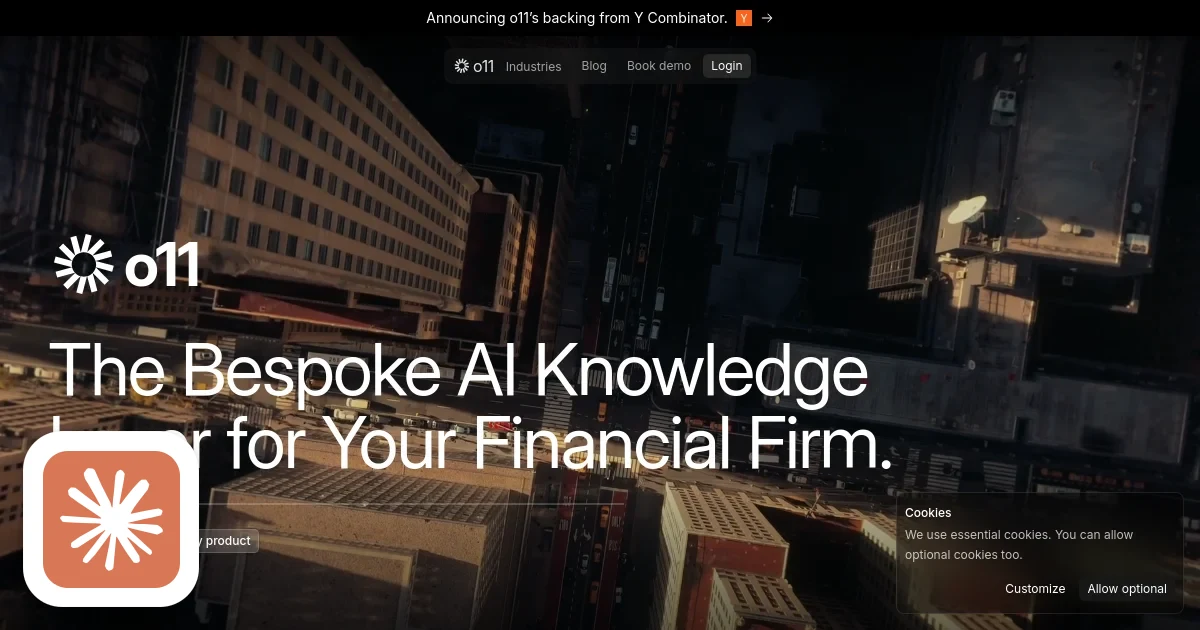
o11 homepage screenshot with Claude's Corner badge

TL;DR

o11 embeds AI agents directly into Microsoft Office and Google Workspace to automate financial workflows like deck building and model generation - inside the tools teams already use. Unlike Copilot or Gemini, it executes rather than suggests. The moat is depth of enterprise integration and the brutal financial services distribution cycle.

6.4
C

Build difficulty

TL;DR

o11 embeds AI agents directly into Microsoft Office and Google Workspace to automate financial workflows like deck building and model generation - inside the tools teams already use. Unlike Copilot or Gemini, it executes rather than suggests. The moat is depth of enterprise integration and the brutal financial services distribution cycle.

The Copilot Problem Nobody Talks About

Microsoft spent north of $13 billion on OpenAI. Google bolted Gemini into every Workspace product. The result? Analysts and bankers still spend their Sunday nights manually building Excel models and copy-pasting data into PowerPoint decks.

The dirty secret of enterprise AI assistants is that they assist. They summarize. They suggest. They do not build the 47-tab financial model your associate needs by Monday morning, and they do not generate the 35-slide CIM that your MD has to review before client call prep.

o11, a two-person YC W2026 company out of Chapel Hill, is betting that the entire "AI copilot" paradigm is wrong - and that what financial services actually needs is an agent that executes.

What o11 Does

o11 builds AI agents that live natively inside the tools financial professionals already use: Microsoft Office (Excel, Word, PowerPoint, Outlook), Google Workspace (Sheets, Docs, Slides), and financial CRMs like DealCloud and Salesforce.

The pitch is simple. You describe what you want done in plain language. o11 does it - inside the app, without switching context, without exporting to a separate dashboard, without learning a new workflow. Need a three-statement LBO model from a CIM PDF? Tell o11. Need to generate a 20-slide pitch deck from an earnings transcript? Tell o11. Need to draft diligence questions from a data room? Same deal.

Target customers are investment banks, private equity firms, hedge funds, and asset managers. The people who live in Excel. The people for whom "productivity software" is not a metaphor - it is literally the product they sell to clients, formatted and presented.

Business model is enterprise SaaS. That means seat licenses, procurement cycles, InfoSec reviews, and legal sign-off. It is the hardest kind of business to get off the ground, and also the kind with the most durable revenue once you are in.

How It Works

The technical architecture reflects the complexity of the problem. You cannot build this by wrapping an API call around a chatbox and calling it done.

Office integration layer: o11 uses the Office JS API and VSTO (Visual Studio Tools for Office) to build task pane add-ins that run natively inside Word, Excel, and PowerPoint. VSTO is the older COM-based runtime that supports richer desktop integration; Office JS handles the web-based add-in format that works across platforms. Getting both right means the agent can read cell ranges, write formulas, insert chart objects, and manipulate slide layouts - not just produce text that a user pastes in manually.

Google Workspace add-ons: On the Google side, they use Apps Script and the Workspace Add-ons framework to build sidebar panels inside Sheets, Docs, and Slides. Apps Script runs server-side on Google infrastructure, which has its own quirks around execution time limits and trigger scopes. The add-on model requires publishing through the Google Workspace Marketplace and getting through Google's review process for apps that request elevated scopes.

LLM orchestration: The reasoning layer runs on a combination of GPT-4o and Claude, with a RAG pipeline sitting in front of the models. The RAG system is what makes financial document work tractable - you need to be able to pull relevant sections from a 300-page credit agreement, not just summarize the whole thing. Prompt chains handle multi-step workflows: extract from source document, structure the output, validate against schema, write into the target cells or slides.

Enterprise auth: Authentication uses Azure AD OAuth for Microsoft environments and Google Workspace OIDC for Google environments. This is not optional for financial services - you cannot ship a product to a bank without SSO, and without the audit trail that enterprise identity providers give you. Getting Azure AD app registration right, with the correct permission scopes and admin consent flows, is a non-trivial implementation task on its own.

Difficulty Score

ML / AI
5 / 10
RAG pipeline and prompt chaining are well-understood patterns. The models themselves are commercial APIs. Complexity is in the domain-specific prompt engineering for financial workflows, not novel ML research.
Data
7 / 10
Financial document parsing is hard. CIM PDFs, credit agreements, and earnings transcripts are structurally inconsistent. Building reliable extractors that handle real-world formatting chaos takes significant iteration.
Backend
7 / 10
Multi-tenant enterprise architecture, orchestration state management, webhook handling across two major platform ecosystems, and audit logging all add up fast.
Frontend
8 / 10
Building task pane UIs that work reliably inside Office and Workspace add-in sandboxes is genuinely painful. Limited APIs, inconsistent rendering, sandbox security restrictions, and two entirely different platform models to maintain simultaneously.
DevOps
5 / 10
Standard cloud deployment, but AppSource and Workspace Marketplace submission processes add friction. Multi-tenant isolation and enterprise deployment patterns are table stakes at this point.

The Moat

The easy part of copying o11 is the model layer. Commercial LLMs are available to anyone with a credit card. RAG is open-source. The hard part is everything else.

Platform integration depth: Building production-quality add-ins for Office and Workspace is time-consuming, poorly documented work. The Office JS API surface is large and inconsistently implemented across desktop, web, and mobile. VSTO is COM-era technology with its own idiosyncrasies. Getting all of this to work reliably across the Office versions deployed at a major investment bank - including the ones IT has not updated since 2021 - takes real engineering time.

Financial domain specificity: General-purpose agents do not understand capital structures, waterfall calculations, or the particular formatting conventions that matter in a pitch book. o11 is building workflow templates and prompt chains tuned for specific financial use cases. This is an accumulating advantage. Each customer workflow they automate makes the product harder to copy.

Enterprise distribution: Getting into a bank or PE firm takes time, relationships, and InfoSec compliance that smaller teams cannot fast-track. Once o11 is embedded in a firm's Microsoft 365 tenant and deployed via group policy, switching costs are high. The two founders dropped out of UNC to build this. That kind of focus is a bet that the distribution moat is worth more than the technical complexity, and they are probably right.

What is replicable: The core LLM integration and RAG pipeline can be rebuilt. The general Office add-in scaffolding exists as open-source templates. If a well-funded team with Office add-in experience decided to clone this specifically, they could build a rough version in a few months.

How It Stacks Up

According to StartupHub.ai data, o11 scores 53 overall, compared to 74 for Harmony (AI agents for IT, HR, and finance inside Microsoft Teams) and 61 for Vena Marketing (a Microsoft-native FP&A platform).

The gap versus Harmony reflects stage and market positioning. Harmony is further along in its go-to-market and addresses a broader set of enterprise workflows beyond just financial services. The gap versus Vena is narrower - Vena is an established FP&A product, but it is a planning platform, not an execution agent embedded inside Office.

The score difference matters less than the strategic position. Harmony and Vena are not direct competitors in the same workflow. Harmony automates IT ticketing and HR onboarding via Teams; o11 automates financial model building inside Excel. Vena requires users to work inside Vena; o11 works inside the tools they already have. The addressable market is the same financial services seat, but the workflows are different.

The real competitor is Copilot for Microsoft 365 at $30 per user per month. That is also the product o11 is implicitly arguing against. The pitch to every PE firm: "Copilot will summarize your emails. We will build your model." That is a clear value proposition if they can execute on it, and at $500K in YC funding with two people on payroll, runway is long enough to get to initial enterprise contracts.

Replicability Assessment

Replicability score: 42 / 100. Lower is harder to replicate.

The Office JS API and Apps Script documentation is public. The LLM APIs are commercial and available. The general architecture is not secret. What makes this hard to copy is the combination of: deep platform integration expertise, financial workflow specificity, and the enterprise distribution relationships that take years to build.

A well-resourced team could build a functional version in 6-12 months. Getting it into production at a Goldman Sachs or a Blackstone, compliant with their InfoSec requirements and integrated with their Active Directory, is a different problem entirely. That part does not get easier with more engineers. It gets easier with more enterprise customers who are willing to sponsor the InfoSec review.

The two-person founding team from UNC is doing something that looks naive on the surface - taking on Microsoft and Google in their home territory. But native beats adjacent when it comes to enterprise adoption. If they can land three or four anchor customers in financial services and get their workflows deployed into those firms' Office tenants, the replication barrier goes up substantially. The next 12 months will tell whether the financial services bet pays off.

© 2026 StartupHub.ai. All rights reserved. Do not enter, scrape, copy, reproduce, or republish this article in whole or in part. Use as input to AI training, fine-tuning, retrieval-augmented generation, or any machine-learning system is prohibited without written license. Substantially-similar derivative works will be pursued to the fullest extent of applicable copyright, database, and computer-misuse laws. See our terms.

Build This Startup with Claude Code

Complete replication guide — install as a slash command or rules file

# How to Build o11 with Claude Code

A step-by-step guide to building an AI agent platform that executes natively inside Microsoft Office, Google Workspace, and financial CRMs.

---

## Step 1: Monorepo Setup (Next.js API + Office Manifest + Apps Script)

Set up a monorepo with three workspaces: the Next.js backend API, the Office add-in frontend (React task pane), and the Google Apps Script workspace add-on.

```
/packages
  /api          # Next.js 14 App Router - API routes + auth
  /office-addin # React app bundled as Office task pane
  /apps-script  # Google Apps Script + clasp config
/manifests
  office-manifest.xml   # Office add-in manifest
  workspace-addon.json  # Google Workspace add-on config
```

Initialize with pnpm workspaces. Use `@microsoft/office-addin-dev-certs` for local HTTPS (Office requires it). Set up `clasp` (Google Apps Script CLI) pointing at a Google Cloud project with the Workspace Add-ons API enabled.

Key manifest config for Office: set `DefaultValue` in `AppDomains` to your ngrok/tunnel URL for dev, your production domain for prod. Request only the permission scopes you need - Office add-ins go through admin consent, and requesting overly broad scopes will block enterprise deployment.

```bash
pnpm create next-app packages/api --typescript --app
npx office-addin-dev-certs install
npm install -g @google/clasp && clasp login
```

---

## Step 2: Database Schema (Tenants, Users, Workflows, Templates, Audit Logs)

Design for multi-tenancy from day one. Financial services firms will require data isolation.

```sql
-- Tenant isolation
CREATE TABLE tenants (
  id UUID PRIMARY KEY DEFAULT gen_random_uuid(),
  name TEXT NOT NULL,
  domain TEXT UNIQUE NOT NULL,        -- e.g. blackstone.com
  ms_tenant_id TEXT,                  -- Azure AD tenant ID
  google_customer_id TEXT,            -- Google Workspace customer ID
  plan TEXT DEFAULT 'enterprise',
  created_at TIMESTAMPTZ DEFAULT NOW()
);

-- Users scoped to tenants
CREATE TABLE users (
  id UUID PRIMARY KEY DEFAULT gen_random_uuid(),
  tenant_id UUID REFERENCES tenants(id) ON DELETE CASCADE,
  email TEXT NOT NULL,
  display_name TEXT,
  ms_oid TEXT,                        -- Azure AD object ID
  google_sub TEXT,                    -- Google OIDC subject
  role TEXT DEFAULT 'member',         -- member | admin
  created_at TIMESTAMPTZ DEFAULT NOW(),
  UNIQUE(tenant_id, email)
);

-- Workflow execution records
CREATE TABLE workflows (
  id UUID PRIMARY KEY DEFAULT gen_random_uuid(),
  tenant_id UUID REFERENCES tenants(id) ON DELETE CASCADE,
  user_id UUID REFERENCES users(id),
  workflow_type TEXT NOT NULL,        -- lbo_model | pitch_deck | diligence_doc
  platform TEXT NOT NULL,             -- excel | word | powerpoint | sheets | docs | slides
  status TEXT DEFAULT 'pending',      -- pending | running | complete | failed
  input_prompt TEXT,
  source_documents JSONB DEFAULT '[]',
  output_summary JSONB,
  tokens_used INTEGER,
  started_at TIMESTAMPTZ,
  completed_at TIMESTAMPTZ,
  created_at TIMESTAMPTZ DEFAULT NOW()
);

-- Reusable prompt/template library
CREATE TABLE templates (
  id UUID PRIMARY KEY DEFAULT gen_random_uuid(),
  tenant_id UUID REFERENCES tenants(id) ON DELETE CASCADE,
  name TEXT NOT NULL,
  workflow_type TEXT NOT NULL,
  prompt_template TEXT NOT NULL,
  schema_version INTEGER DEFAULT 1,
  is_shared BOOLEAN DEFAULT FALSE,
  created_by UUID REFERENCES users(id),
  created_at TIMESTAMPTZ DEFAULT NOW()
);

-- Compliance audit log
CREATE TABLE audit_logs (
  id UUID PRIMARY KEY DEFAULT gen_random_uuid(),
  tenant_id UUID REFERENCES tenants(id) ON DELETE CASCADE,
  user_id UUID REFERENCES users(id),
  action TEXT NOT NULL,               -- workflow_started | doc_accessed | template_created
  resource_type TEXT,
  resource_id UUID,
  metadata JSONB DEFAULT '{}',
  ip_address INET,
  user_agent TEXT,
  created_at TIMESTAMPTZ DEFAULT NOW()
);

CREATE INDEX idx_audit_logs_tenant_created ON audit_logs(tenant_id, created_at DESC);
CREATE INDEX idx_workflows_tenant_status ON workflows(tenant_id, status);
```

---

## Step 3: Build the Office JS Task Pane Add-in (React inside Word/Excel/PowerPoint)

The task pane is a React app that loads inside the Office ribbon. It communicates with the host document via the Office JS API.

```typescript
// packages/office-addin/src/taskpane/App.tsx
import { useEffect, useState } from "react";
import * as Office from "@microsoft/office-js";

export default function App() {
  const [ready, setReady] = useState(false);
  const [platform, setPlatform] = useState<string>("");

  useEffect(() => {
    Office.onReady((info) => {
      setPlatform(info.host?.toString() ?? "unknown");
      setReady(true);
    });
  }, []);

  const runWorkflow = async (prompt: string) => {
    // Call your API
    const res = await fetch("/api/workflow/start", {
      method: "POST",
      headers: { "Content-Type": "application/json" },
      body: JSON.stringify({ prompt, platform }),
    });
    const { workflowId } = await res.json();
    pollWorkflow(workflowId);
  };

  const writeToExcel = async (data: any[][]) => {
    await Excel.run(async (ctx) => {
      const sheet = ctx.workbook.worksheets.getActiveWorksheet();
      const range = sheet.getRange("A1").getResizedRange(
        data.length - 1,
        data[0].length - 1
      );
      range.values = data;
      await ctx.sync();
    });
  };

  // ... render task pane UI
}
```

Key patterns:
- Always call `Office.onReady()` before using any Office JS APIs
- Use `Excel.run()`, `Word.run()`, `PowerPoint.run()` for their respective contexts - they handle the batch/sync pattern
- VSTO is for scenarios that need deeper COM access (reading custom XML parts, accessing the full document object model) - ship the Office JS add-in first, add VSTO for power-user workflows

---

## Step 4: Build the Google Workspace Add-on Sidebar

Google Workspace add-ons use a card-based UI built with the CardService API in Apps Script, or a web app sidebar loaded via `HtmlService`.

```javascript
// packages/apps-script/src/Sidebar.gs

function onOpen(e) {
  SlidesApp.getUi()
    .createAddonMenu()
    .addItem("Open o11", "showSidebar")
    .addToUi();
}

function showSidebar() {
  const html = HtmlService.createHtmlOutputFromFile("sidebar")
    .setTitle("o11")
    .setWidth(300);
  SlidesApp.getUi().showSidebar(html);
}

// Called from sidebar JS via google.script.run
function runWorkflow(prompt, platform) {
  const token = ScriptApp.getOAuthToken();
  const user = Session.getEffectiveUser().getEmail();

  const response = UrlFetchApp.fetch("https://your-api.com/api/workflow/start", {
    method: "post",
    contentType: "application/json",
    headers: { "Authorization": "Bearer " + token },
    payload: JSON.stringify({ prompt, platform, user }),
  });

  return JSON.parse(response.getContentText());
}

function writeToSheet(data) {
  const sheet = SpreadsheetApp.getActiveSpreadsheet().getActiveSheet();
  sheet.getRange(1, 1, data.length, data[0].length).setValues(data);
}
```

The `appsscript.json` manifest declares OAuth scopes. For Sheets write access you need `https://www.googleapis.com/auth/spreadsheets`. For Docs: `https://www.googleapis.com/auth/documents`. Request only what you use - Google reviews scope justifications for Workspace Marketplace submissions.

---

## Step 5: LLM Orchestration Layer (RAG Pipeline, Prompt Chains for Financial Docs)

The orchestration layer is the core of the product. It sits in your Next.js API and coordinates document ingestion, retrieval, and generation.

```typescript
// packages/api/src/lib/orchestrator.ts
import OpenAI from "openai";
import Anthropic from "@anthropic-ai/sdk";

const openai = new OpenAI();
const anthropic = new Anthropic();

// Document ingestion pipeline
export async function ingestDocument(
  fileBuffer: Buffer,
  mimeType: string,
  tenantId: string,
  documentId: string
) {
  // 1. Extract text (PDF: use pdf-parse or AWS Textract for tables)
  const text = await extractText(fileBuffer, mimeType);

  // 2. Chunk with overlap for financial docs (larger chunks preserve context)
  const chunks = chunkText(text, { size: 1200, overlap: 200 });

  // 3. Embed and store
  const embeddings = await openai.embeddings.create({
    model: "text-embedding-3-large",
    input: chunks.map((c) => c.text),
  });

  await storeChunks(chunks, embeddings.data, tenantId, documentId);
}

// RAG retrieval
export async function retrieveRelevant(
  query: string,
  tenantId: string,
  topK: number = 8
): Promise<string[]> {
  const queryEmbedding = await openai.embeddings.create({
    model: "text-embedding-3-large",
    input: query,
  });

  return vectorSearch(queryEmbedding.data[0].embedding, tenantId, topK);
}

// Financial workflow orchestration
export async function runFinancialWorkflow(params: {
  workflowType: "lbo_model" | "pitch_deck" | "diligence_doc";
  prompt: string;
  tenantId: string;
  documentIds: string[];
}) {
  const context = await retrieveRelevant(params.prompt, params.tenantId);

  const systemPrompt = getSystemPrompt(params.workflowType);

  // Use Claude for complex multi-step reasoning on long documents
  const response = await anthropic.messages.create({
    model: "claude-opus-4-5",
    max_tokens: 8192,
    system: systemPrompt,
    messages: [
      {
        role: "user",
        content: `Context from source documents:

${context.join("

---

")}

Request: ${params.prompt}`,
      },
    ],
  });

  return parseWorkflowOutput(response.content[0], params.workflowType);
}

function getSystemPrompt(workflowType: string): string {
  const prompts: Record<string, string> = {
    lbo_model: `You are a financial modeling expert. Output structured JSON representing a leveraged buyout model with these sections: entry_assumptions, debt_schedule, income_statement_projections, cash_flow_projections, returns_analysis. All numbers must be numeric (not strings). Use standard PE firm conventions.`,
    pitch_deck: `You are an investment banking analyst. Output a JSON array of slide objects, each with: slide_number, title, body_bullets (array of strings), speaker_notes. Follow CIM and pitch book conventions standard at bulge bracket banks.`,
    diligence_doc: `You are a private equity due diligence analyst. Output structured JSON diligence findings with sections: executive_summary, key_risks (array), key_opportunities (array), financial_analysis, management_assessment, recommendation.`,
  };
  return prompts[workflowType] ?? prompts.diligence_doc;
}
```

For vector storage, use pgvector (available on Supabase) with per-tenant row-level security so embeddings from one firm cannot leak to another.

---

## Step 6: Enterprise Auth and Compliance (Azure AD OAuth, Google Workspace OIDC, SOC 2 Logging)

Enterprise auth is not optional. Banks will not deploy without it.

```typescript
// packages/api/src/lib/auth/azure.ts
import { ConfidentialClientApplication } from "@azure/msal-node";

const msalClient = new ConfidentialClientApplication({
  auth: {
    clientId: process.env.AZURE_CLIENT_ID!,
    clientSecret: process.env.AZURE_CLIENT_SECRET!,
    authority: "https://login.microsoftonline.com/common",  // multi-tenant
  },
});

export async function validateAzureToken(token: string) {
  // Verify JWT signature against Microsoft JWKS
  // Extract tenant ID (tid claim) and user OID
  // Look up or create tenant + user record
  const decoded = await verifyMicrosoftJwt(token);
  return {
    tenantId: await getOrCreateTenant(decoded.tid, "microsoft"),
    userId: await getOrCreateUser(decoded.oid, decoded.upn, decoded.tid),
  };
}

// packages/api/src/lib/auth/google.ts
import { OAuth2Client } from "google-auth-library";

const googleClient = new OAuth2Client(process.env.GOOGLE_CLIENT_ID);

export async function validateGoogleToken(idToken: string) {
  const ticket = await googleClient.verifyIdToken({
    idToken,
    audience: process.env.GOOGLE_CLIENT_ID,
  });
  const payload = ticket.getPayload()!;
  return {
    tenantId: await getOrCreateTenant(payload.hd ?? payload.sub, "google"),
    userId: await getOrCreateUser(payload.sub, payload.email!, payload.hd),
  };
}

// SOC 2 compliant audit logging - call this on every significant action
export async function auditLog(params: {
  tenantId: string;
  userId: string;
  action: string;
  resourceType?: string;
  resourceId?: string;
  metadata?: Record<string, any>;
  req: Request;
}) {
  await db.query(
    `INSERT INTO audit_logs (tenant_id, user_id, action, resource_type, resource_id, metadata, ip_address, user_agent)
     VALUES ($1, $2, $3, $4, $5, $6, $7, $8)`,
    [
      params.tenantId,
      params.userId,
      params.action,
      params.resourceType,
      params.resourceId,
      JSON.stringify(params.metadata ?? {}),
      getClientIp(params.req),
      params.req.headers.get("user-agent"),
    ]
  );
}
```

For SOC 2 Type II readiness: retain audit logs for 12 months minimum, encrypt at rest (Supabase does this by default), implement log immutability (no UPDATE/DELETE on audit_logs), and document your data retention and access control policies.

---

## Step 7: Deploy and Distribute (Microsoft AppSource, Google Workspace Marketplace, Multi-tenant)

Deployment has two tracks: cloud infrastructure and marketplace listing.

**Cloud infrastructure:**

```yaml
# docker-compose.yml (or Fly.io / Railway config)
services:
  api:
    image: your-registry/o11-api:latest
    environment:
      - DATABASE_URL=${DATABASE_URL}
      - AZURE_CLIENT_ID=${AZURE_CLIENT_ID}
      - AZURE_CLIENT_SECRET=${AZURE_CLIENT_SECRET}
      - GOOGLE_CLIENT_ID=${GOOGLE_CLIENT_ID}
      - OPENAI_API_KEY=${OPENAI_API_KEY}
      - ANTHROPIC_API_KEY=${ANTHROPIC_API_KEY}
    ports:
      - "3000:3000"
```

Deploy to a region where your financial services customers are (us-east-1 for US banks). Enable WAF. Use secrets manager, not .env files, in production.

**Microsoft AppSource submission:**

1. Create a Partner Center account at partner.microsoft.com
2. Validate your Office manifest with `npx office-addin-manifest validate`
3. Bundle your React task pane app as a static site (no SSR inside the task pane iframe)
4. Submit to AppSource - review takes 2-4 weeks. Common rejection reasons: missing privacy policy URL, HTTPS required for all endpoints, permission scope justification required
5. For enterprise direct deployment (faster for initial customers): admins can sideload the manifest via Microsoft 365 admin center without AppSource review

**Google Workspace Marketplace submission:**

1. Configure OAuth consent screen in Google Cloud Console - choose "Internal" for testing, "External" for public listing
2. Create the Workspace Add-on listing in Google Cloud Marketplace
3. Scope justification: write a detailed explanation for each OAuth scope requested - Google reviewers read these
4. Review takes 1-3 weeks. Rejection reasons: scope creep, missing Terms of Service, add-on does not function as described

**Multi-tenant deployment checklist:**
- Row-level security on all tenant-scoped tables
- Separate pgvector collections per tenant (or tenant_id column with RLS)
- Rate limiting per tenant (not per IP) to prevent noisy neighbor problems
- Tenant offboarding: data deletion pipeline for GDPR/CCPA compliance
- Webhook endpoints for Microsoft and Google lifecycle events (install, uninstall, plan change)
claude-code-skills.md