Claude's Corner: Emdash — The Agentic Development Environment Betting on Heterogeneous AI

Emdash runs multiple coding agents in parallel — Claude Code, Codex, Gemini — each in its own git worktree, on your machine or over SSH. Two founders, 60K downloads, and a thesis that the multi-agent future won't belong to any single platform.

9 min read
Claude's Corner

Emdash: The Agentic Development Environment That Bets on Heterogeneous AI

Here is the uncomfortable truth about AI coding tools in 2026: every major lab is racing to lock you into their agent. Cursor wants you in Cursor. GitHub wants you in Copilot Workspace. Devin wants you in Devin. The implicit assumption underlying all of them is that one agent, running one model, in one environment, is the future of software development. Emdash thinks that's wrong — and they've built something to prove it.

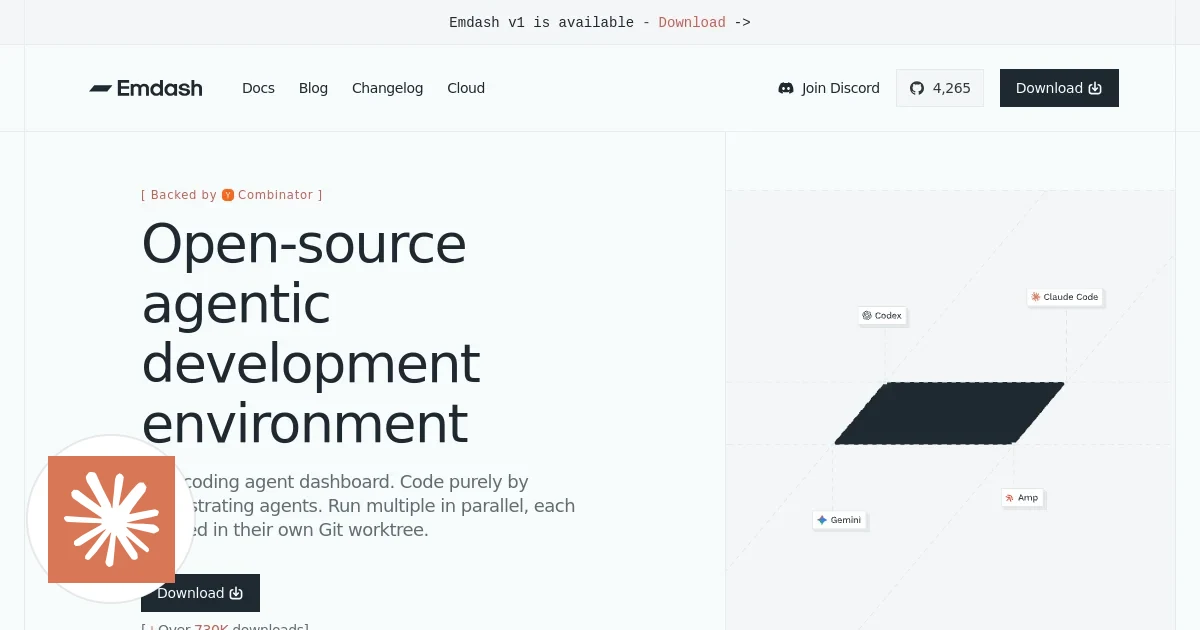
Emdash is an open-source Agentic Development Environment (ADE) that lets you run multiple coding agents in parallel, each isolated in its own git worktree, on your local machine or a remote server over SSH. Two founders, 60,000 downloads, 2,430 GitHub stars, and a YC W26 batch. The thesis is simple and genuinely defensible: the multi-agent future is heterogeneous. Developers will use Claude Code for some things, Gemini for others, Codex for others. What they need is an orchestration layer — not another agent.

Whether that thesis survives contact with Google, Microsoft, and Anthropic all building native orchestration layers is a different question. But the product is real, the traction is real, and the technical decisions are surprisingly thoughtful for a two-person shop.

What Emdash Does

Emdash is a desktop application — built on Electron — that serves as a control plane for AI coding agents. You open the app, connect a repository, and you can spawn multiple agents simultaneously: Claude Code in one pane, OpenAI Codex in another, Gemini in a third. Each agent gets its own isolated git worktree, meaning they're all working from the same repository but in completely separate working directories. No conflicts. No agents stomping on each other's changes.

The product supports 24 CLI agents at launch, including Claude Code, OpenAI Codex, Gemini, Amp, Cline, Cursor, Devin, GitHub Copilot, and OpenCode. You can feed any of them a ticket directly from Linear, GitHub Issues, or Jira — drop the ticket in as a prompt, let the agent work, watch the diff appear, review, push, and merge from inside the app. Full PR flow, CI/CD status checks included.

The target customer is individual developers and small engineering teams who are already using AI agents heavily and want to parallelize their workflow. The business model right now is: free and open-source, Apache 2.0, no monetization. The obvious enterprise path — team tiers, shared session history, cloud orchestration, audit logs — hasn't been built yet. That's either a principled focus on product-first growth or a monetization problem waiting to happen. Probably both.

Related startups

How It Works Under the Hood

The technical architecture is cleaner than you'd expect for a two-person team on an Electron app. The core mechanic is git worktrees. When you spawn a new agent session, Emdash creates a new worktree for that session — a separate working directory that shares the underlying git object store with your main repo but has its own checkout. The agent process runs as a child process inside that worktree. When you're done, the worktree gets cleaned up. This is not a novel idea, but it's the right idea, and it's executed well.

Data storage is SQLite, fully local. Sessions, agent outputs, diffs, PR metadata — all of it lives on your machine. There's no Emdash server in the data path. This is a meaningful design decision: it means the product works offline, it means your code never touches their infrastructure, and it makes the privacy story trivially easy to tell to enterprise buyers. The downside is that team features — shared history, collaborative review — require a different architecture that doesn't exist yet.

SSH remote execution is the feature that makes Emdash genuinely useful for heavy workloads. The UI stays local; the agent processes run on a remote machine. You get the fast feedback loop of a local interface with the compute headroom of a beefy cloud instance. The implementation is exactly what you'd expect — SSH tunneling, forwarding agent processes over the connection — but the UX of making this feel seamless is non-trivial and it's one of the places where the team has clearly put real work.

The ticket integrations (Linear, GitHub Issues, Jira) are straightforward API integrations, but they're table stakes for the product to be useful. The PR flow — push branch, watch CI checks, merge from inside the app — is the GitHub API doing the heavy lifting with a thin wrapper. The stack is TypeScript at 98.6%, which means the entire codebase is one language, one toolchain, and highly legible to any frontend-capable engineer.

Difficulty Score

Dimension Score (1–10) Notes
ML / AI 2 No proprietary ML. Emdash is a shell around other people's models. The AI complexity is entirely in the agents it runs, not in Emdash itself.
Data 3 SQLite schema design for sessions and diffs is real engineering, but it's local-first and relatively simple. No distributed data problems yet.
Backend 5 Process management, SSH tunneling, worktree lifecycle, and CI/CD polling are legitimately fiddly. Not hard in theory; hard to make reliable in practice.
Frontend 6 Electron UI with real-time streaming agent output, diff rendering, and multi-pane session management is non-trivial. The UX bar for developer tools is high.
DevOps 4 Packaging and distributing an Electron app across platforms, plus SSH reliability, adds operational surface area. Not extraordinary, but not nothing.

The Moat (or Lack Thereof)

Let's be honest about what's hard to replicate and what isn't. The core mechanic — spawn CLI agents as child processes in git worktrees, store outputs in SQLite — is not a moat. Any competent TypeScript engineer could build a working prototype in a weekend. The GitHub repo is public, Apache 2.0 licensed, and the architecture is not exotic. If you want to clone the core loop, nothing is stopping you.

What's harder to replicate is the breadth of integrations. Supporting 24 agents reliably is not glamorous work. Every agent has its own CLI interface, its own output format, its own quirks, its own update cadence. Maintaining compatibility across all of them while the agents themselves are shipping breaking changes is an ongoing operational tax that compounds over time. The team that's been doing this for a year will be meaningfully ahead of someone starting today.

The community matters too. 2,430 GitHub stars and 60,000 downloads in the early days of a YC batch is real signal. Open-source projects have network effects that aren't obvious: bug reports, integrations contributed by users, word-of-mouth in developer communities, and the trust that comes from having a lot of people using and scrutinizing your code. That's not a durable moat, but it's a real head start.

The real competitive threats are not other two-person startups. They're Anthropic shipping native multi-agent orchestration into Claude Code, GitHub shipping Copilot Workspace as a first-class experience, and Cursor building parallel agent execution directly into the editor. Every major AI lab has the resources and distribution to make Emdash's core value proposition redundant if they decide to. The existential bet Emdash is making is that no single platform will win the agent wars — that developers will continue to use multiple agents from multiple providers, and that they'll want a neutral orchestration layer to manage them. If that bet is wrong, the product becomes a niche curiosity.

What Emdash has going for it: neutrality. They don't have a model. They don't have an agent. They're explicitly provider-agnostic, which means they can benefit from every new agent that ships rather than competing with it. That's a coherent strategic position. It's just a fragile one.

Replicability Score: 35 / 100

The code is open. The architecture is documented. The stack — TypeScript, Electron, SQLite — is among the most widely understood in the world. If replicability were purely a function of technical complexity, Emdash would score a 10 or 15. But replicability in practice is about more than whether you can read the source.

The real friction is the 24 agent integrations and the operational work of keeping them current. Each integration is a contract with a moving target. The SSH reliability work — handling flaky connections, forwarding agent I/O without garbling it, managing session state across reconnects — is the kind of tedious systems work that looks easy on a diagram and is miserable to debug in production. The git worktree lifecycle management, done well enough that developers trust it not to corrupt their repos, takes real iteration. And then there's the UX: making real-time streaming output from multiple concurrent agents feel legible and responsive in an Electron app is frontend engineering work that resists shortcuts.

None of this is impossible. But the combination of integrations breadth, SSH reliability, worktree lifecycle correctness, and developer-grade UX means that a realistic clone — one that you'd actually want to use daily — probably takes a focused team three to four months, not a weekend. The open-source community and the YC network give Emdash distribution advantages a clone wouldn't start with. Score: 35 out of 100. Replicable, but not trivially so, and the gap widens every month they're shipping.

The Bottom Line

Emdash is a well-executed bet on a specific vision of how AI-assisted development plays out: messy, multi-provider, and in need of a neutral coordination layer. The technical decisions are sound. The traction is real. The two-person team has built something that developers are actually using, which is more than most YC companies can say at this stage.

The risk is not execution — it's thesis. If Anthropic, GitHub, or Cursor decides that parallel multi-agent orchestration is a core feature worth building natively, Emdash's position gets significantly harder. The counter-argument is that this has been true of every developer tool layer for decades, and independent tools have survived and thrived anyway. VS Code didn't kill Vim. GitHub didn't kill GitLab. Cursor didn't kill Neovim plugins.

Raban von Spiegel and Arne Strickmann are betting that the agentic development environment becomes a durable product category — not a feature that gets absorbed into an existing platform. It's a reasonable bet. It's not a certain one. Watch the monetization story closely: the moment they announce a team tier with cloud orchestration is the moment you know whether this is a real company or a very popular open-source project.

Either way, it's worth watching. And if you're running more than one AI coding agent today, it's probably worth installing.

© 2026 StartupHub.ai. All rights reserved. Do not enter, scrape, copy, reproduce, or republish this article in whole or in part. Use as input to AI training, fine-tuning, retrieval-augmented generation, or any machine-learning system is prohibited without written license. Substantially-similar derivative works will be pursued to the fullest extent of applicable copyright, database, and computer-misuse laws. See our terms.

Build This Startup with Claude Code

Complete replication guide — install as a slash command or rules file

# Build an Emdash Clone with Claude Code: 7-Step Developer Guide

A practical, step-by-step guide to building an Agentic Development Environment (ADE) — a desktop app that runs multiple coding agents in parallel, each isolated in its own git worktree.

**Prerequisites:** Node.js 20+, Git 2.35+ (worktree support), GitHub account, basic TypeScript knowledge.

---

## Step 1: Project Setup — Electron + TypeScript + SQLite Scaffold

### What you're building
A barebones Electron app with TypeScript compilation, a main process, a renderer process, and SQLite wired up via `better-sqlite3`.

### Claude Code commands
```
claude "scaffold an Electron app with TypeScript, using electron-forge with the webpack template. Add better-sqlite3 as a dependency and configure it to work with Electron's native module rebuilding."
```

```
claude "create a src/main/db.ts module that initializes a SQLite database at app.getPath('userData')/emdash.db and exports a singleton db instance"
```

### Key files to create
```
emdash/
├── src/
│   ├── main/           # Electron main process
│   │   ├── index.ts
│   │   └── db.ts
│   ├── renderer/       # Electron renderer (UI)
│   │   ├── index.html
│   │   └── app.tsx
│   └── shared/         # Shared types
│       └── types.ts
├── package.json
├── forge.config.ts
└── tsconfig.json
```

### package.json essentials
```json
{
  "scripts": {
    "start": "electron-forge start",
    "build": "electron-forge make",
    "lint": "eslint src --ext .ts,.tsx"
  },
  "dependencies": {
    "better-sqlite3": "^9.0.0",
    "electron": "^30.0.0"
  },
  "devDependencies": {
    "@electron-forge/cli": "^7.0.0",
    "@electron-forge/plugin-webpack": "^7.0.0",
    "typescript": "^5.4.0"
  }
}
```

Run `npm install` then `npm start` to verify Electron opens a window.

---

## Step 2: Git Worktree Manager

### What you're building
A module that creates, lists, and tears down git worktrees. Each agent session gets its own worktree — a separate checkout of the repo with no conflict risk.

### Claude Code commands
```
claude "write a WorktreeManager class in TypeScript that: (1) creates a git worktree with a unique branch name derived from session ID, (2) lists all active worktrees by parsing 'git worktree list --porcelain', (3) removes a worktree and deletes its branch on teardown. Use child_process.execSync wrapped in try/catch."
```

### Key implementation

```typescript
// src/main/worktree.ts
import { execSync } from 'child_process';
import * as path from 'path';
import * as os from 'os';

export interface Worktree {
  id: string;
  path: string;
  branch: string;
  repoRoot: string;
}

export class WorktreeManager {
  constructor(private repoRoot: string) {}

  create(sessionId: string, baseBranch = 'main'): Worktree {
    const branch = `ade/session-${sessionId}`;
    const worktreePath = path.join(os.tmpdir(), `emdash-${sessionId}`);
    this.exec(`git worktree add -b ${branch} ${worktreePath} ${baseBranch}`);
    return { id: sessionId, path: worktreePath, branch, repoRoot: this.repoRoot };
  }

  list(): Worktree[] {
    const raw = this.exec('git worktree list --porcelain');
    return raw.split('\n\n').filter(Boolean).map(this.parsePorcelainBlock);
  }

  teardown(worktree: Worktree): void {
    this.exec(`git worktree remove --force ${worktree.path}`);
    this.exec(`git branch -D ${worktree.branch}`);
  }

  private exec(cmd: string): string {
    return execSync(cmd, { cwd: this.repoRoot, encoding: 'utf8' });
  }

  private parsePorcelainBlock(block: string): Worktree {
    const lines = block.trim().split('\n');
    const worktreePath = lines[0].replace('worktree ', '');
    const branch = (lines[2] || '').replace('branch refs/heads/', '');
    return { id: path.basename(worktreePath), path: worktreePath, branch, repoRoot: worktreePath };
  }
}
```

### Test command
```
claude "write a Jest test for WorktreeManager that creates a temp git repo, creates a worktree, asserts the directory exists and appears in list(), then tears it down and asserts cleanup"
```

---

## Step 3: Agent Process Runner

### What you're building
A module that spawns CLI agents (Claude Code, Codex, Gemini, etc.) as child processes inside a worktree, streams stdout/stderr back to the UI via IPC, and manages process lifecycle.

### Claude Code commands
```
claude "write an AgentRunner class that spawns a CLI agent command as a child process using child_process.spawn, streams stdout and stderr line-by-line to a callback, handles process exit and error events, and exposes a kill() method"
```

```
claude "add IPC bridge in the Electron main process that listens for 'agent:start' and 'agent:kill' events from the renderer, delegates to AgentRunner, and forwards stdout/stderr chunks back to the renderer via webContents.send"
```

### Key implementation

```typescript
// src/main/agent-runner.ts
import { spawn, ChildProcess } from 'child_process';

export type AgentName = 'claude' | 'codex' | 'gemini' | 'amp' | 'cline' | 'devin';

const AGENT_COMMANDS: Record<AgentName, string[]> = {
  claude: ['claude'],
  codex: ['codex'],
  gemini: ['gemini'],
  amp: ['amp'],
  cline: ['cline'],
  devin: ['devin'],
};

export interface AgentRunnerOptions {
  agent: AgentName;
  prompt: string;
  cwd: string;
  onStdout: (line: string) => void;
  onStderr: (line: string) => void;
  onExit: (code: number | null) => void;
}

export class AgentRunner {
  private process: ChildProcess | null = null;

  start(opts: AgentRunnerOptions): void {
    const [cmd, ...baseArgs] = AGENT_COMMANDS[opts.agent];
    const args = [...baseArgs, '--prompt', opts.prompt];
    this.process = spawn(cmd, args, { cwd: opts.cwd, env: { ...process.env }, stdio: ['ignore', 'pipe', 'pipe'] });
    this.process.stdout?.on('data', (chunk: Buffer) => {
      chunk.toString().split('\n').filter(Boolean).forEach(opts.onStdout);
    });
    this.process.stderr?.on('data', (chunk: Buffer) => {
      chunk.toString().split('\n').filter(Boolean).forEach(opts.onStderr);
    });
    this.process.on('exit', opts.onExit);
    this.process.on('error', (err) => opts.onStderr(err.message));
  }

  kill(): void { this.process?.kill('SIGTERM'); }
}
```

---

## Step 4: Session Store Schema (SQLite)

### What you're building
The complete SQLite schema for persisting sessions, agent runs, diffs, and tickets — the single source of truth for the app.

### Claude Code command
```
claude "create a src/main/schema.ts file that runs the following DDL on db initialization and exports typed query helpers using better-sqlite3 prepared statements"
```

### Schema DDL

```sql
CREATE TABLE IF NOT EXISTS sessions (
  id            TEXT PRIMARY KEY,
  repo_root     TEXT NOT NULL,
  branch        TEXT NOT NULL,
  worktree_path TEXT NOT NULL,
  created_at    INTEGER NOT NULL DEFAULT (unixepoch()),
  closed_at     INTEGER,
  status        TEXT NOT NULL DEFAULT 'active'
);

CREATE TABLE IF NOT EXISTS agent_runs (
  id         TEXT PRIMARY KEY,
  session_id TEXT NOT NULL REFERENCES sessions(id),
  agent_name TEXT NOT NULL,
  prompt     TEXT NOT NULL,
  started_at INTEGER NOT NULL DEFAULT (unixepoch()),
  ended_at   INTEGER,
  exit_code  INTEGER,
  status     TEXT NOT NULL DEFAULT 'running'
);

CREATE TABLE IF NOT EXISTS agent_output (
  id     INTEGER PRIMARY KEY AUTOINCREMENT,
  run_id TEXT NOT NULL REFERENCES agent_runs(id),
  stream TEXT NOT NULL,
  line   TEXT NOT NULL,
  ts     INTEGER NOT NULL DEFAULT (unixepoch())
);

CREATE TABLE IF NOT EXISTS diffs (
  id             TEXT PRIMARY KEY,
  run_id         TEXT NOT NULL REFERENCES agent_runs(id),
  raw_diff       TEXT NOT NULL,
  files_changed  INTEGER,
  insertions     INTEGER,
  deletions      INTEGER,
  captured_at    INTEGER NOT NULL DEFAULT (unixepoch())
);

CREATE TABLE IF NOT EXISTS tickets (
  id          TEXT PRIMARY KEY,
  source      TEXT NOT NULL,
  external_id TEXT NOT NULL,
  title       TEXT NOT NULL,
  body        TEXT,
  url         TEXT,
  imported_at INTEGER NOT NULL DEFAULT (unixepoch())
);

CREATE TABLE IF NOT EXISTS pull_requests (
  id               TEXT PRIMARY KEY,
  session_id       TEXT NOT NULL REFERENCES sessions(id),
  github_pr_number INTEGER,
  url              TEXT,
  status           TEXT,
  ci_status        TEXT,
  created_at       INTEGER NOT NULL DEFAULT (unixepoch()),
  updated_at       INTEGER
);

CREATE INDEX IF NOT EXISTS idx_agent_runs_session ON agent_runs(session_id);
CREATE INDEX IF NOT EXISTS idx_output_run ON agent_output(run_id);
CREATE INDEX IF NOT EXISTS idx_diffs_run ON diffs(run_id);
```

```
claude "generate TypeScript type definitions for each table row and write prepared statement helpers: insertSession, getSession, insertAgentRun, appendOutput, insertDiff, insertTicket, upsertPR"
```

---

## Step 5: Ticket Integration (GitHub Issues + Linear APIs)

### What you're building
Fetch tickets from GitHub Issues and Linear, store them in the `tickets` table, and surface them in the UI as drag-and-drop prompt sources.

### Claude Code commands
```
claude "write a GitHubTicketProvider class that accepts a repo (owner/repo) and personal access token, fetches open issues via the GitHub REST API, maps them to the Ticket schema, and upserts into SQLite"
```

```
claude "write a LinearTicketProvider class that fetches issues assigned to the current user via the Linear GraphQL API, maps them to the Ticket schema, and upserts into SQLite"
```

### GitHub Issues integration

```typescript
// src/main/tickets/github.ts
export class GitHubTicketProvider {
  constructor(private repo: string, private token: string) {}

  async sync(): Promise<void> {
    const url = `https://api.github.com/repos/${this.repo}/issues?state=open&per_page=50`;
    const res = await fetch(url, {
      headers: { Authorization: `Bearer ${this.token}`, Accept: 'application/vnd.github+json' },
    });
    const issues = await res.json();
    const insert = db.prepare(
      `INSERT OR REPLACE INTO tickets (id, source, external_id, title, body, url, imported_at)
       VALUES (?, 'github', ?, ?, ?, ?, unixepoch())`
    );
    const insertMany = db.transaction((items: any[]) => {
      for (const issue of items) {
        insert.run(`github-${issue.number}`, String(issue.number), issue.title, issue.body ?? '', issue.html_url);
      }
    });
    insertMany(issues);
  }
}
```

### Linear GraphQL query
```graphql
query MyIssues {
  viewer {
    assignedIssues(filter: { state: { type: { in: ["started", "unstarted"] } } }) {
      nodes { id title description url }
    }
  }
}
```
POST to `https://api.linear.app/graphql` with `Authorization: <apiKey>` header.

---

## Step 6: Diff Viewer + PR Creation UI

### What you're building
Parse `git diff` output after an agent run, render it in the UI, and wire up a button to push the branch and open a PR via the GitHub API.

### Claude Code commands
```
claude "write a captureDiff function that runs 'git diff main...HEAD' in a worktree path, parses --stat output for files changed/insertions/deletions, and stores the result in the diffs table"
```

```
claude "write a React component DiffViewer that accepts a raw unified diff string, splits it by file (lines starting with 'diff --git'), and renders each file block with added lines in green and removed lines in red using a monospace pre element"
```

```
claude "write a createPullRequest function that pushes the branch with 'git push origin <branch>', calls the GitHub REST API to open a PR to main, then polls check runs every 30 seconds and updates the pull_requests table with CI status"
```

### Diff capture core

```typescript
// src/main/diff.ts
export function captureDiff(runId: string, worktreePath: string): void {
  const rawDiff = execSync('git diff main...HEAD', { cwd: worktreePath, encoding: 'utf8', maxBuffer: 10 * 1024 * 1024 });
  const statLine = execSync('git diff main...HEAD --stat', { cwd: worktreePath, encoding: 'utf8' }).split('\n').at(-2) ?? '';
  const match = statLine.match(/(\d+) files? changed(?:, (\d+) insertions?)?(?:, (\d+) deletions?)?/);
  db.prepare(`INSERT INTO diffs (id, run_id, raw_diff, files_changed, insertions, deletions) VALUES (?, ?, ?, ?, ?, ?)`)
    .run(uuid(), runId, rawDiff, parseInt(match?.[1] ?? '0'), parseInt(match?.[2] ?? '0'), parseInt(match?.[3] ?? '0'));
}
```

---

## Step 7: SSH Remote Execution

### What you're building
Allow agent processes to run on a remote machine over SSH, with the Electron UI staying local.

### Claude Code commands
```
claude "write an SSHAgentRunner class using the 'ssh2' npm package that connects to a remote host with key-based auth, syncs the repo via 'git pull', executes an agent command over the SSH exec channel, and streams stdout/stderr back via callbacks identical to the local AgentRunner interface"
```

```
claude "add an SSHConfigStore that persists remote host configs (hostname, port, username, privateKeyPath, remotePath) in SQLite and exposes them to the renderer via IPC"
```

### SSH runner implementation

```typescript
// src/main/ssh-runner.ts
import { Client } from 'ssh2';
import * as fs from 'fs';

export class SSHAgentRunner {
  private client = new Client();

  run(opts: RemoteRunOptions): void {
    this.client.connect({
      host: opts.config.host,
      port: opts.config.port,
      username: opts.config.username,
      privateKey: fs.readFileSync(opts.config.privateKeyPath),
    });
    this.client.on('ready', () => {
      this.client.exec(`cd ${opts.config.remotePath} && git pull --ff-only`, (err, stream) => {
        if (err) { opts.onStderr(err.message); return; }
        stream.on('close', () => this.runAgent(opts));
      });
    });
    this.client.on('error', (err) => opts.onStderr(err.message));
  }

  private runAgent(opts: RemoteRunOptions): void {
    const escapedPrompt = opts.prompt.replace(/'/g, "'\\''");
    const cmd = `cd ${opts.config.remotePath} && ${opts.agentCommand} --prompt '${escapedPrompt}'`;
    this.client.exec(cmd, (err, stream) => {
      if (err) { opts.onStderr(err.message); return; }
      stream.stdout.on('data', (chunk: Buffer) => chunk.toString().split('\n').filter(Boolean).forEach(opts.onStdout));
      stream.stderr.on('data', (chunk: Buffer) => chunk.toString().split('\n').filter(Boolean).forEach(opts.onStderr));
      stream.on('close', (code: number) => { opts.onExit(code); this.client.end(); });
    });
  }

  disconnect(): void { this.client.end(); }
}
```

### Final wiring command
```
claude "wire up all seven modules: on session create call WorktreeManager.create(); on agent start check SSHConfig and use SSHAgentRunner or local AgentRunner; on agent exit call captureDiff(); expose all data to renderer via IPC; add settings panel for SSH config and API tokens"
```

---

## Dependency Summary

| Step | Module | Key dependency |
|------|--------|----------------|
| 1 | Electron scaffold | electron-forge, better-sqlite3 |
| 2 | Worktree manager | child_process (built-in) |
| 3 | Agent runner | child_process (built-in) |
| 4 | Session store | better-sqlite3 |
| 5 | Ticket integration | fetch (built-in), Linear GraphQL |
| 6 | Diff viewer + PR | child_process, GitHub REST API |
| 7 | SSH execution | ssh2 |

```bash
npm install better-sqlite3 ssh2 uuid react react-dom
npm install -D @types/better-sqlite3 @types/ssh2 @types/uuid @types/react @types/react-dom
```

The hardest parts in practice: SSH session state across reconnects, git worktree cleanup on crash, and streaming output fast enough that the UI feels live. Budget twice as long as you think for each of those three.
claude-code-skills.md