
Liam Hampton on VS Code AI Agents

Liam Hampton from Microsoft explores how VS Code is becoming a central hub for AI agents, demonstrating customization options and practical workflows for local, background, and cloud agents.

liam hampton on vs  comparison
Liam Hampton discusses the integration and customization of AI agents within Visual Studio Code.· AI Engineer
Visual TL;DR
AI Engineer EuropeContext
From the articleCloud Advocate & Software Engineer at Microsoft, recently presented on "Cooking with Agents in VS Code" at the AI Engineer Europe conference.
Microsoft's VisionCore
Liam Hampton from Microsoft explores VS Code AI agent integration
From the articleCloud Advocate & Software Engineer at Microsoft, recently presented on "Cooking with Agents in VS Code" at the AI Engineer Europe conference.
AI Agent HypeDriver
From the article 9+ mentionsHampton began by framing the current hype cycle around AI agents, noting that while initial expectations can be high, the practical application often leads to questions about ROI, code quality, and internal adjustments needed for adoption.
VS Code HubCore
From the article 8 mentionsThe session highlighted how Visual Studio Code is evolving into a central hub for interacting with AI agents, offering a unified interface for various agent types including local, CLI-based, and cloud agents.
Agent TypesContext
local, CLI-based, and cloud agents managed within VS Code
From the article 9+ mentionsThe core of the presentation focused on the types of agents available and how they can be managed and utilized within VS Code.
Unified InterfaceEffect
providing a unified interface for diverse AI agent interactions
From the article 4 mentionsThe session highlighted how Visual Studio Code is evolving into a central hub for interacting with AI agents, offering a unified interface for various agent types including local, CLI-based, and cloud agents.
Customization & ControlContext
offering customization options for agent behavior and workflows
From the article 4 mentionsA significant portion of the talk was dedicated to agent customization, a critical aspect for tailoring AI capabilities to specific development needs.
Practical WorkflowsEffect
demonstrating practical workflows for using agents locally and in cloud
From the article 4 mentionsHampton demonstrated how VS Code provides a single pane of glass for interacting with these diverse agents, streamlining the development workflow.
Contents(4)

Liam Hampton, Sr. Cloud Advocate & Software Engineer at Microsoft, recently presented on "Cooking with Agents in VS Code" at the AI Engineer Europe conference. The session highlighted how Visual Studio Code is evolving into a central hub for interacting with AI agents, offering a unified interface for various agent types including local, CLI-based, and cloud agents.

StartupHub data

Companies working on this

Profiles of the companies named in this story, with funding and a one-liner from our database.

Microsoft
A global technology leader providing software, cloud services, AI, and devices for individuals and businesses.
Playwright
A Node.js library by Microsoft for fast, reliable end-to-end testing across browsers.
Liam Hampton on VS Code AI Agents - AI Engineer
Liam Hampton on VS Code AI Agents, from AI Engineer

Understanding AI Agents and Their Integration

Hampton began by framing the current hype cycle around AI agents, noting that while initial expectations can be high, the practical application often leads to questions about ROI, code quality, and internal adjustments needed for adoption. He emphasized that the current wave of AI agents, from those integrated into the CLI to chat interfaces within editors, are becoming increasingly prevalent.

The core of the presentation focused on the types of agents available and how they can be managed and utilized within VS Code. Hampton categorized agents into three main types:

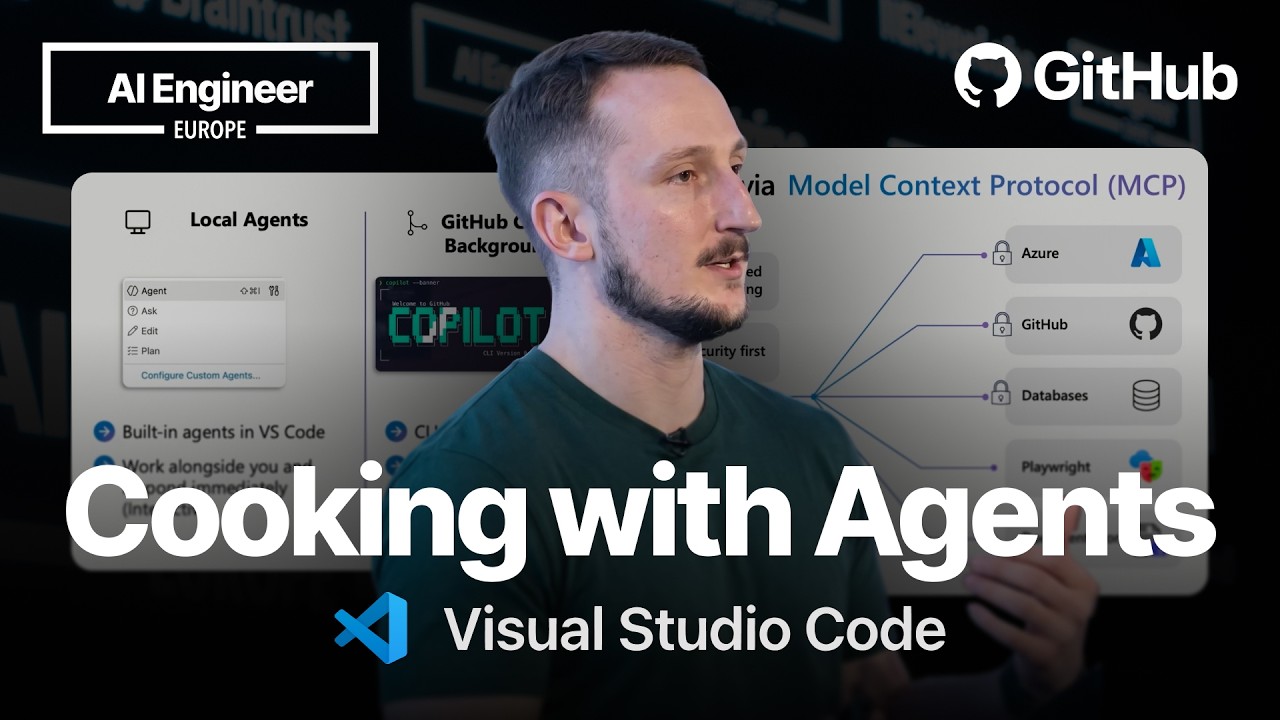
  • Local Agents: These are built directly into VS Code, offering interactive experiences where agents work alongside the user and respond immediately.
  • GitHub Copilot CLI / Background Agents: These agents operate autonomously in isolated modes, often utilizing Git worktrees, and are suitable for longer-running tasks.
  • Cloud Agents: These agents are designed to handle tasks on remote infrastructure, allowing for non-interactive execution and better team collaboration. They are particularly useful for delegating tasks to GitHub Copilot agents running in the background.

Hampton demonstrated how VS Code provides a single pane of glass for interacting with these diverse agents, streamlining the development workflow.


Customization and Control for AI Agents

A significant portion of the talk was dedicated to agent customization, a critical aspect for tailoring AI capabilities to specific development needs. Hampton detailed several key areas of customization:

  • Custom Instructions: Users can define and store project context and rules for coding agents using files like AGENTS.md and custom_instructions.md. This allows for more precise and context-aware agent behavior.
  • Prompt Files: These files enable developers to store clean, consistent, and repeatable prompts using .prompt.md files, ensuring that common tasks can be executed reliably.
  • Custom Agents: Developers can configure different personas for AI, tailoring them towards specific development roles using .agents.md files. This allows for specialized AI assistants that understand different domains and use cases.
  • Agent Skills: Folders of instructions and resources for agents can be created to load relevant information, enhancing performance on specialized tasks. These are managed via SKILL.md files.

Hampton stressed that these customization options are not just for Copilot but are applicable to other AI agents as well, providing a flexible framework for developers to build upon.

Practical Demonstration and Workflow

To illustrate these concepts, Hampton walked through a practical demonstration. He showed how to create a local agent to write unit tests for a Python Flask application. The process involved defining the agent's purpose, specifying its tools, and then having the agent generate the test code. He also demonstrated the use of a background agent to create a frontend UI for the application and a cloud agent to write documentation.

Hampton highlighted the Model Context Protocol (MCP) as a key mechanism enabling agents to interact with various parts of the toolchain, including Azure, GitHub, databases, and Playwright. This allows for a comprehensive and secure way to manage AI-driven development workflows.

The presentation concluded by emphasizing that VS Code acts as a central, unified entry point for AI agents, supporting full MCP specification, third-party agent integration, chat customizations, and the ability to connect Copilot CLI sessions directly within the IDE. This unified approach aims to simplify the adoption and utilization of AI agents in software development.

© 2026 StartupHub.ai. All rights reserved. You may not republish this article in full without a license. Search engines and AI research tools may crawl and summarize for reference. Bulk reproduction or model training requires a license. See our terms.
Daniel Singer

Written by

Daniel Singer

Editor, StartupHub.ai

Daniel Singer is the editor of StartupHub.ai, a technology expert and thought leader on AI and its applications across sectors, from fintech and healthcare to developer tooling and consumer software. He writes and tests the tools covered here thoroughly and regularly, and built StartupHub.ai to give founders, operators and buyers a clearer read on what they are actually being sold.

More from Daniel Singer